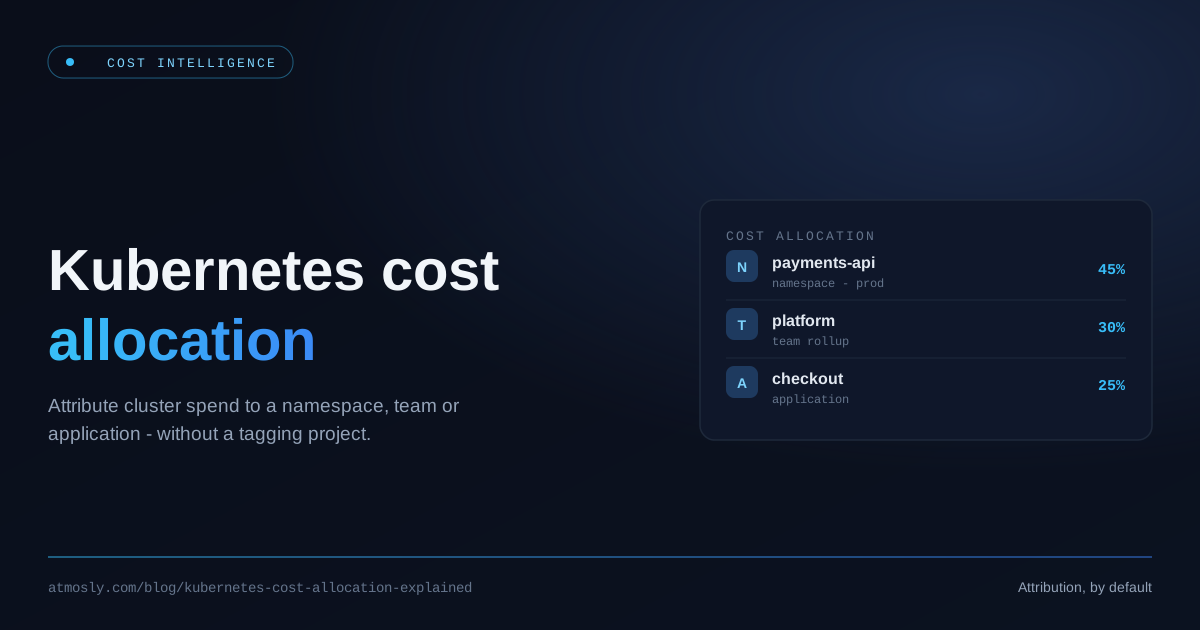
Kubernetes cost allocation is the practice of attributing a shared cluster's spend back to the teams, namespaces, workloads, and products that actually consume it. It sounds like an accounting chore, but it is the single most important data primitive in Kubernetes FinOps: without it you cannot answer "who spent this $40,000?", you cannot run showback or chargeback, and you cannot prioritize rightsizing because you don't know whose pods are wasting capacity.
This guide is for platform engineers, SREs, and engineering leaders who already run multi-tenant clusters and now need to turn raw cloud bills into per-team accountability. We'll cover why cost allocation is genuinely hard on Kubernetes, the building blocks (namespace, label, workload, idle, and shared-cost splitting), the difference between showback and chargeback, the maturity path between them, and how to make allocation the foundation for real savings — not just prettier dashboards.
TL;DR — Key Takeaways
- Kubernetes cost allocation maps a shared node bill onto namespaces, labels, workloads, and teams. It is hard because of bin-packing, idle capacity, shared overhead (control plane, load balancers, storage), and blended pricing (spot, on-demand, RI/SP/CUD, Fargate).
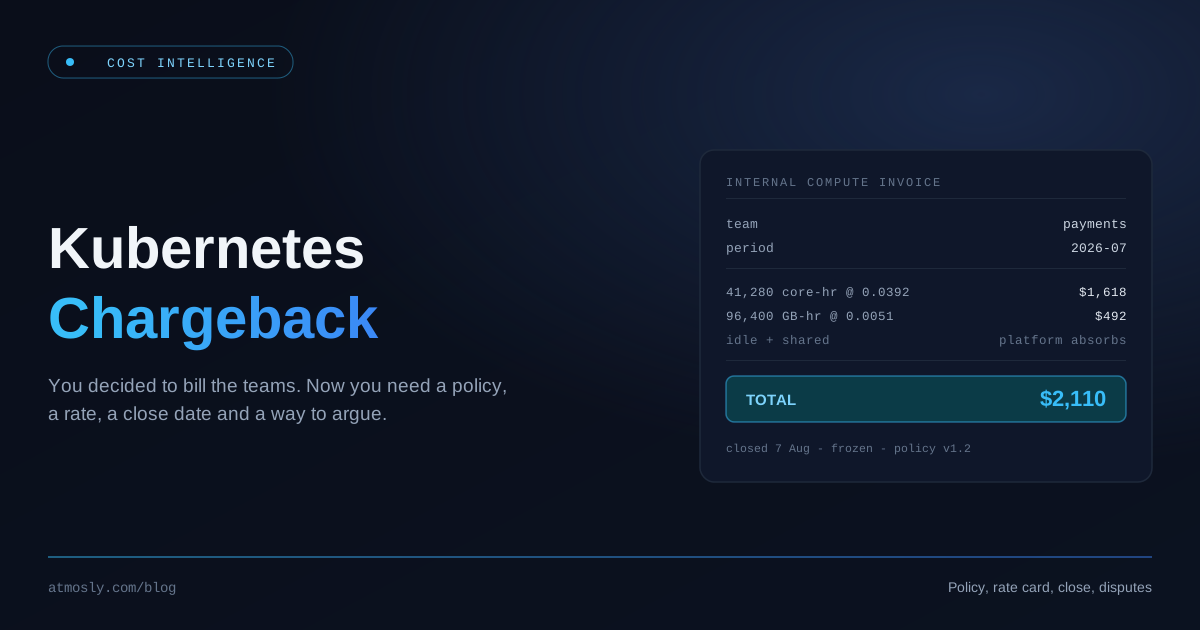
- Showback shows each team what they cost (visibility, no money moves). Chargeback actually bills those costs back to a cost center (accountability with real budget consequences).
- Most organizations should walk a maturity path: accurate allocation → showback → chargeback. Skipping straight to chargeback on shaky data destroys trust.
- The hardest, most political part is splitting idle and shared costs fairly. The allocation model you choose (request-based, usage-based, or
Max(request, usage)) determines whether teams trust the numbers. - Allocation is not the end goal — it is the input to rightsizing and waste reduction. The teams you bill are the teams you then help shrink.
Why Kubernetes Cost Allocation Is Hard
In a traditional cloud account, allocation is mostly a tagging problem: one EC2 instance, one RDS database, one S3 bucket — tag it with a Team or cost-center and the bill follows the tag. Kubernetes breaks that model because the unit you pay for (the node) is not the unit you deploy (the pod), and many tenants share each node.
Bin-packing and node sharing
The whole value proposition of Kubernetes is density: the scheduler bin-packs pods from many teams onto the same nodes to drive up utilization. That density is exactly what makes allocation hard. A single m5.2xlarge might simultaneously run the payments team's API, the search team's indexer, and three platform DaemonSets. The EC2 bill is one line item; the responsibility for it is fractional and shared.
So the first job of any allocation engine is to decompose the node cost back down to the pod level using each pod's share of CPU and memory, then roll those pod costs back up to namespaces, labels, and teams.
Requests vs usage — which one do you bill?
This is the core modeling decision, and it is genuinely contested:
- Bill by requests. A pod reserves capacity via
resources.requests; that capacity is unavailable to anyone else even if the pod sits idle. Billing by requests punishes over-requesting and rewards right-sized manifests. But it ignores burstable workloads that quietly consume more than they reserve. - Bill by usage. Bill each pod for the CPU/memory it actually used (P95/P99 over the window). This feels "fair" but lets teams free-ride: they request huge buffers (which strands cluster capacity) yet are billed only for low average usage.
- Bill by
Max(request, usage). Take the larger of the two per pod. You pay for what you reserve, and if you burst above your reservation you pay for the peak that actually consumed shared capacity. This is the model that most accurately reflects who is responsible for node pressure, and it is the method Atmosly uses for Kubernetes cost attribution.
There is no universally "correct" answer, but there is a wrong one: picking a model your engineers don't understand. Whatever you choose, document it and apply it consistently, because the model is what teams will argue about the first time they see a chargeback invoice.
Idle capacity nobody asked for
Clusters are never 100% packed. You keep headroom for spikes, the autoscaler over-provisions during scale-up, DaemonSets reserve a slice of every node, and kube-system overhead is real. The gap between what you pay for (node capacity) and what is allocated to workloads is idle cost — and someone has to own it.
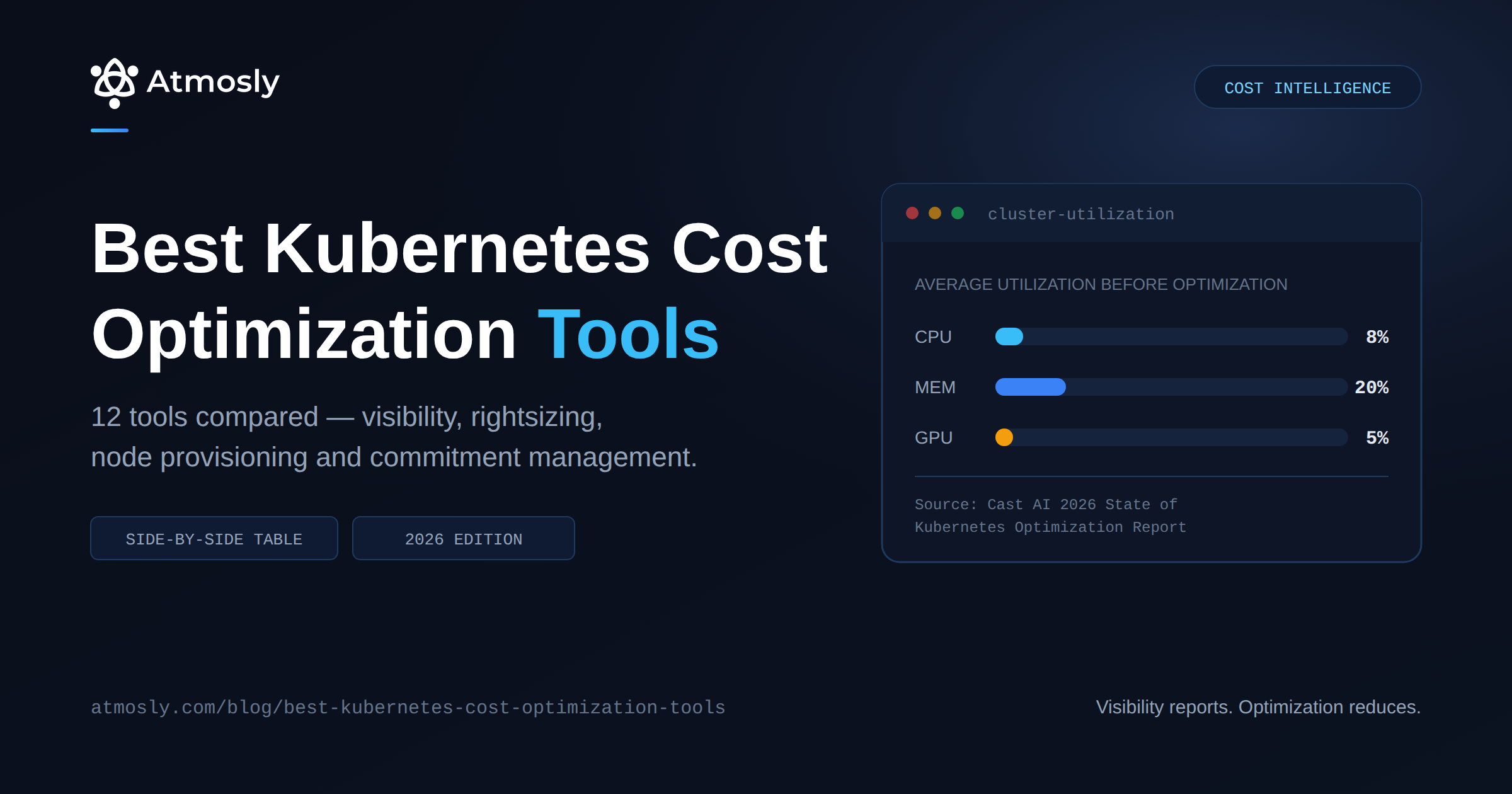
Idle cost is the number that surprises people most. On a poorly tuned cluster, 40–60% of the bill can be idle. If you silently smear idle across teams, the efficient teams subsidize the wasteful ones and your allocation loses credibility. We'll come back to fair distribution below.
Shared and overhead costs
Beyond the worker nodes, a cluster has costs that don't belong to any single tenant:
- Control plane — a flat hourly charge on managed Kubernetes (for example, Amazon EKS charges per cluster-hour for the control plane).
- Load balancers — each
Serviceoftype: LoadBalanceror Ingress provisions an ELB/NLB that costs money per hour plus per-LCU. - Persistent storage —
PersistentVolumesmap to EBS/PD volumes billed by GB-month and IOPS. - Cross-AZ and egress data transfer — frequently 10–30% of cloud spend and almost entirely invisible in default dashboards.
A serious allocation engine has to price these and decide how to split them — by namespace weight, by the workload that owns the Service/PVC, or as a shared overhead pool.
Blended pricing: spot, on-demand, RI/SP/CUD, Fargate
The same m5.large can cost wildly different amounts depending on how it's purchased: on-demand list price, a Spot instance at a 70% discount, a node covered by a Reserved Instance or Savings Plan, or a Fargate-style per-vCPU/per-GB charge. If your allocation uses a single hardcoded $/core-hour, every number downstream is wrong.
Accurate Kubernetes cost allocation therefore needs dynamic, per-cluster, per-day pricing that reflects the actual blend of node purchase types on that cluster on that day — and, for enterprises, negotiated/effective rates (EDP, private pricing) rather than public list prices.
Struggling to turn a shared cluster bill into per-team numbers your engineers actually trust? Create a free Atmosly account, connect a cluster, and see namespace-, workload-, and idle-level cost breakdown computed from your real node prices — the allocation foundation showback and chargeback are built on.
The Building Blocks of Kubernetes Cost Allocation
Allocation is a pipeline, not a single number. Here are the layers, from raw telemetry to a team invoice.
1. Establish the cost of the cluster
Start with what you actually pay: the sum of all billable node costs (priced by their real capacity type — spot, on-demand, RI/SP-covered), plus control plane, plus load balancers, plus storage. This is the pool you will distribute.
2. Compute each workload's allocated resources
For every container, determine its allocated CPU and memory for the day. Using the Max(request, usage) method:
Allocated_CPU_cores = Max(cpu_request, cpu_usage_p95)
Allocated_Mem_bytes = Max(mem_request, mem_usage_p95)
You need real telemetry for this — per-workload CPU/memory requests, limits, and usage percentiles scraped from the cluster (typically via Prometheus and kube-state-metrics) and aggregated daily.
3. Derive a dynamic effective rate
Rather than a static rate, compute the cluster's effective $/core-hour and $/GB-hour for that day from its actual node cost:
Effective_CPU_Rate = Total_Node_Cost * CPU_Weight / Total_CPU_Capacity
Effective_Mem_Rate = Total_Node_Cost * Mem_Weight / Total_Mem_Capacity
CPU_Weight / Mem_Weight typically split 50/50 but are adjustable. A spot-heavy cluster automatically produces a lower effective rate; an on-demand cluster a higher one. The allocation tracks reality.
4. Roll up: workload → namespace → label → team → product
Multiply each workload's allocated resources by the effective rates to get a per-workload cost, then aggregate:
- By namespace — the most common boundary; usually one namespace per team or per environment.
- By label/annotation —
team,app.kubernetes.io/part-of,cost-center,productlabels let you cut across namespaces (e.g., one product spanning several namespaces). - By workload — the Deployment/StatefulSet/Job/DaemonSet, so you can see exactly which service is expensive.
- By cost center / product — the business-facing rollup that finance cares about.
A concrete namespace-level attribution record looks like this — note the per-component breakdown and the utilization weights that justify the split:
{
  "payments": {
    "cost": 612.40,
    "cpu_weight_pct": 31.2,
    "memory_weight_pct": 27.8,
    "combined_weight_pct": 29.5,
    "cost_breakdown": {
      "node": 540.10,
      "control_plane": 38.20,
      "ebs": 22.40,
      "elb": 11.70
    }
  }
}
5. Calculate and assign idle cost
Idle_Cost = Total_Capacity_Cost - Total_Allocated_Cost(If allocation exceeds capacity due to overcommitment, idle is floored at zero.) Idle is its own bucket. Deciding who pays for it is a policy choice, not a math problem — covered below.
6. Handle untagged / unallocated cost explicitly
Some cost will never map to a tenant: a forgotten namespace, a Service with no owner label, a node running only system pods. Never hide this. Surface it as an explicit Unallocated line. The percentage of unallocated cost is a direct, honest measure of how good your tagging hygiene is — and a target to drive down over time. Atmosly's cloud cost allocation engine, for example, surfaces an explicit Unallocated bucket whenever a tag key has no value rather than silently dropping the spend.
Tagging and labeling strategy (the foundation under the foundation)
Allocation quality is capped by metadata quality. A workable baseline:
- Mandate a small, fixed label set on every workload:
team,cost-center,env,app. Resist the urge to allow 40 optional labels. - Enforce at admission time. Use Kyverno or OPA Gatekeeper to reject or mutate workloads missing required labels — this is exactly the kind of policy guardrail that stops untagged spend at the door instead of cleaning it up later.
- Mirror cloud tags and K8s labels. Your
cost-centerlabel should match thecost-centertag on the underlying nodes and on non-Kubernetes resources, so a team's total footprint (cluster + RDS + S3) rolls up under one key. - Treat the label schema as an API. Version it, document it in your internal developer platform, and make the right labels the default in your workload templates so developers fall into the pit of success.
Showback vs Chargeback: Definitions and When to Use Each
Once you can allocate costs accurately, you can operate on them in two fundamentally different ways.
See cost per namespace and per team.
Free, read-only. Idle shown separately. No tagging project needed.
Showback is visibility without billing. You show each team a report or dashboard of what their namespaces and workloads cost, but no money actually moves between budgets. The goal is awareness and behavior change through transparency.
Chargeback is actual internal billing. Each team's allocated cost is debited from their real budget or cost center. Engineering's cloud spend becomes a line item the team is financially accountable for — it hits their P&L.
Side-by-side comparison
| Dimension | Showback | Chargeback |
|---|---|---|
| Money moves? | No — visibility only | Yes — debited from team/cost-center budgets |
| Primary goal | Awareness, behavior change, accountability culture | Financial accountability, budget enforcement |
| Data accuracy required | Good enough to be directionally trusted | Invoice-grade; disputes have real consequences |
| Org maturity needed | Low–medium — most teams can start here | High — needs finance buy-in and stable allocation |
| Risk if data is wrong | Eroded trust, ignored dashboards | Budget disputes, gaming, political fallout |
| Idle/shared cost handling | Can be shown as a shared pool | Must have an agreed, defensible split policy |
| Typical owner | Platform / FinOps team | Finance + FinOps, with platform supplying data |
Choose showback when…
- You are early in your FinOps journey and allocation accuracy is still improving.
- Your goal is to change engineering behavior, not to settle internal accounts.
- You have shared/idle costs you haven't yet agreed how to split.
- Leadership wants accountability without the political overhead of moving budgets.
Choose chargeback when…
- Allocation is accurate and stable enough that teams trust it as billing-grade.
- Finance actively wants engineering costs reflected in team budgets.
- You have a defensible, documented policy for idle and shared-cost distribution.
- Teams have real authority to act on their costs (they can rightsize, scale down, or choose cheaper compute) — billing people for costs they can't control breeds resentment.
Which model fits your organisation
The dimension table above tells you what each model is. This one tells you which to pick, based on where you actually are today.
| Your situation | Start with | Who absorbs idle and shared cost |
|---|---|---|
| Fewer than ~50 engineers, one or two teams on a shared cluster | Neither yet — a monthly figure in a channel is enough | Nobody is counting, and that is fine at this size |
| Unallocated cost is still above 10% of the bill | Showback — fix the data first | Platform team, shown openly |
| Teams cannot change their own infrastructure | Showback only | Platform team — billing people for costs they cannot control breeds resentment, not savings |
| Allocation is stable, finance wants team budgets | Chargeback of direct costs | Platform team funds it centrally and is measured on shrinking it |
| Mature FinOps, teams own their infrastructure, finance is bought in | Full chargeback | Split across teams by an agreed, written policy |
The row most teams get wrong is the third one. If a team cannot choose its own instance types, scale its own workloads, or refuse a platform mandate, then billing it for those costs is just moving a number between spreadsheets.
A practical middle ground many organizations adopt is "chargeback of direct costs, showback of shared costs": teams are billed for the workloads they directly own, while idle and platform overhead are shown transparently but funded centrally by the platform org (which is incentivized to shrink them).
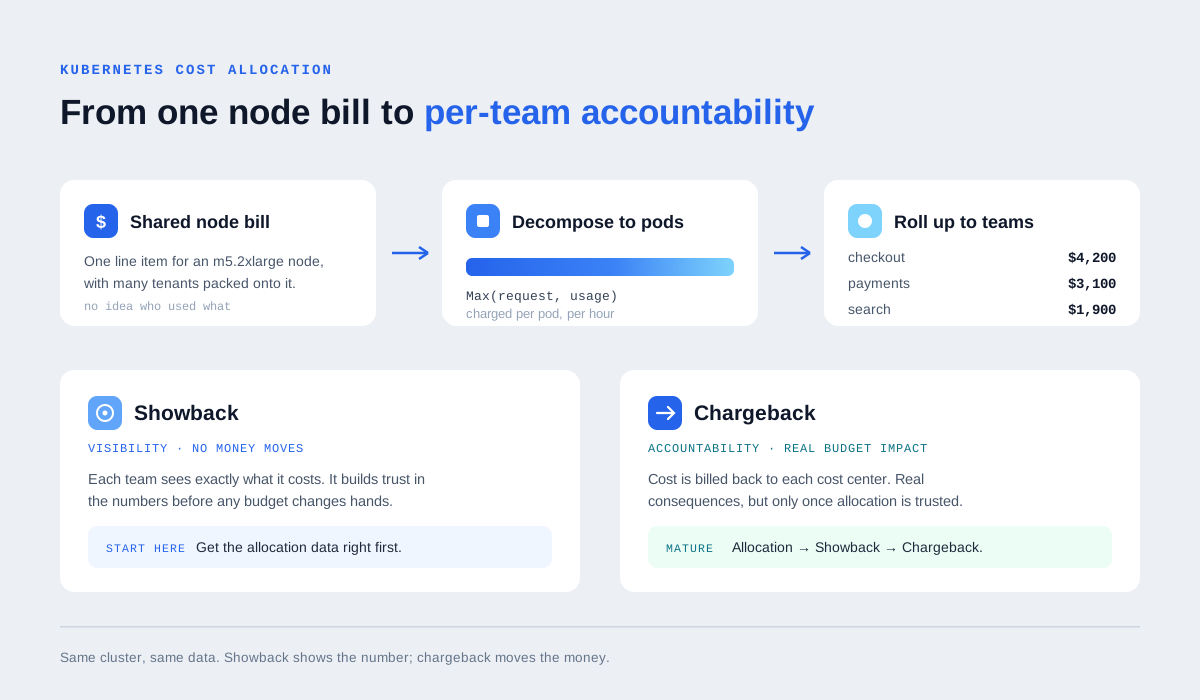
Allocation is the same work in both models. Only the last step differs.
One Cluster, Two Bills: A Worked Example
The clearest way to see why the policy matters is to run the same month through both models. These figures are an illustration, not our product data.
A cluster costs $12,000 for the month. Allocation by max(request, usage) gives:
- checkout — $4,200 allocated
- payments — $3,100 allocated
- search — $1,900 allocated
That accounts for $9,200. The remaining $2,800 is capacity nobody asked for: $2,100 of idle headroom on partly packed nodes, and $700 of control plane and platform tooling that serves everyone.
Under showback, each team sees its own number and the $2,800 appears as a separate line owned by the platform team. Nothing is billed. The platform team has a visible target to shrink.
Under chargeback, you have to decide who pays that $2,800, and the two defensible answers give very different invoices:
| Team | Allocated | Direct-only chargeback | Fully loaded chargeback |
|---|---|---|---|
| checkout | $4,200 | $4,200 | $5,478 |
| payments | $3,100 | $3,100 | $4,044 |
| search | $1,900 | $1,900 | $2,478 |
| Platform team | — | $2,800 | $0 |
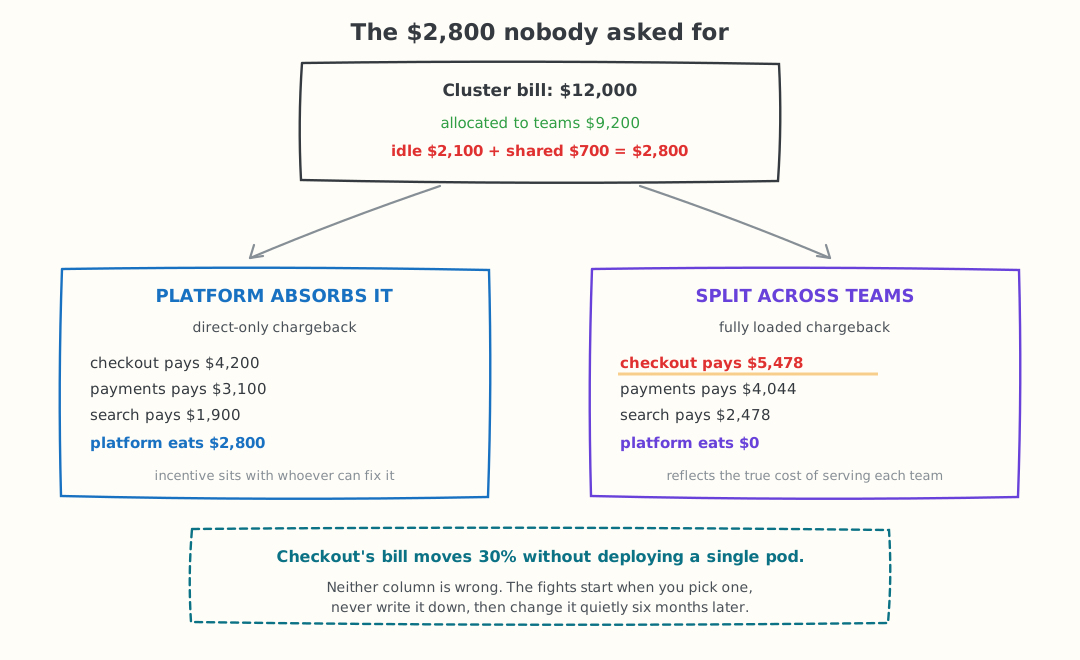
The same $2,800 of idle and shared cost, parked in two different places.
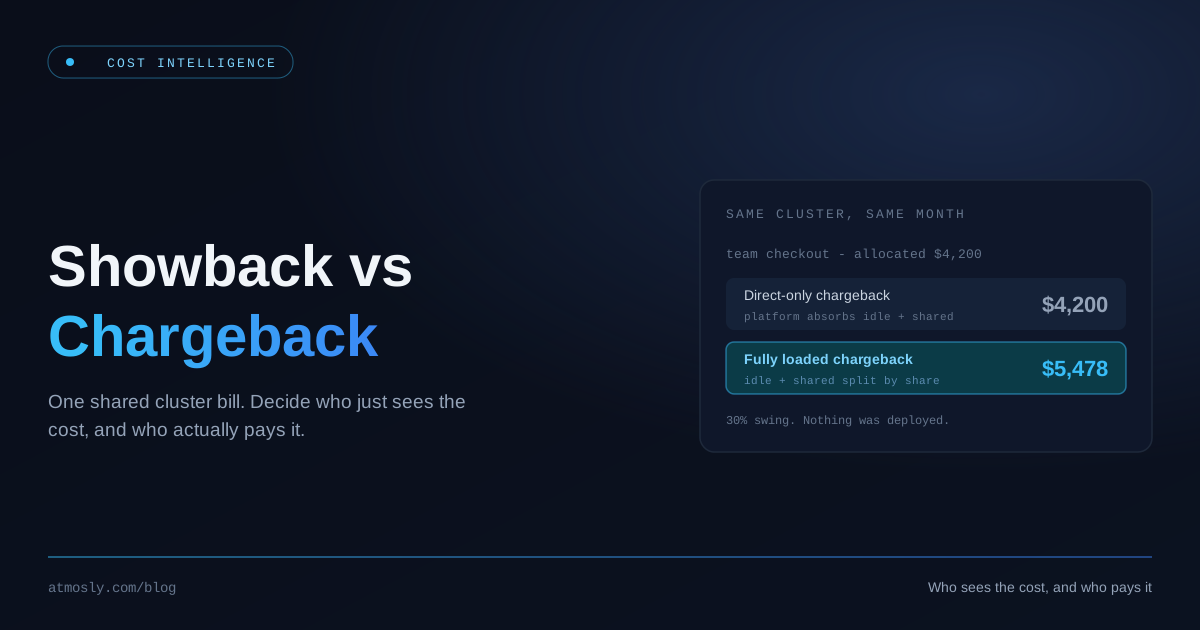
Checkout's bill moves from $4,200 to $5,478 — about 30% higher — without the team deploying a single extra pod. That is the whole argument in one number.
Neither column is wrong. Direct-only keeps the incentive where the control is, since the platform team is the only one who can improve bin-packing. Fully loaded reflects the true cost of serving each team, which finance usually prefers. What causes fights is picking one, never writing it down, and changing it quietly six months later.
The Maturity Path: Visibility → Accountability → Billing
Don't jump straight to chargeback. Organizations that try almost always trigger a revolt the first time a team gets an invoice they don't understand. Walk the path:
Stage 1 — Allocation accuracy
Get the data right first. Reduce Unallocated cost below ~5% via label enforcement. Pick and document your allocation model (Max(request, usage), request-based, or usage-based). Make sure pricing reflects your real spot/RI/SP/Fargate blend. Nothing else matters until the numbers are defensible.
Stage 2 — Showback
Publish per-team cost dashboards. Make them visible in standups and monthly reviews. Pair every cost number with a waste number ("you spent $9,400; ~$3,100 of that is over-provisioned"). The point of showback is not to shame — it's to give teams a clear, actionable target. This is where the cultural shift happens.
Stage 3 — Accountability
Introduce budgets and anomaly alerts. A team owns a monthly target; when their spend forecasts over budget or spikes anomalously, they get notified. Still no money moves, but expectations are now explicit and tracked.
Stage 4 — Chargeback
Only now, with accurate allocation, an agreed shared-cost policy, and teams that already understand their numbers, do you flip to real internal billing. Because everyone has been living with showback for months, the first invoice contains no surprises.
Most failed chargeback rollouts skipped Stage 2 and 3. The invoice is never the problem — the surprise is. Showback's entire job is to remove the surprise before any money moves.
Fairly Splitting Idle and Shared Costs
This is the part that makes or breaks trust. Here are the common policies, with honest tradeoffs.
Option A — Smear idle proportionally
Distribute idle cost across teams in proportion to their allocated usage. Simple and defensible-sounding, but it punishes efficient teams: the team that right-sized perfectly still inherits a share of the cluster's slack that they didn't cause.
Option B — Central platform pool
Assign all idle and shared overhead to the platform team's budget. This is increasingly the favored model because it puts the cost where the control is: the platform team owns the autoscaler, the headroom policy, and the instance mix, so they're the ones who can actually reduce idle. It also gives the platform team a direct financial incentive to tune bin-packing, enable consolidation, and adopt spot.
Option C — Tiered / capacity-reservation model
Teams reserve guaranteed capacity (and pay for it whether used or not), while burst above their reservation draws from a shared pool. Closest to how cloud reservations actually work, but the most complex to administer.
For shared infrastructure specifically:
- Control plane — usually a flat platform overhead; too small to be worth fighting over.
- Load balancers and storage — attribute to the namespace/workload that owns the
ServiceorPVCwhenever the resource is clearly owned; pool the rest. - System/
kube-systemoverhead — almost always a platform pool, not a tenant cost.
Whatever you pick, the rule is the same: make the policy explicit, document it, and apply it consistently. Teams will accept a policy they understand even if they don't love it. They will never accept a black box.
Allocation Is the Foundation for Real Savings
Cost allocation that just produces reports is a cost center. Allocation becomes valuable when it drives action — and the clearest action is rightsizing.
Once you can see that the search team's indexer Deployment requests 8 cores and 32Gi but runs at a P99 of 1.2 cores and 6Gi, you have a precise, dollar-quantified savings target. Allocation tells you whose waste it is and how much it costs; rightsizing tells you what to change.
A production-grade rightsizing recommendation is built from the same telemetry as allocation: take 14–30 days of P95/P99 CPU and memory per container, add a safety buffer, and enforce floors so you never starve a pod:
# search/indexer — current vs recommended (illustrative)
# observed: cpu_p99 = 1.2 cores, mem_p99 = 6.1Gi over 30 days
resources:
  requests:
    cpu: "1500m"      # 1.2 cores P99 * 1.25 buffer
    memory: "7Gi"     # 6.1Gi P99 * ~1.15 buffer
  limits:
    cpu: "3000m"
    memory: "8Gi"     # OOM guard: never floor below observed peak
Crucially, naive rightsizing is dangerous, so a real engine adds guardrails:
- Safety floors (e.g., never below 50m CPU / 100Mi memory) so tiny services don't get starved.
- An OOM guard — if a container was OOMKilled in the window, memory is not reduced regardless of the percentile.
- A throttle guard — if CPU was being CFS-throttled, CPU is not reduced.
- Consistency and cooldown — only act on a recommendation that has been stable for several days, and wait between changes so you don't thrash a workload.
The savings math closes the loop back to allocation: priced with the same dynamic effective rates, Savings = Current_Cost − Recommended_Cost. Roll those per-workload savings up by namespace and team and you now have, for every team you showback or chargeback, both what they cost and what they could save. That pairing is what turns a cost dashboard into a behavior-change engine.
Node-level optimization is the second lever: once pods are right-sized, the cluster is over-provisioned at the node layer, so you consolidate onto fewer or cheaper instances (including spot) — the classic "rightsize the pods first, then let the node autoscaler provision less" sequence that pairs naturally with Karpenter.
How Atmosly Provides the Allocation Foundation
Showback and chargeback are operating models — policies your organization runs on top of accurate data. The hard engineering problem underneath is producing that accurate, per-tenant, billing-grade allocation in the first place. That is precisely what Atmosly's Cost Intelligence is built to do.
Atmosly runs a push-based telemetry pipeline: a lightweight in-cluster agent scrapes Prometheus for per-workload CPU/memory requests, limits, and usage, computes daily P95/P99 percentiles, and reads the Kubernetes API for node capacity, instance types, and provider IDs. Those daily aggregates are shipped to Atmosly's gateway, stored, and processed by a recommendation engine — so the platform never needs to reach into your Prometheus directly, which matters for private and imported clusters.
On top of that telemetry, Atmosly produces the allocation building blocks described in this guide:
- Granular cost tracking by cluster, namespace, and workload, using the
Max(request, usage)method so the attribution reflects who actually consumes shared capacity. - Dynamic per-cluster, per-day pricing that reflects the real node mix — spot, on-demand, RI/Savings-Plan-covered, and Fargate — instead of a static rate. For mixed EKS clusters, Fargate workloads are costed from effective per-vCPU/per-GB rates, with optional CUR-derived effective rates so enterprise discounts are reflected rather than public list prices.
- Explicit idle cost (capacity cost minus allocated cost) surfaced as its own bucket, so you can decide how to split it rather than having it silently smeared.
- Shared-cost pricing for control plane, load balancers (from
Serviceinventory), and storage (fromPersistentVolumeinventory) — including for imported clusters where Atmosly has no direct cloud API access. - Cloud-side cost allocation by tag/label (for AWS, by keys like
Team,Owner,Env,Project,Application; for GCP, by labels) with an explicitUnallocatedbucket so untagged spend is visible, never hidden.
Then it closes the loop from allocation to savings. Atmosly generates per-workload CPU/memory request and limit recommendations from P99 telemetry plus buffers, with safety floors, OOM and CPU-throttle guards, and consistency/cooldown logic — each priced with the same dynamic rates so the savings figure is real, not a guess. A dashboard "optims" rollup aggregates these per cluster, and ideal-nodes recommendations suggest cheaper or better-fit instance types (cheapest on-demand fit, spot, and balanced options) once your pods are right-sized.
Finally, Atmosly can act on the recommendation, not just report it. Right-sizing can be actuated via a GitOps pull request (the durable path for ArgoCD/Git shops, including Helm values files), or via direct apply to the live cluster for non-GitOps clusters and emergencies — with an automatic, time-boxed ArgoCD sync-pause and a short revert window so a temporary patch can't silently drift. This is the GitOps-first model that production teams expect in 2026.
To be clear and honest about scope: Atmosly is the allocation and cost-intelligence layer — the accurate per-namespace, per-workload, idle, and shared-cost numbers, plus the rightsizing actions that shrink them. It is the data foundation you build a showback or chargeback program on. If you're standing up internal billing, Atmosly gives you the defensible numbers; your organization defines the policy for how they're shown or charged.
Atmosly's broader cloud cost optimization capabilities — anomaly detection, budgets, RI/SP commitment analysis, and waste scans across the rest of your AWS/GCP footprint — mean the per-team total you show or charge back covers more than just the cluster.
A Practical Rollout Checklist
- Instrument. Get per-workload CPU/memory request, limit, and usage telemetry flowing (Prometheus + kube-state-metrics, or a platform that ships it for you).
- Price dynamically. Replace any static
$/core-hourwith effective per-cluster rates that reflect your spot/RI/SP/Fargate blend. - Pick your model. Decide and document: request-based, usage-based, or
Max(request, usage). Don't change it silently later. - Enforce labels. Mandate
team/cost-center/env/appvia Kyverno/OPA at admission; driveUnallocatedbelow 5%. - Decide the idle/shared policy. Central platform pool is the most defensible default. Document it.
- Launch showback. Per-team dashboards, every cost paired with a waste/savings number.
- Add accountability. Budgets and anomaly alerts per team.
- Graduate to chargeback only when allocation is billing-grade and the policy is agreed — by which point showback has already removed every surprise.
- Close the loop. Use the same telemetry to rightsize the workloads you just allocated, and re-measure. Allocation that doesn't lead to action is just expensive reporting.
Conclusion
Kubernetes cost allocation is the unglamorous but essential primitive that makes every other FinOps capability possible. Get it right — accurate per-workload attribution, dynamic pricing that respects your spot/RI/SP/Fargate blend, an explicit idle bucket, and disciplined labeling — and showback becomes a credible behavior-change tool, chargeback becomes a non-event, and rightsizing becomes a precise, prioritized hit list instead of guesswork.
The sequence matters: nail allocation, run showback until the numbers are boring, then graduate to chargeback. And remember that allocation is the start of the work, not the end — the teams you can measure are the teams you can help shrink.
Ready to turn your shared cluster bill into per-team, per-workload numbers you can actually act on? Start free with Atmosly and see your namespace-level cost, idle waste, and rightsizing savings in minutes.