Multi-Cluster Kubernetes Cost Management Best Practices
Track, allocate, and compare costs across multiple Kubernetes clusters — fleet visibility that actually helps teams decide.

Guardrails automate the operations you'd otherwise do by hand. Target environments or clusters by filter, pick an action — scale up, scale down, or destroy — and choose when it runs. Scoped to exactly what matches, governed by your permissions, and logged on every run.
A guardrail reads like a sentence: take this action on the resources that match these filters, on this schedule. Four parts express almost any routine operation you run today by hand.
Each guardrail runs one action against the targets your filter matches — nothing more. Compose a handful and your weekends, nights, and ephemeral environments take care of themselves.
Bring development and staging environments back up before the workday — ready when the team logs in.
Spin non-prod down at night and on weekends — the single biggest lever on idle Kubernetes spend.
Tear down ephemeral and preview environments on a cadence — so abandoned ones never linger and bill.
Decommission clusters that match a filter on schedule — clean teardown for short-lived or test clusters.
Add capacity to a cluster's node groups ahead of a known peak — batch jobs, launches, business hours.
Shrink node groups when demand drops — Karpenter and managed node groups handled in the right order.
Schedule a guardrail to run once, every few weeks on chosen weekdays, or monthly. Here's a single week of non-prod following the rules above.
A scheduled action that can scale or tear down resources has to be safe by construction. Guardrails are — scoped to exactly what your filter matches, run under your permissions, and recorded every time.
Before it's saved, you see exactly which environments or clusters the filter resolves to. The action only ever touches that set — never a stray match.
Scheduled runs execute as an Atmosly service identity bound by the same RBAC as a person — a guardrail can never do what its owner couldn't.
Each execution records what matched, the action taken, and the result — with notifications on scale and teardown, so a scheduled change is never a silent one.
Scale-down restores on the next scale-up; destroy targets only the ephemeral, filter-matched resources it's meant to. Pause or disable any guardrail at any time.
Scheduled operations on the clusters and environments you already manage — one UI, one audit trail, one permissions model.
 Kubernetes
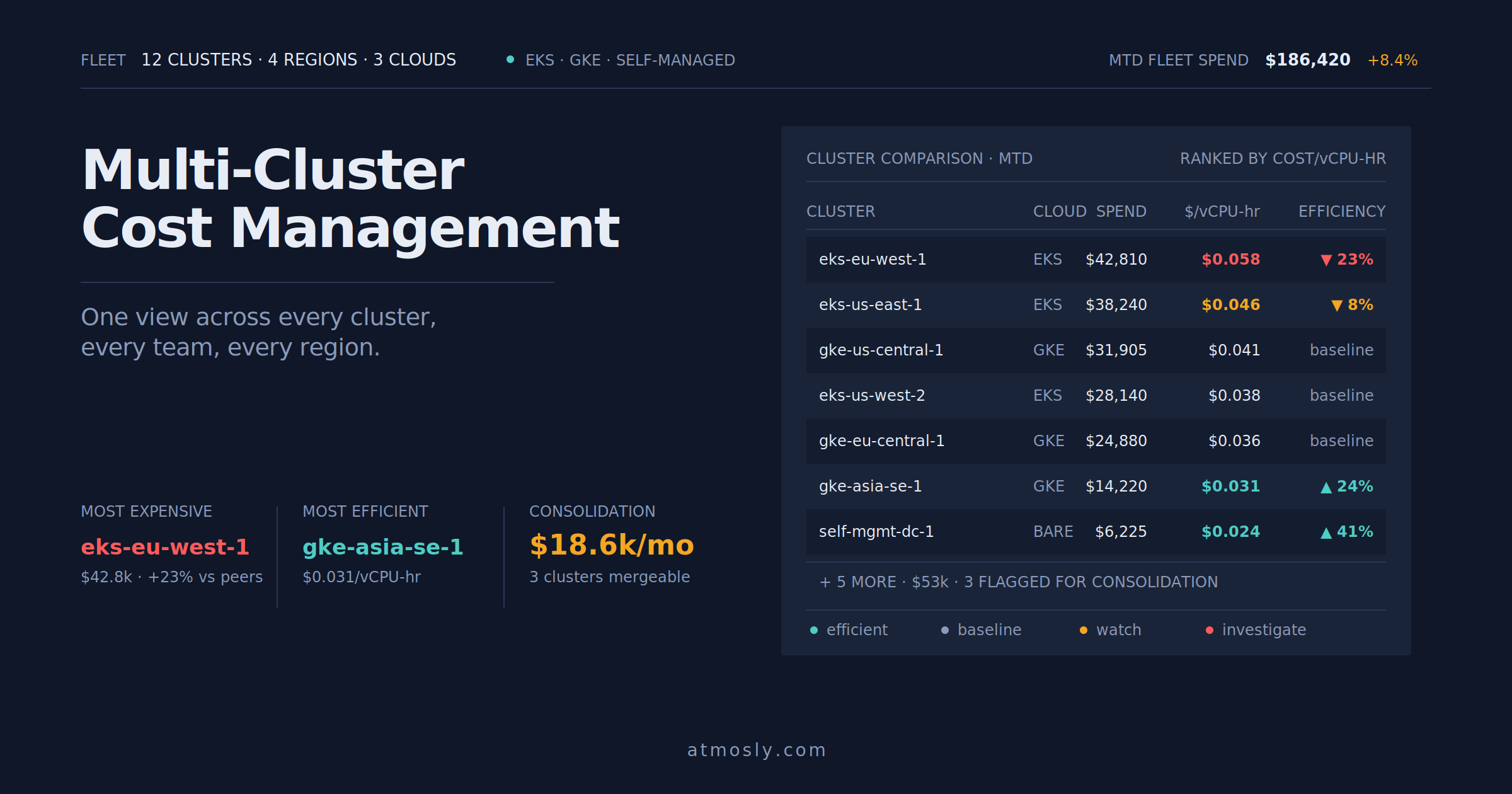
Track, allocate, and compare costs across multiple Kubernetes clusters — fleet visibility that actually helps teams decide.
 Kubernetes
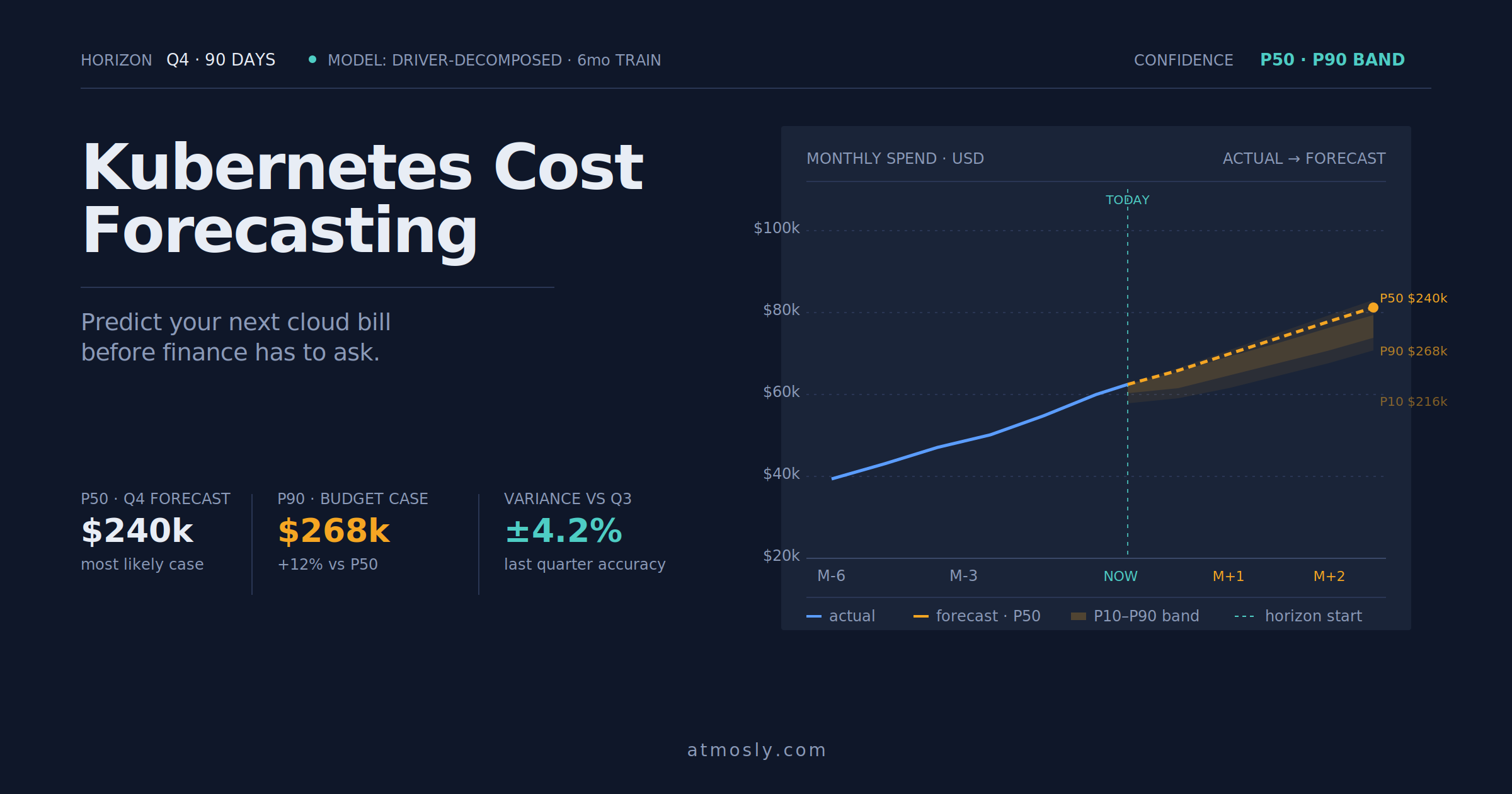
How to forecast Kubernetes cloud costs, avoid budget surprises, and give finance a number you can actually defend.
 Kubernetes
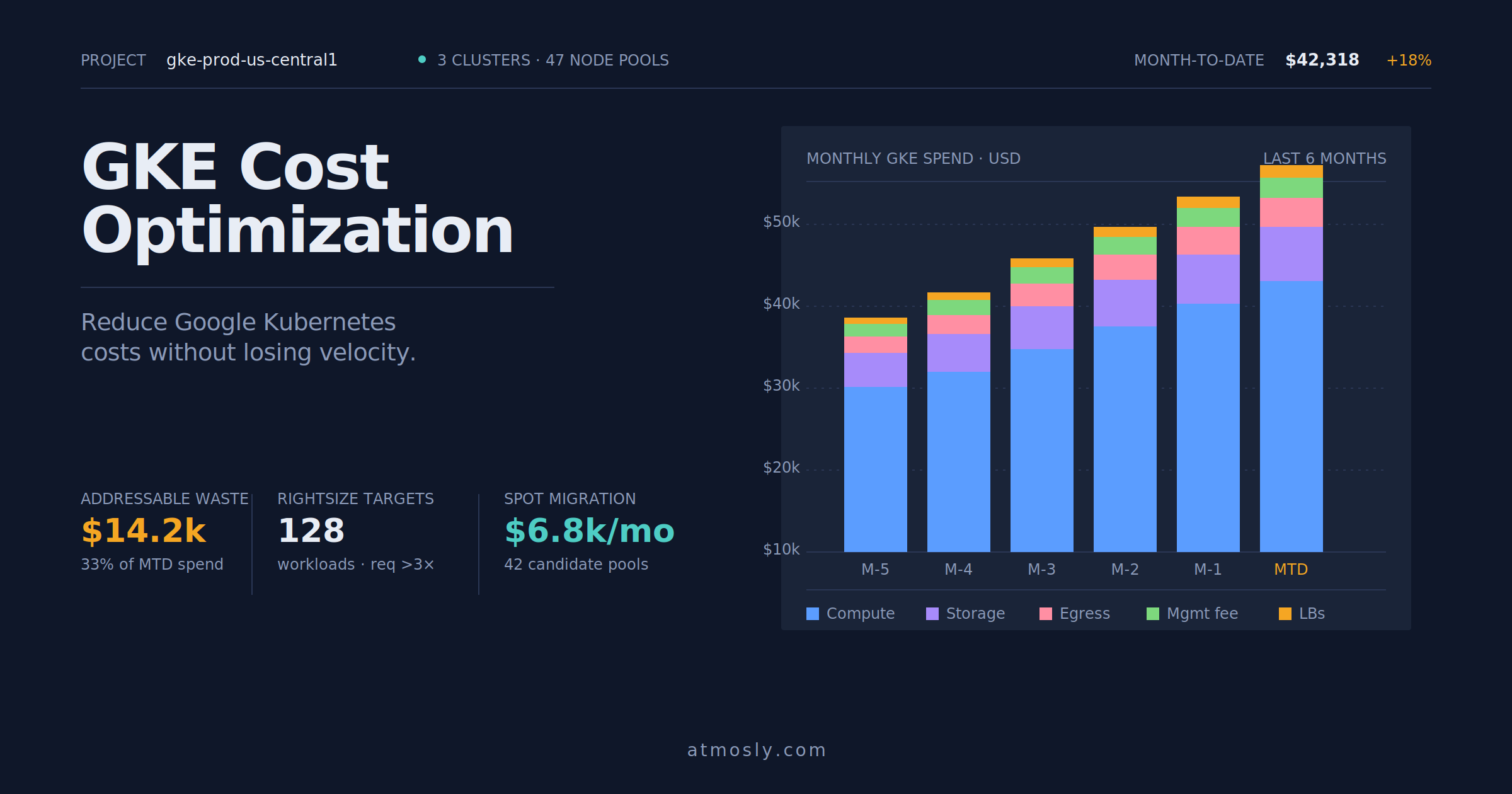
Practical GKE cost optimization guide — rightsizing, Spot VMs, storage tiering, and network egress control for engineers.
Connect a cluster, read-only to start. Create a guardrail, preview the resources it matches, and put your nights and weekends on autopilot — in minutes. Free, no sales call.