Multi-Cluster Kubernetes Cost Management Best Practices
Track, allocate, and compare costs across multiple Kubernetes clusters — fleet visibility that actually helps teams decide.

Managed databases, caches, queues, storage, node groups, and add-ons — created from curated blueprints in one governed catalog. Pick a blueprint, set a few values, and Atmosly provisions it directly. Encrypted and backed up by default; every request checked by guardrails.
Resources go through the same guardrail flow as everything else: encrypted and backed up by default, checked against your policy at request time, approved or escalated automatically before anything is created.
Encryption, region, and instance checks pass — but monthly cost is over the $500 cap, so it routes to an approver instead of provisioning silently. Under the cap, it would have auto-approved.
Each resource is a curated blueprint with production defaults already baked in: encryption, backups, sane sizing, network scope. You set a handful of values; Atmosly creates the resource directly — no modules to write, no console to click through.
Choose from the catalog — databases, caches, queues, storage, node groups, add-ons. Production defaults come built in.
Cost, region, instance type, and security baselines are checked against your policy — auto-approved when safe, escalated when not.
Atmosly provisions the resource directly, links it to the cluster, and tracks it — with a clean, audited path to update or remove it.
Everything a workload depends on — provisioned the same governed way, whether Atmosly creates it or adopts what you already have.
PostgreSQL, MySQL, Aurora — Multi-AZ, encrypted, with backups enforced by policy.
Redis, Memcached, SQS — the messaging and caching layer, provisioned to spec.
Volumes, buckets, and load balancers — versioned, TLS-terminated, and tagged.
Right-sized pools and cluster add-ons, pinned and installed through guardrails.
Provision, ship, and run share one UI, one audit trail, and one permissions model.
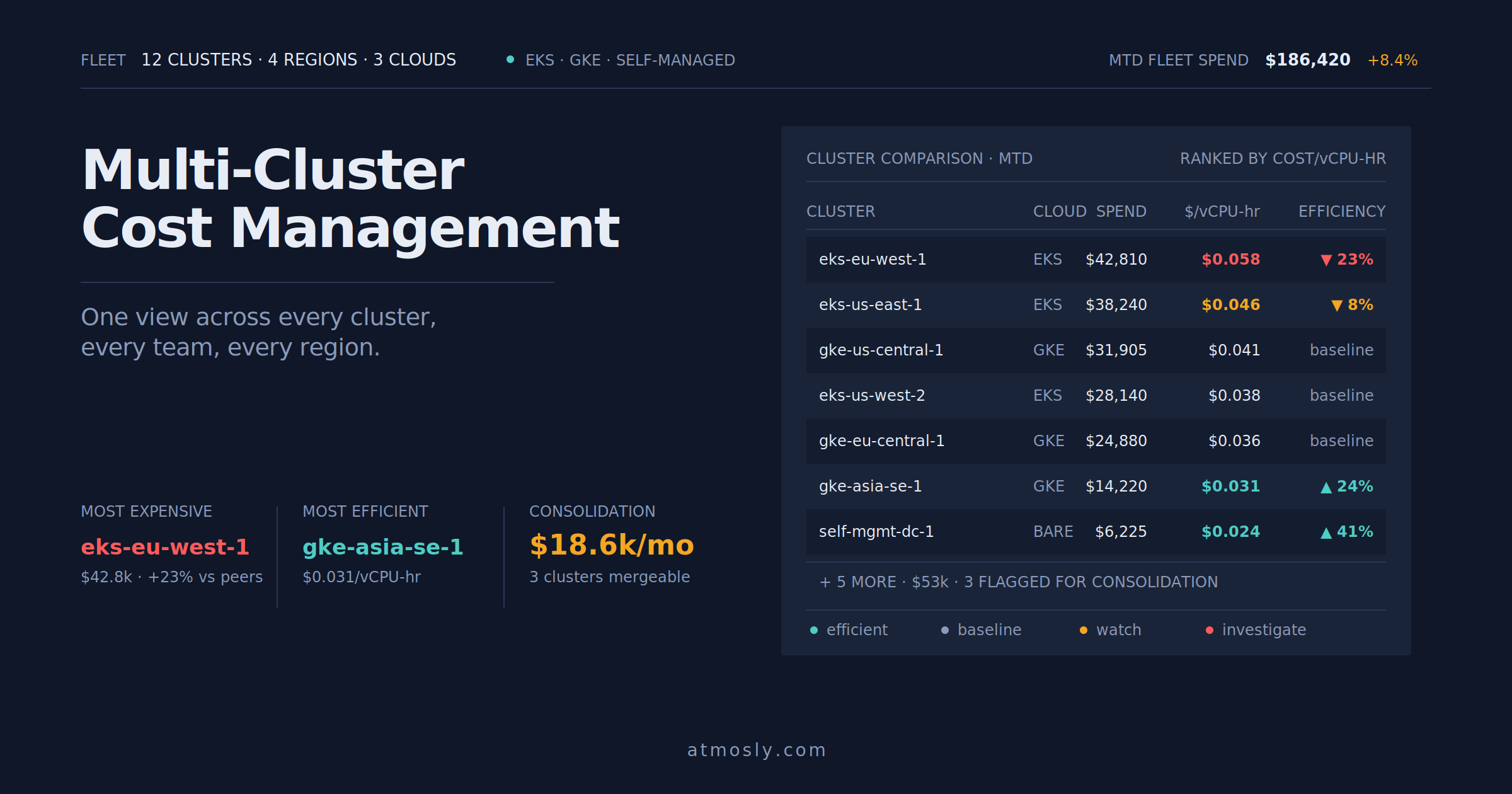 Kubernetes
Track, allocate, and compare costs across multiple Kubernetes clusters — fleet visibility that actually helps teams decide.
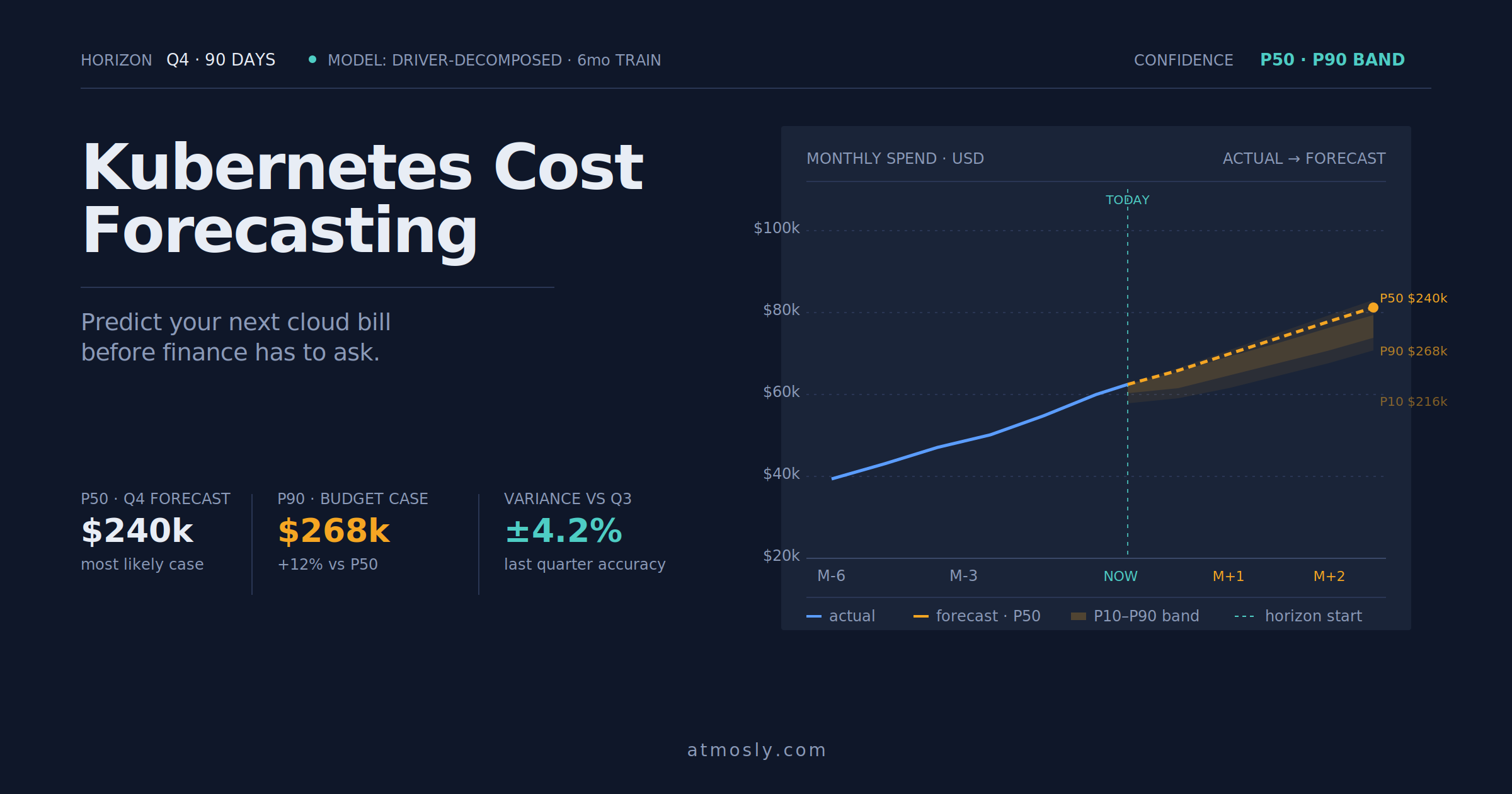 Kubernetes
How to forecast Kubernetes cloud costs, avoid budget surprises, and give finance a number you can actually defend.
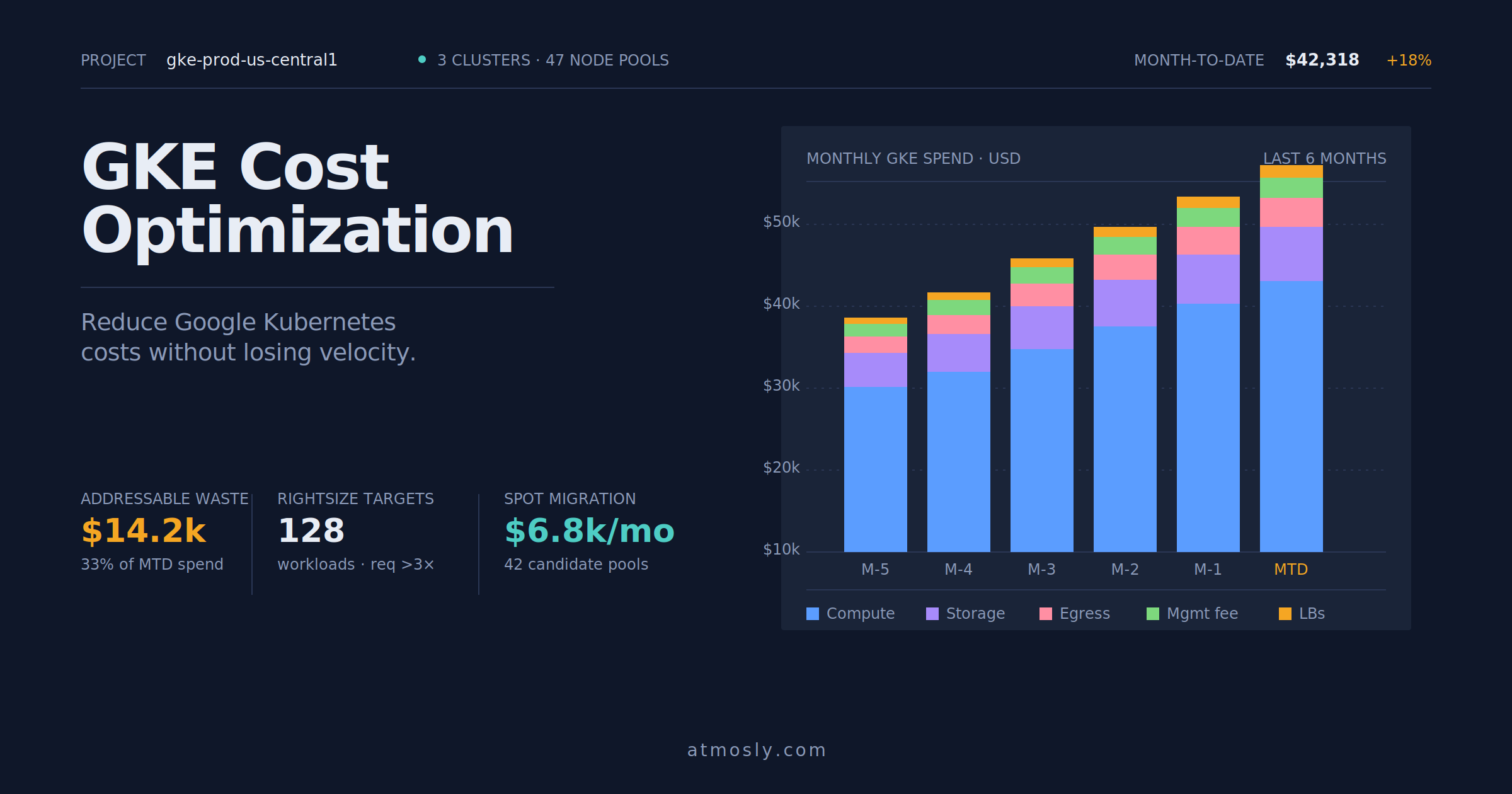 Kubernetes
Practical GKE cost optimization guide — rightsizing, Spot VMs, storage tiering, and network egress control for engineers.
Connect a cluster, read-only to start. Browse the resource catalog and watch a governed request flow through the guardrails in minutes. Free, no sales call.