Kubernetes Cost Forecasting: Predict Your Next Cloud Bill
How to forecast Kubernetes cloud costs, avoid budget surprises, and give finance a number you can actually defend.

Browse curated repos — Atmosly, Bitnami, Elastic, Prometheus — or connect your own public or private repo. Deploy a chart to any cluster and namespace with the values you want, watch its health, and roll back a bad release in one click. Private clusters deploy through the agent.
Start from repos Atmosly keeps current, add any public or private repo your teams already use, and publish your internal charts alongside them. One place to find and deploy everything.
Atmosly, Bitnami, Elastic, and Prometheus charts kept current — the add-ons most platforms run, ready to deploy.
Connect any public or private Helm repo with credentials — your sources show up in the same browse-and-deploy flow.
Publish internal charts with their default values so teams self-serve them exactly like any catalog entry.
Pick a chart, choose a cluster and namespace, set your values, and give it an app name. Atmosly deploys it through GitOps — and reports live ArgoCD health, so a deploy isn't done when the command returns, it's done when the app is Healthy.
The essentials in one place — curated and current, so you spend time using them, not hunting for the right chart and version.
ingress-nginx, cert-manager, service mesh — the front door for your workloads.
kube-prometheus, Loki, Grafana, Elasticsearch — metrics and logs that work together.
PostgreSQL, Redis, and the stateful add-ons your services depend on.
external-secrets, policy controllers, and scanners — wired into your clusters.
Provision, ship, and run share one UI, one audit trail, and one permissions model.
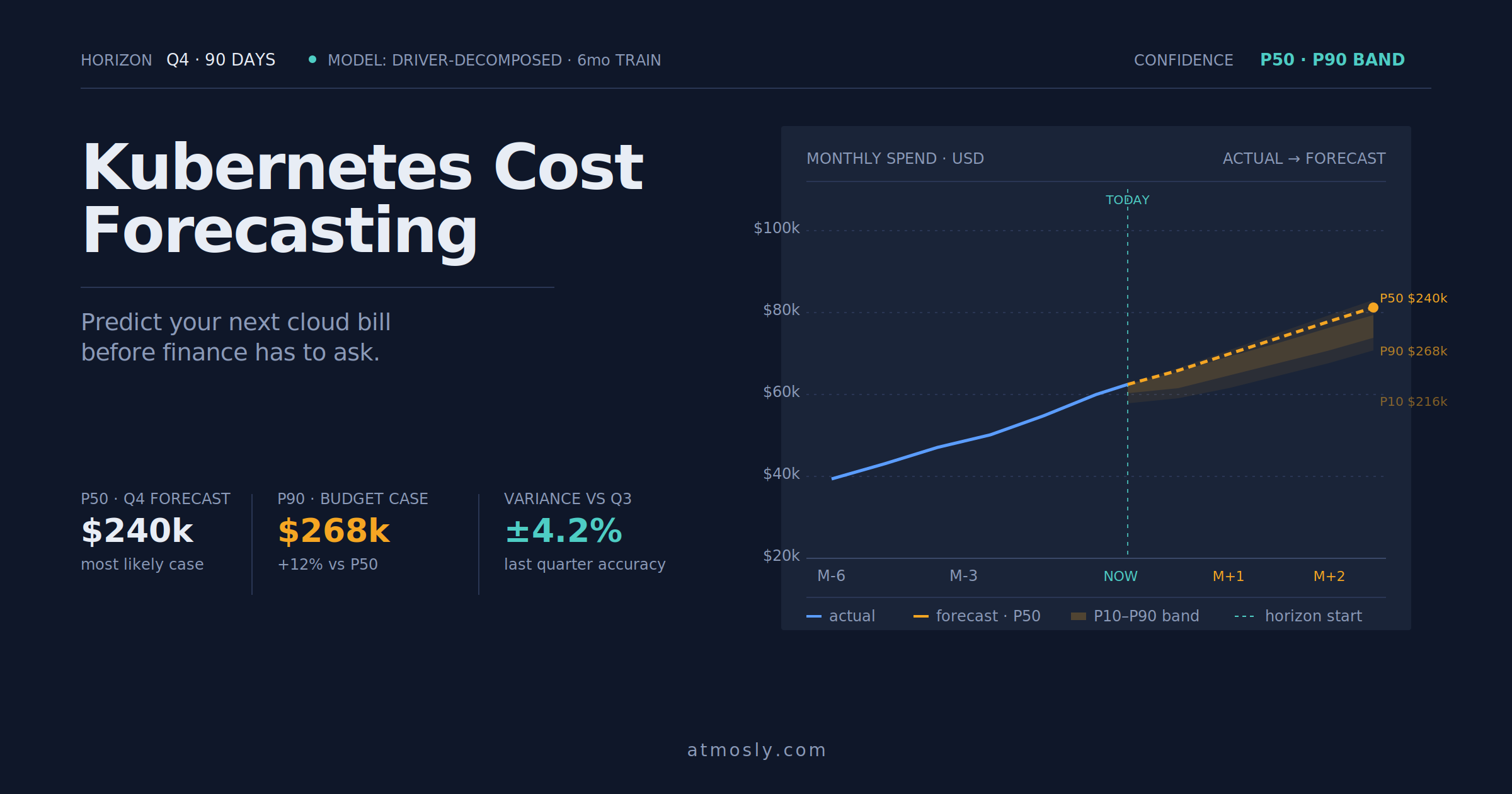 Kubernetes
How to forecast Kubernetes cloud costs, avoid budget surprises, and give finance a number you can actually defend.
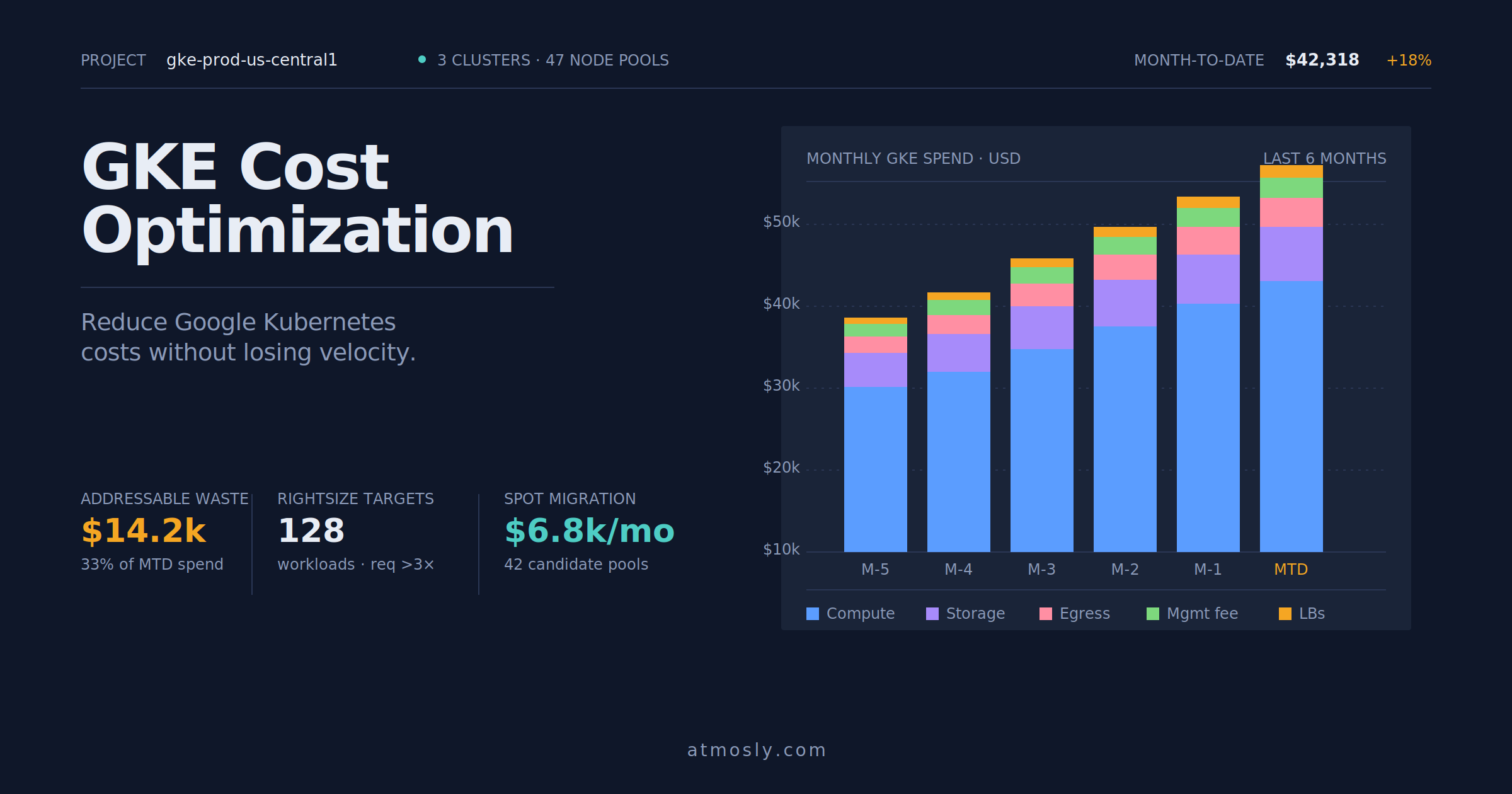 Kubernetes
Practical GKE cost optimization guide — rightsizing, Spot VMs, storage tiering, and network egress control for engineers.
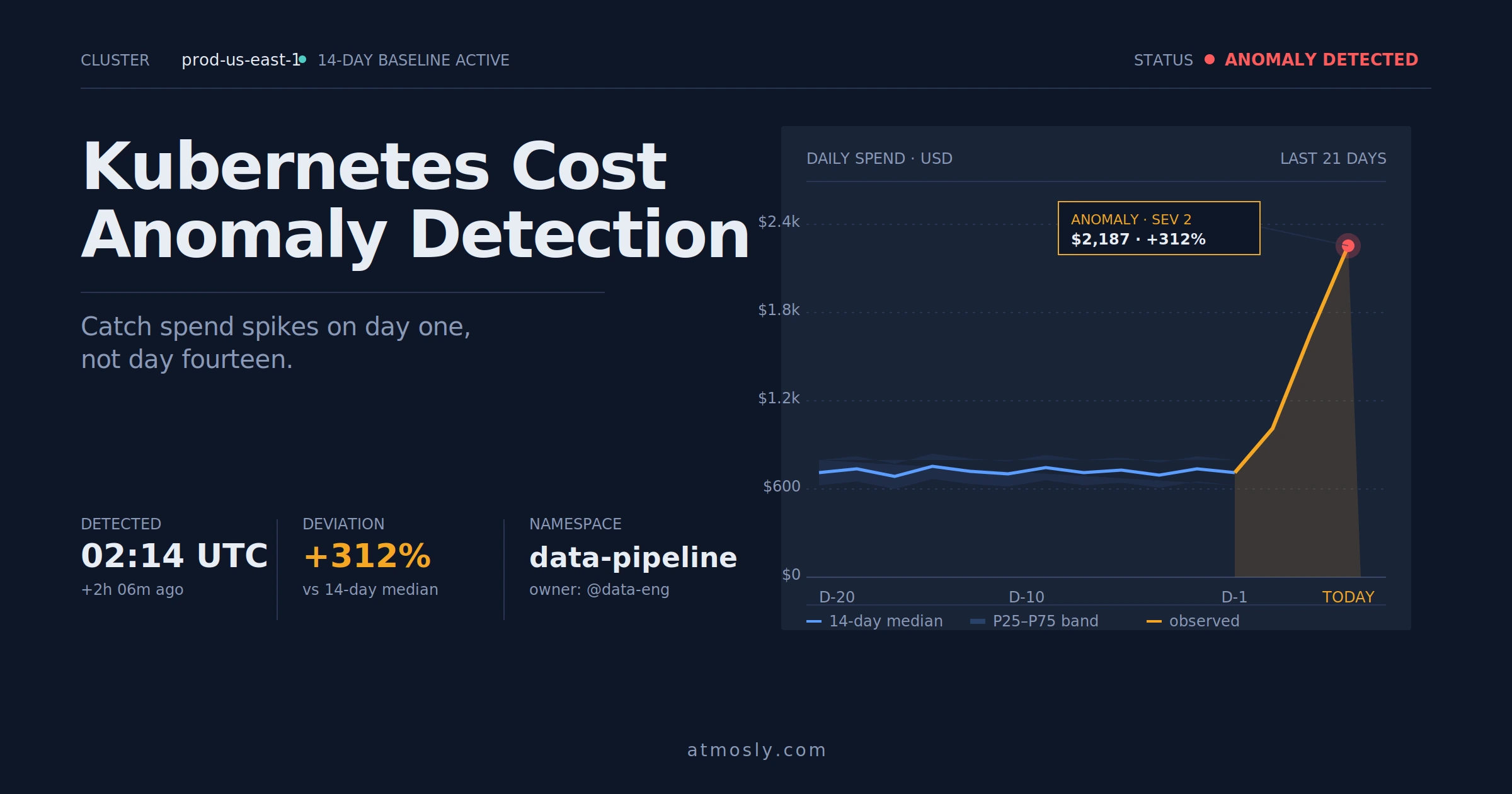 Kubernetes
How to detect Kubernetes cost anomalies early, investigate spend spikes, and stop budget surprises before they hit the bill.
Connect a cluster, read-only to start. Browse the catalog, deploy a chart to a namespace, and watch it go Healthy — then try a one-click rollback. Free, no sales call.