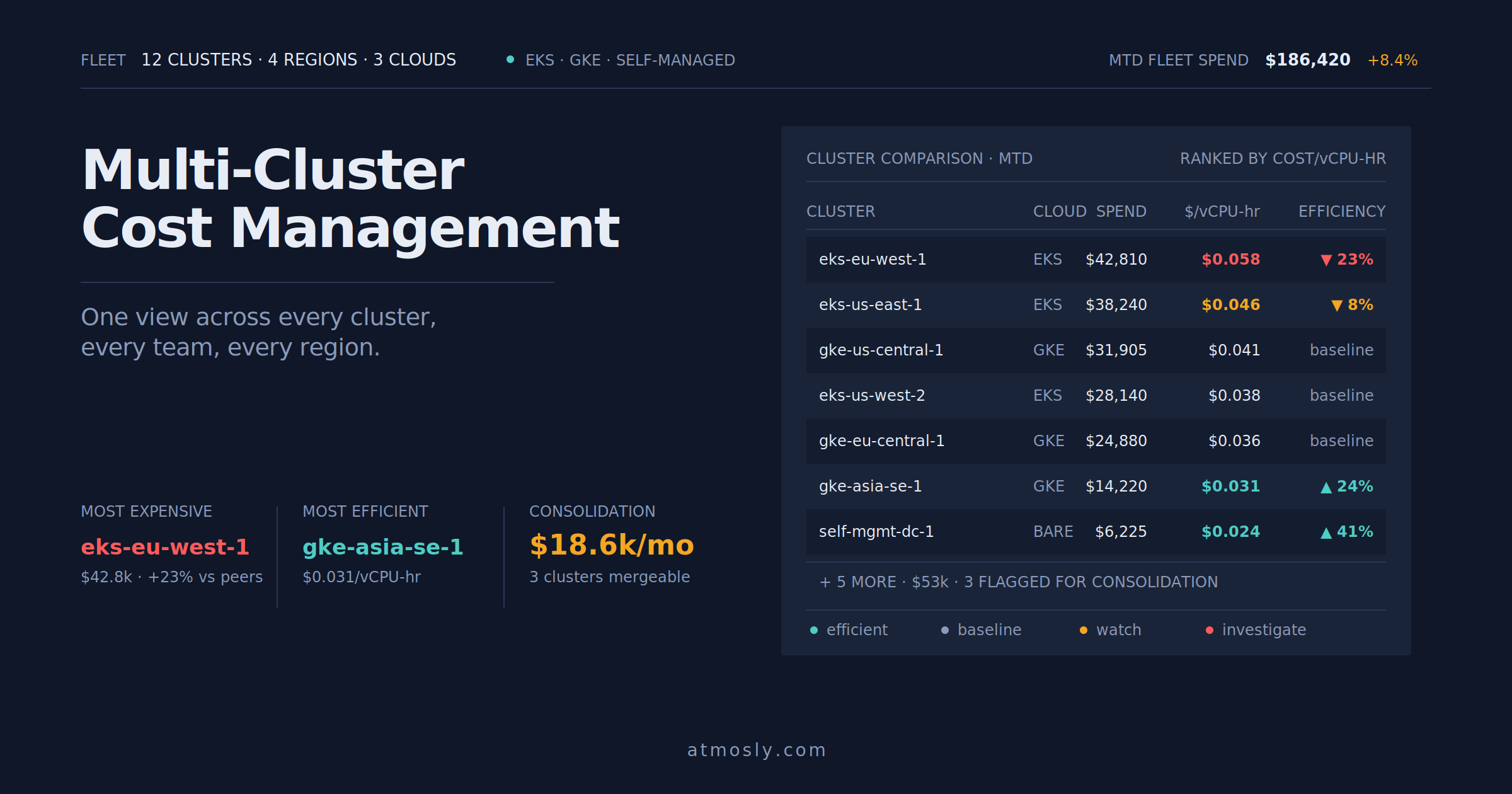
Multi-Cluster Kubernetes Cost Management Best Practices
Track, allocate, and compare costs across multiple Kubernetes clusters — fleet visibility that actually helps teams decide.

Pick a source environment and Atmosly duplicates the entire thing — its cluster, namespace, every application service with its build and deploy config, env vars and secrets, and every database — into a brand-new copy. Names, namespaces and passwords are regenerated so nothing collides.
A clone carries everything that makes the source environment real: the workloads, the data layer, the config, and the wiring between them. It lands on a cluster you choose, in its own namespace.
Each service comes with its source type — a container image or a Git-based CD config — plus its env vars, CD values (form or YAML), container registry, and the workflow it's wired to. The clone is deployable, not a shell.
Managed and self-managed databases come along — PostgreSQL, MySQL, MongoDB, Redis, Aurora, or a third-party source — with their full config: replicas, resource limits, and backup settings. Credentials are regenerated for the copy.
Secret-backed values are pulled fresh from AWS or GCP Secret Manager at clone time — masked if you lack view-secret permission.
Choose the target cluster; the clone gets its own namespace and carries the source's labels so it's organized from the start.
Each clone records the environment it came from, so you always know what a copy was based on.
Everything that has to be unique is regenerated for the copy — environment name and namespace, database passwords, record prefixes, and container-registry bindings — so a clone never clashes with its source or another clone.
Cloning is a guided flow, not a YAML copy-paste. You review what's carried over, rename the few things that must be unique, and choose how much of the pipeline to run.
Atmosly reads its full definition — every service, datastore, env var, and the secret references behind them — and assembles a clone payload you can review before anything is created.
Name the new environment and namespace; database passwords, record prefixes, and registry bindings are regenerated automatically. Target cluster is yours to pick.
Clone with CI+CD to rebuild from source, or CD-only to redeploy the existing artifacts straight into the new environment when you just need a running copy fast.
Services and datastores deploy into the new namespace on your chosen cluster. When you're done with it, pair a Guardrail to scale it down or destroy it on a schedule.
Clone prod into a staging or QA environment that matches it exactly — same services, same data layer, new credentials.
Give a team — or a customer tenant — its own isolated copy of a known-good environment without rebuilding it by hand.
Spin up an exact replica to chase down a bug or test a risky change against a realistic copy — then throw it away.
Clone an environment to review a change in isolation, then let a scheduled Guardrail tear it down so nothing lingers.
One guided flow copies a whole environment, regenerates everything that must be unique, and lands a running clone on the cluster you choose.
Services, datastores, config & secrets — copied in a single pass.
Names, namespaces, passwords & registry bindings regenerated.
Rebuild from source, or redeploy the existing artifacts.
Land the clone on whichever cluster you choose.
Build, run, and provision share one UI, one audit trail, and one permissions model.
 Kubernetes
Track, allocate, and compare costs across multiple Kubernetes clusters — fleet visibility that actually helps teams decide.
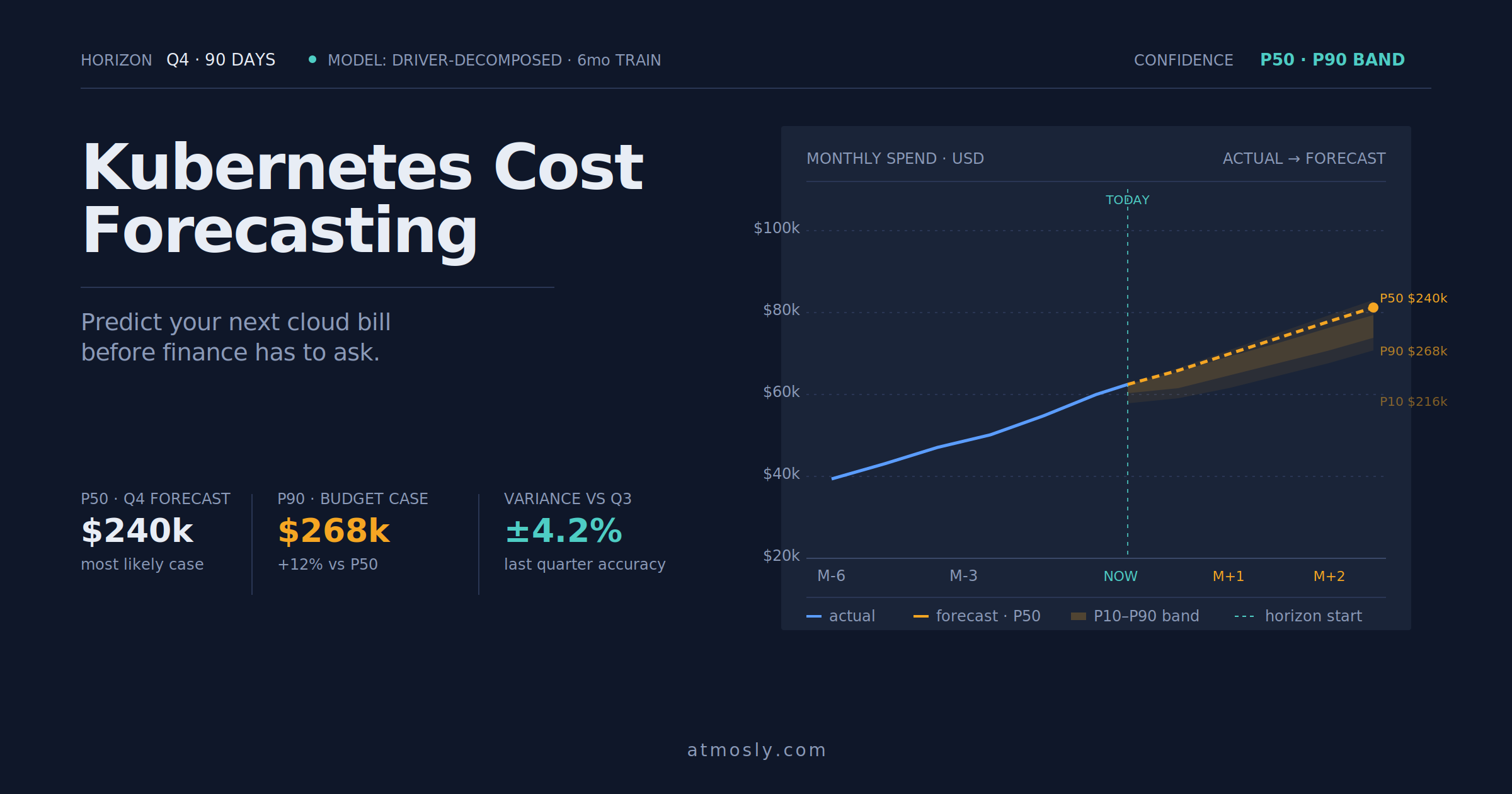 Kubernetes
How to forecast Kubernetes cloud costs, avoid budget surprises, and give finance a number you can actually defend.
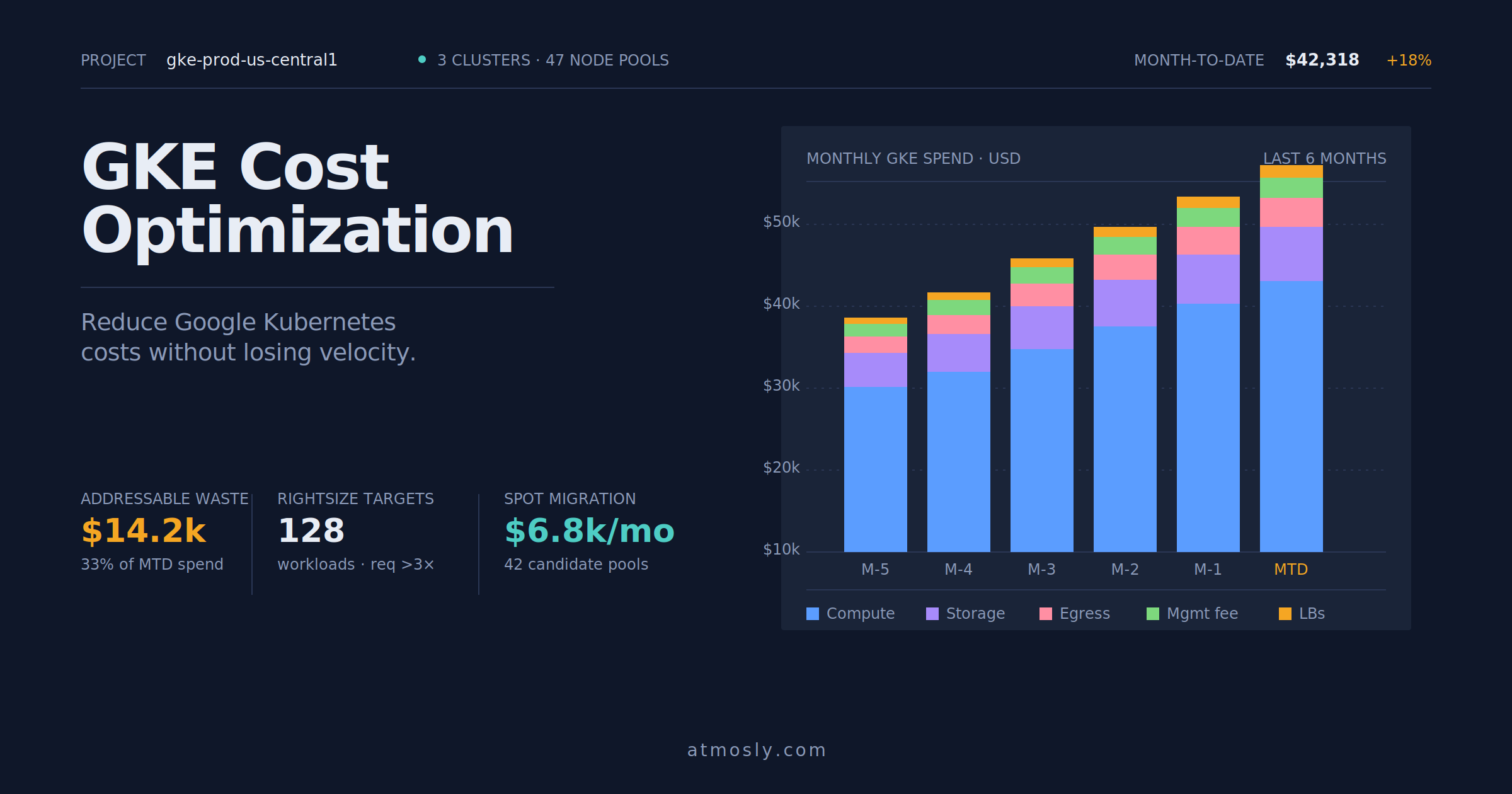 Kubernetes
Practical GKE cost optimization guide — rightsizing, Spot VMs, storage tiering, and network egress control for engineers.
Connect a cluster, read-only to start. Pick an environment, clone it — services, datastores, config and all — into an isolated copy, and watch it come up. Free, no sales call.