Kubernetes Cost Forecasting: Predict Your Next Cloud Bill
How to forecast Kubernetes cloud costs, avoid budget surprises, and give finance a number you can actually defend.

Atmosly Astra, our AI SRE agent, watches pod health, metrics, events, and rollout history across every connected cluster. When something breaks, it finds the root cause in under a minute, explains its reasoning, and proposes ranked fixes you can apply or revert in one click — incident response automation you can audit, never a black box.
Backstage and Port show you what's in the cluster. Astra does something about it — running the same detect-diagnose-fix loop a senior SRE would, on every issue, around the clock. It turns Kubernetes incident management into a closed loop instead of a dashboard you watch — AIOps, built for the way Kubernetes clusters actually fail.
The agent ingests pod health, resource usage, traffic patterns, and the live event stream — continuously, on every connected cluster. No dashboards to babysit, no alerts to wire up.
The agent reads logs, metrics, and rollout history together — the way a senior engineer would — and writes up the actual cause, an AI confidence score, and the contributing factors. You see why, not just what.
Each issue comes with 1–3 ranked fix options, each with a rationale, confidence, blast radius, and preconditions the agent has already checked. Apply the recommended one, or open the PR and review the diff yourself.
Detection is only half the job. Every incident Astra confirms is delivered to the channels you configure — routed by severity, namespace, or cluster — so the on-call sees a critical issue in Slack with the root cause already attached, while low-priority drift collects in a daily digest. No noise, no alert fatigue, and nothing to wire up by hand.
Set the rules once — which severities go where, and which team owns which namespace or cluster. From then on, every confirmed incident is delivered automatically. Repeat events from the same flapping pod collapse into one tracked issue, so your on-call gets a single actionable alert instead of hundreds of duplicates.
Astra never changes your cluster on its own. It hands you the exact fix and lets you apply it the way your team already works — opened as a pull request for review, or applied directly from the portal. Both paths run under your RBAC, are fully audited, and are reversible.
Purpose-built Kubernetes troubleshooting packs for the failure modes that actually page your team — not a generic chatbot guessing at YAML.
Detects working-set-vs-limit pressure, distinguishes a leak from organic growth, and sizes the new limit from observed p95.
Pulls --previous logs, ties the panic to a recent rollout, and recommends a rollback to the proven revision.
Spots stale pull secrets after a token rotation and walks you through refreshing them and rolling the pod.
Explains autoscaler cooldowns and capacity gaps, and recommends scaling the node group or right-sizing the request.
Traces a missing ConfigMap back to the audit log, and offers a GitOps sync or a manual recreate when source-of-truth is known.
Remembers fixes that worked — "same fix resolved auth-api in 4m" — so confidence climbs with every resolved incident.
For a site reliability engineering team, it comes down to mean time to resolve. Astra compresses MTTR by owning the detect-diagnose-fix loop the moment an incident starts — so the numbers below move from war-room hours to a few quiet minutes.
*Representative of customer-reported outcomes. Your results depend on workload mix and cluster size.
Incidents, security, and cost share one UI, one audit trail, and one permissions model — so a fix here is visible everywhere.
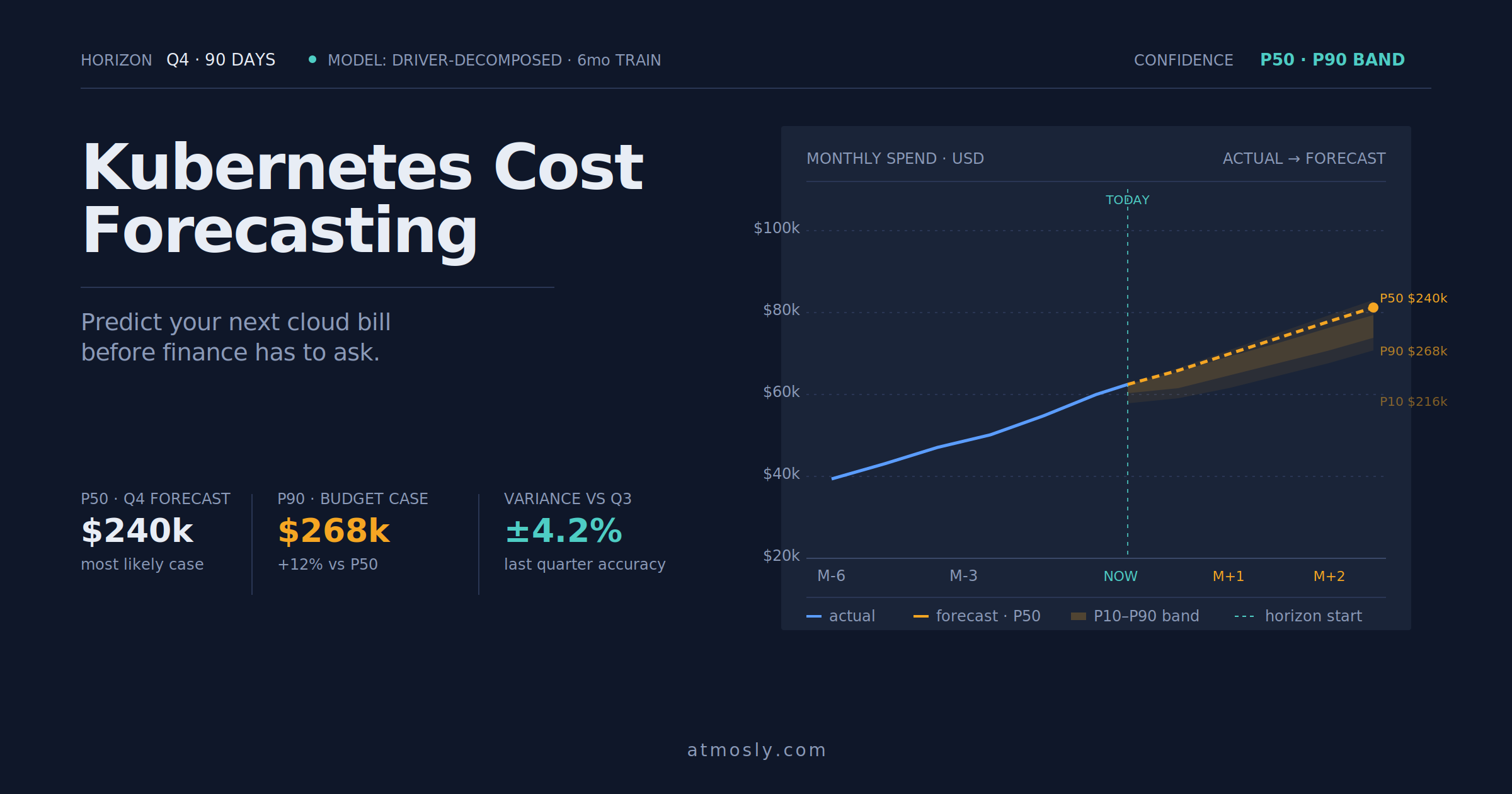 Kubernetes
How to forecast Kubernetes cloud costs, avoid budget surprises, and give finance a number you can actually defend.
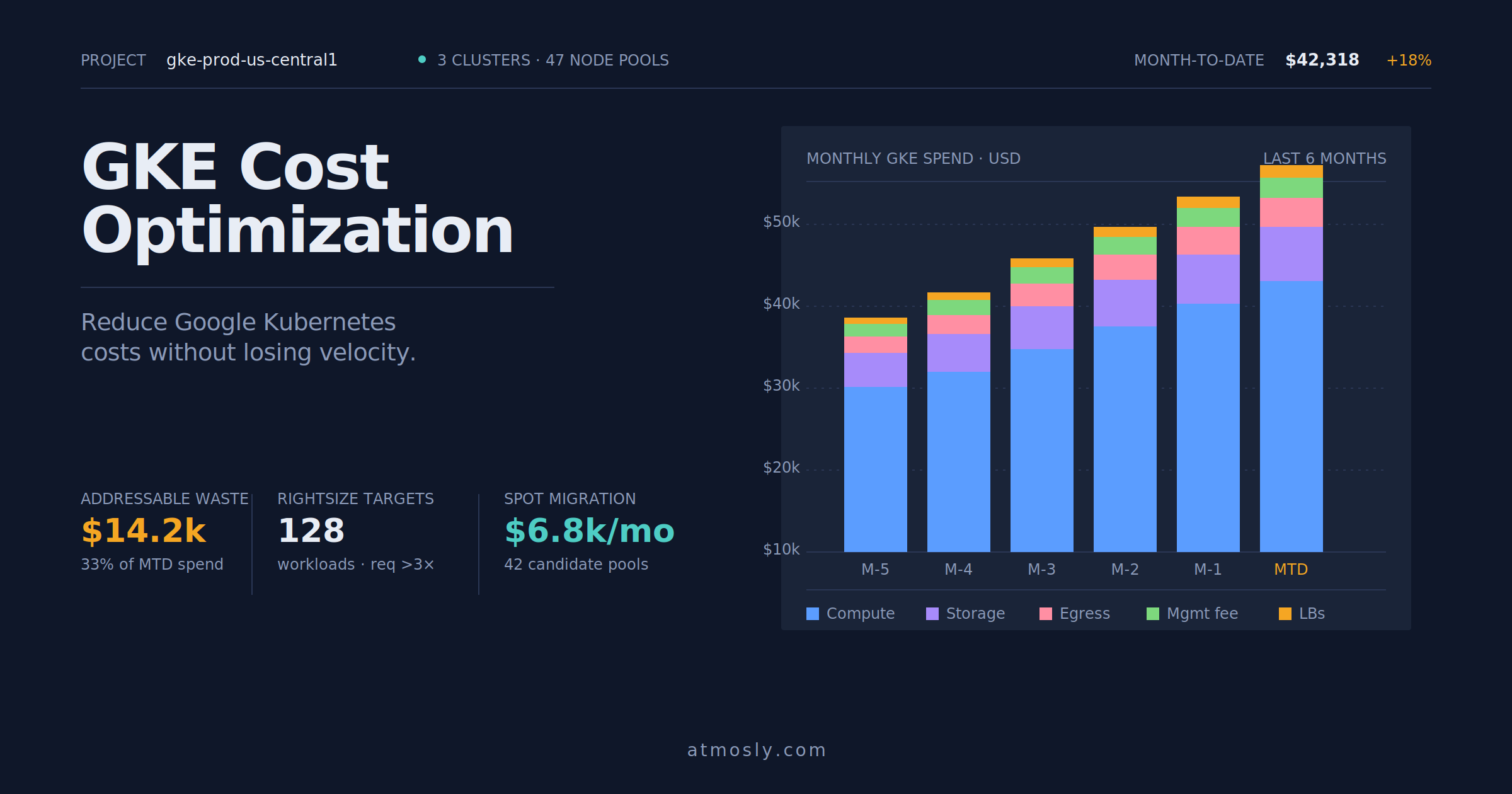 Kubernetes
Practical GKE cost optimization guide — rightsizing, Spot VMs, storage tiering, and network egress control for engineers.
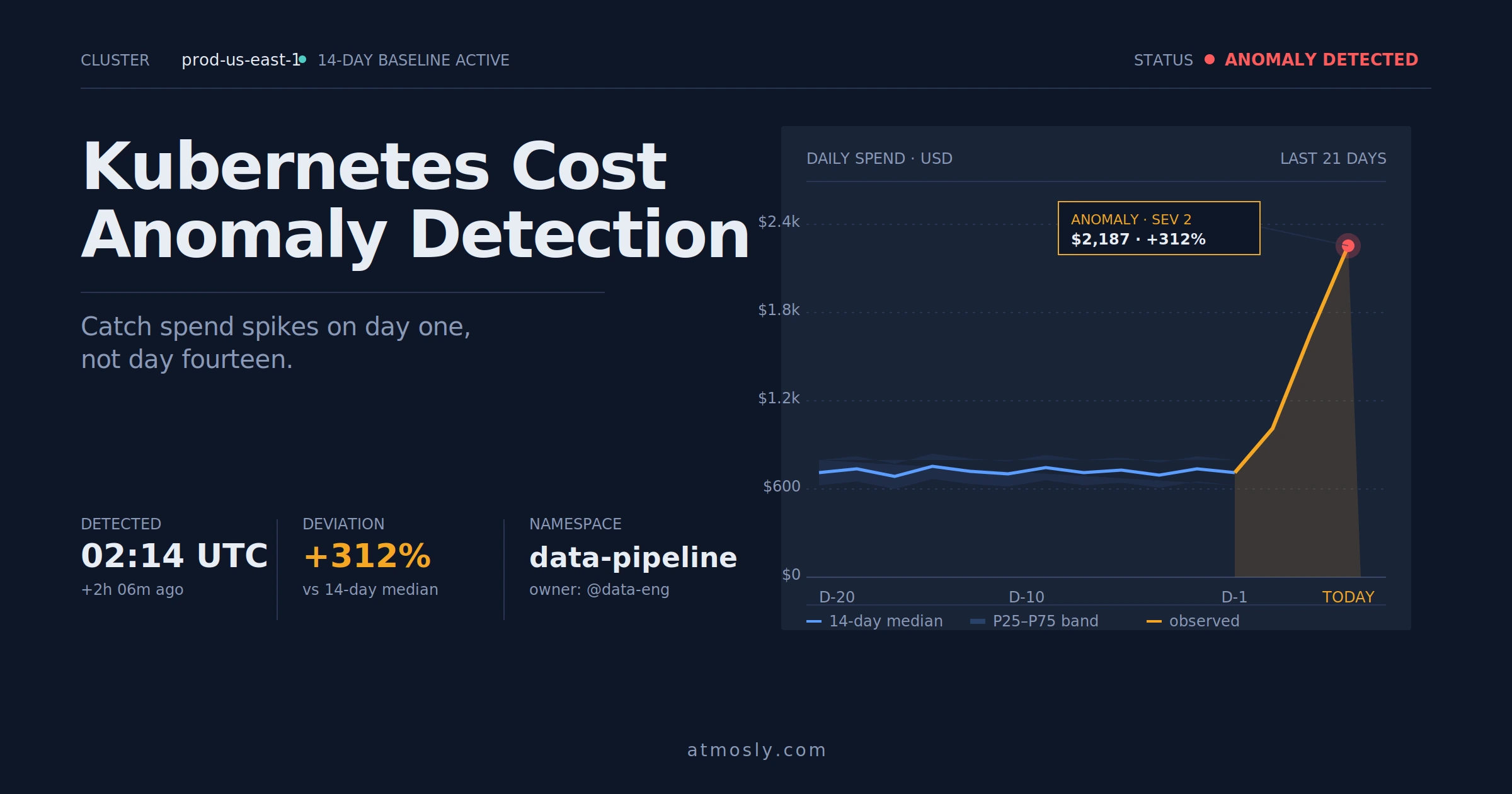 Kubernetes
How to detect Kubernetes cost anomalies early, investigate spend spikes, and stop budget surprises before they hit the bill.
Connect one cluster, read-only. Live issues, root causes, and ranked fixes show up on your dashboard in about five minutes. Free, no sales call.