Kubernetes Cost Forecasting: Predict Your Next Cloud Bill
How to forecast Kubernetes cloud costs, avoid budget surprises, and give finance a number you can actually defend.

Build CI/CD pipelines visually or declare them as GitOps code. Source, build, scan, deploy, and promote across every cluster — with guardrails, rollbacks, and a full audit trail baked into every run.
GitHub, GitLab or Bitbucket. Atmosly reads what's already running.
Cached image builds with Kaniko — no privileged Docker daemon.
Security & policy checks gate the artifact before it ships.
Roll out to any cluster — EKS, GKE, AKS or on-prem.
Change-window, approvals & audit trail to production.
Connect GitHub, GitLab, or Bitbucket. Atmosly inspects the services you already run, so you're not authoring pipelines from a blank file.
Drag stages together in the visual builder, or declare the whole pipeline as code and let GitOps reconcile it. Same engine, same guardrails, either way.
Every run builds a cached image, runs security and policy checks, deploys to the target cluster, and reports the cost delta — all visible on one screen.
Promotion runs through change-window checks, approvals, and a recorded audit trail — and every release carries a one-click rollback.
The capabilities you'd normally stitch together from five tools — built into one engine.
Drag stages in the visual editor or declare them as code — both compile to the same run, with the same guardrails and the same audit trail.
One pipeline targets EKS, GKE, AKS, or on-prem. No per-cloud rewrites, no separate tooling per environment.
Kaniko image builds with layer caching — fast, and no privileged Docker daemon in your cluster.
Every release records a rollback. Revert a bad deploy in one click — no runbook, no scramble.
Pull from your secret manager at deploy time — nothing baked into images or stored in plain text.
See the cost delta a change introduces before it reaches production — surfaced inline on the run, not waiting on next month's bill. The same cost signal the Operations core uses, right where you ship.
*Representative of customer-reported outcomes. Your results depend on team and workload mix.
Build, run, and provision share one UI, one audit trail, and one permissions model.
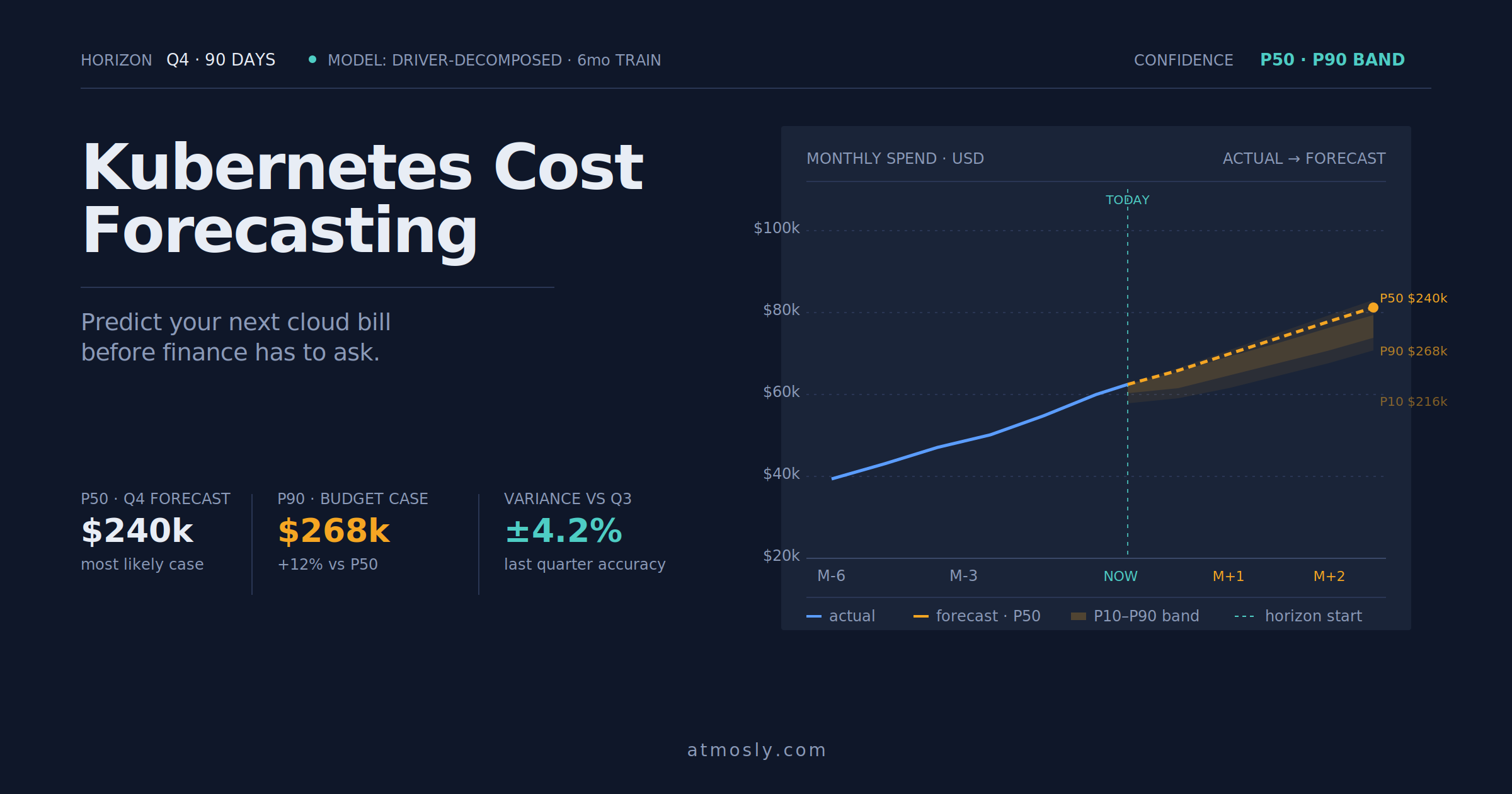 Kubernetes
How to forecast Kubernetes cloud costs, avoid budget surprises, and give finance a number you can actually defend.
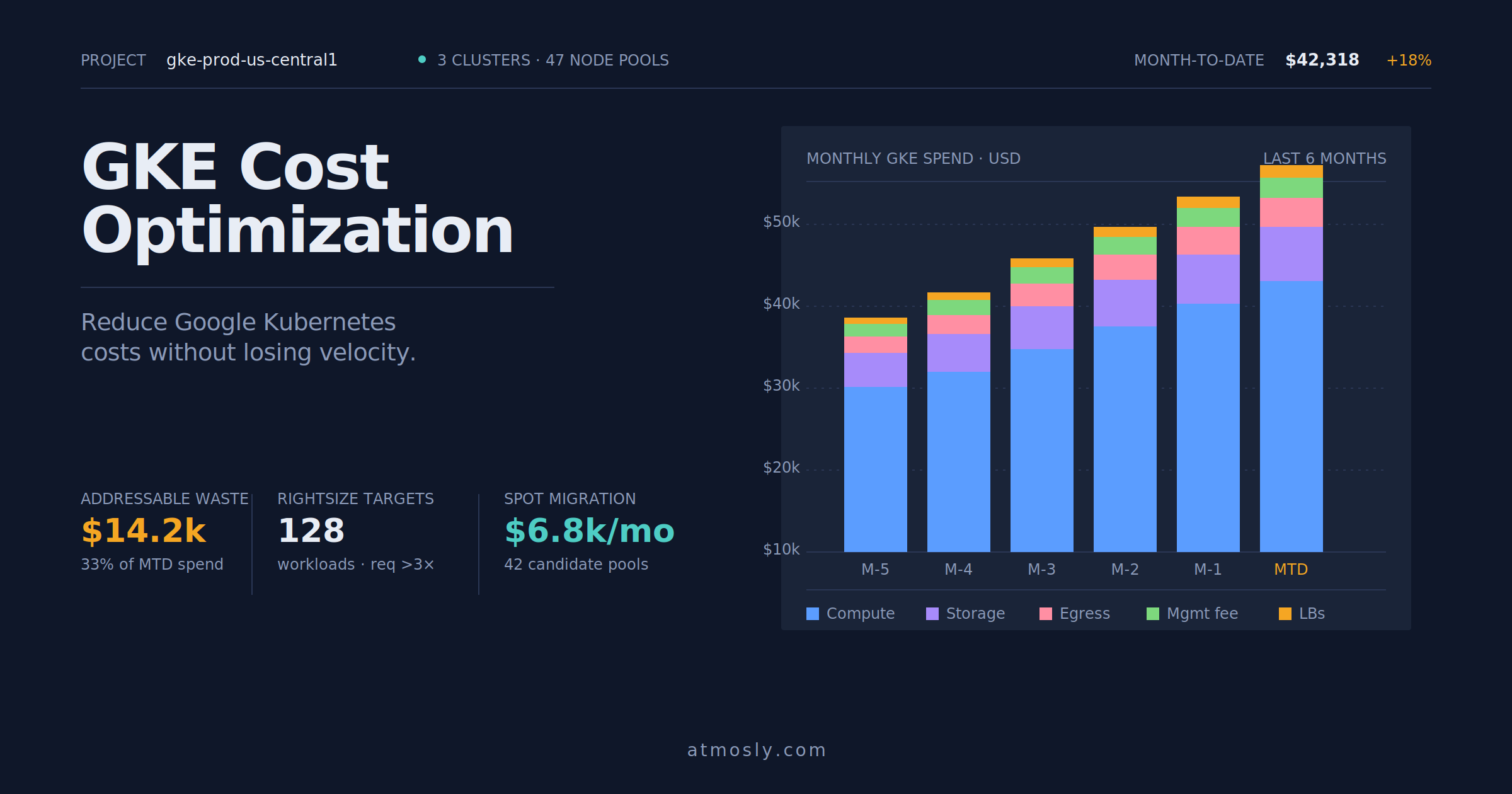 Kubernetes
Practical GKE cost optimization guide — rightsizing, Spot VMs, storage tiering, and network egress control for engineers.
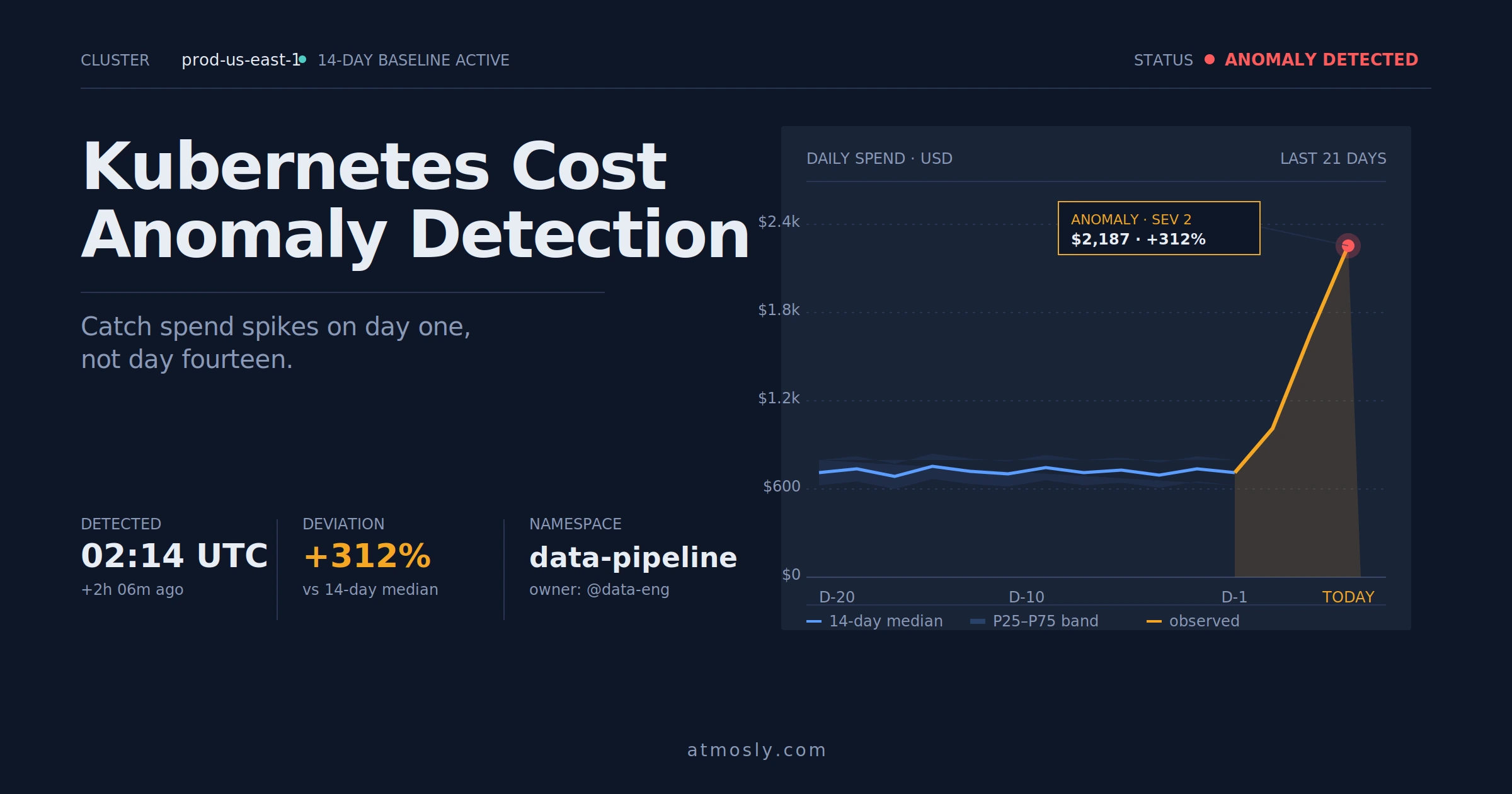 Kubernetes
How to detect Kubernetes cost anomalies early, investigate spend spikes, and stop budget surprises before they hit the bill.
Connect a repo and a cluster, read-only to start. See your services detected and a pipeline drafted in minutes — visual or as code. Free, no sales call.