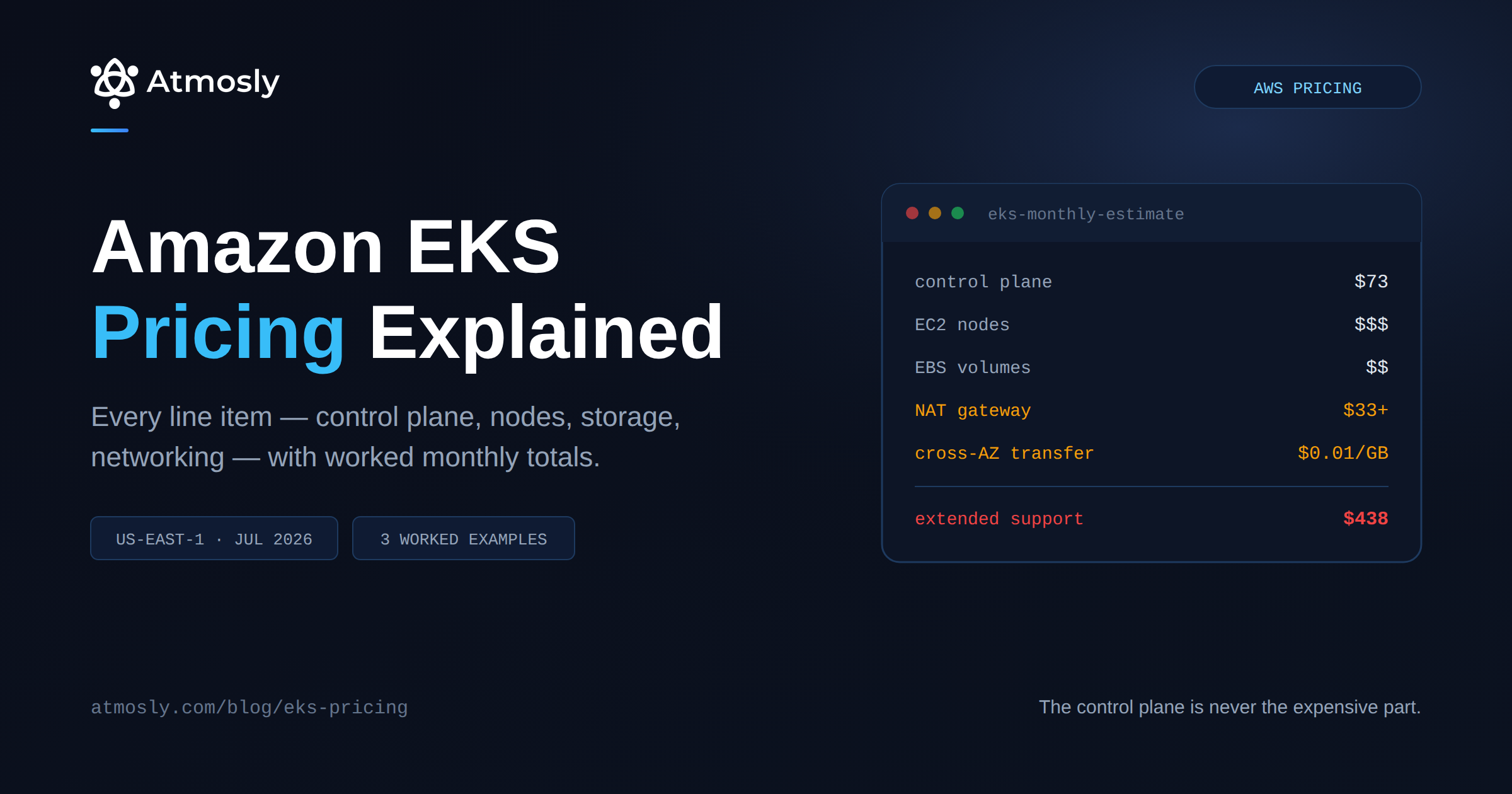
Amazon EKS pricing looks simple until the first invoice arrives. AWS advertises a clean number — $0.10 per cluster per hour — and teams budget for that plus their EC2 nodes. Then the bill lands 30–40% higher than the model, and the extra is spread across line items that never say "EKS" anywhere on them.
This guide breaks down every charge that makes up a real EKS bill: the control plane, the three compute models, storage, and the networking charges that account for most of the surprise. It ends with worked monthly totals for three cluster sizes so you can find the shape closest to yours.
All rates are US East (N. Virginia), current as of July 2026, and taken from AWS's published pricing. Rates vary meaningfully by region and change over time — always verify against the official EKS pricing page before committing to a budget.
This is a pricing guide, not an optimization guide. If you already know what you're paying and want to reduce it, start with optimizing Amazon EKS costs instead.
Amazon EKS Pricing at a Glance
Every component that appears on an EKS bill, with its published rate.
| Component | Rate (us-east-1) | Monthly at 730 hrs | Notes |
|---|---|---|---|
| Control plane — standard support | $0.10 / cluster-hour | $73.00 | Per cluster, regardless of node count |
| Control plane — extended support | $0.60 / cluster-hour | $438.00 | Applies automatically after standard support ends |
| Provisioned control plane (XL) | $1.65 / hour | $1,204.50 | Optional; for high API-call workloads |
| EC2 worker nodes | Standard EC2 rates | Varies | Usually the largest line item |
| EKS Auto Mode surcharge | ~12% on EC2 spend | Varies | On top of the instance; Savings Plans don't cover it |
| Fargate | $0.04048 / vCPU-hr $0.004445 / GB-hr | Varies | Per pod, billed per second |
| EBS gp3 | $0.08 / GB-month | $8 per 100 GB | 3,000 IOPS and 125 MB/s included |
| NAT Gateway | $0.045 / hour | $32.85 each | Best practice is one per AZ |
| NAT data processing | $0.045 / GB | Varies | Plus $0.09/GB internet egress on top |
| Cross-AZ data transfer | $0.01 / GB each direction | Varies | Charged both in and out |
| Public IPv4 address | $0.005 / hour | $3.65 each | Billed even when idle, since Feb 2024 |
| Application Load Balancer | ~$0.0225 / hour + LCU | $16.43 + usage | Per load balancer |
| Interface VPC endpoint | $0.01 / hr per AZ + $0.01/GB | $21.90 across 3 AZs | Cheaper than NAT above ~626 GB/month |
| Gateway VPC endpoint (S3, DynamoDB) | Free | $0 | The highest-ROI change available |
The pattern to notice: the control plane is never the expensive part. At $73/month it's a rounding error next to compute — but the networking rows, which most teams never model, routinely add 20–40% on top of compute.
The Control Plane Fee
Every EKS cluster pays a flat hourly fee for the managed Kubernetes control plane — API servers, etcd, scheduler — regardless of whether a single node is running. There's no upfront cost and no minimum term. The meter starts when the cluster exists.
Standard support: $0.10/hour
$0.10 per cluster per hour works out to $73/month, or roughly $876/year per cluster. Standard support covers the first 14 months after a Kubernetes minor version becomes available in EKS.
Note that this is per cluster, not per node. A cluster with 3 nodes and a cluster with 300 nodes pay the same control plane fee. This is why the "one cluster per team" and "one cluster per environment" patterns get expensive quickly — ten clusters is $730/month before any compute.
Extended support: $0.60/hour — the 6x cliff
When your Kubernetes version leaves standard support, the cluster automatically moves to extended support at $0.60 per cluster-hour — $438/month. Per AWS's own pricing announcement, this covers an additional 12 months of updates for that version.
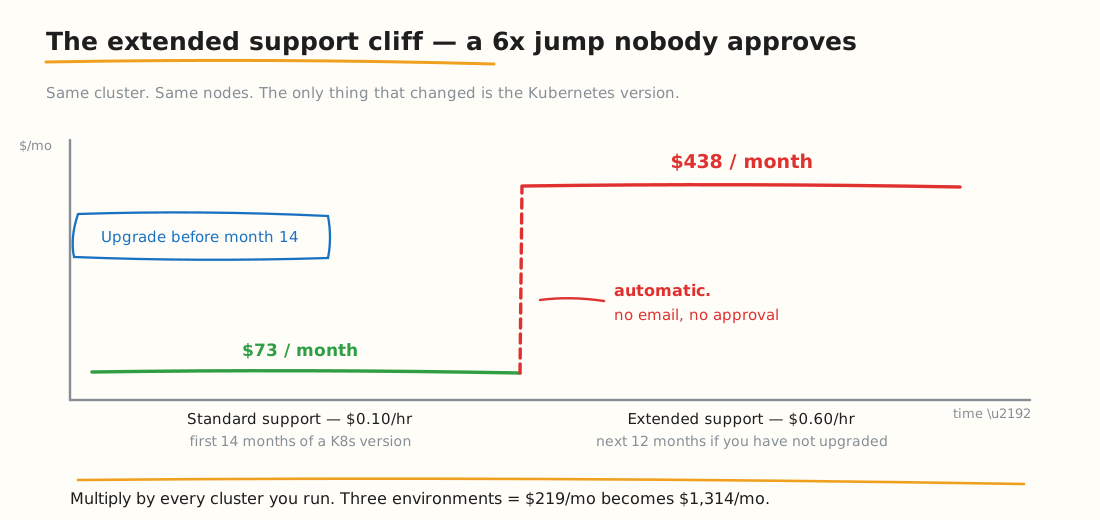
The same cluster, the same nodes — the only thing that changed is the Kubernetes version.
Three things make this the single most common source of unexpected EKS spend:
- It's automatic. No approval step, no confirmation email. The rate changes when the calendar says so.
- It's per cluster. A dev, staging and prod trio goes from $219/month to $1,314/month.
- IaC defaults work against you. Terraform and CLI-managed clusters typically pin a version rather than auto-upgrading, so the clusters most likely to drift into extended support are the ones under the most rigorous change control.
The fix is operational rather than financial: track version lifecycles and upgrade inside the 14-month window. Our EKS upgrade process guide covers doing that safely.
Provisioned control plane tiers
The standard control plane scales automatically at no extra charge. For workloads with unusually high API-call volume — large multi-tenant platforms, heavy GitOps reconciliation, AI/ML training orchestration — AWS offers pre-allocated capacity tiers at additional hourly rates, starting around $1.65/hour for XL and rising through 2XL, 4XL and 8XL.
Most clusters never need this. If you're hitting API server throttling, you'll know.
Compute: Three Models, Three Bills
Compute is almost always the largest line item. EKS gives you three ways to pay for it.
EC2 managed node groups
The default. You pay standard EC2 rates for the instances, and you control instance type, size, and purchasing model. Spot instances, Reserved Instances and Savings Plans all apply normally.
# What are you actually running, and at what capacity type?
kubectl get nodes -L node.kubernetes.io/instance-type,karpenter.sh/capacity-type,topology.kubernetes.io/zone

# Node count by instance type — the fastest way to sanity-check a bill
kubectl get nodes -o json \
  | jq -r '.items[].metadata.labels["node.kubernetes.io/instance-type"]' \
  | sort | uniq -c | sort -rn
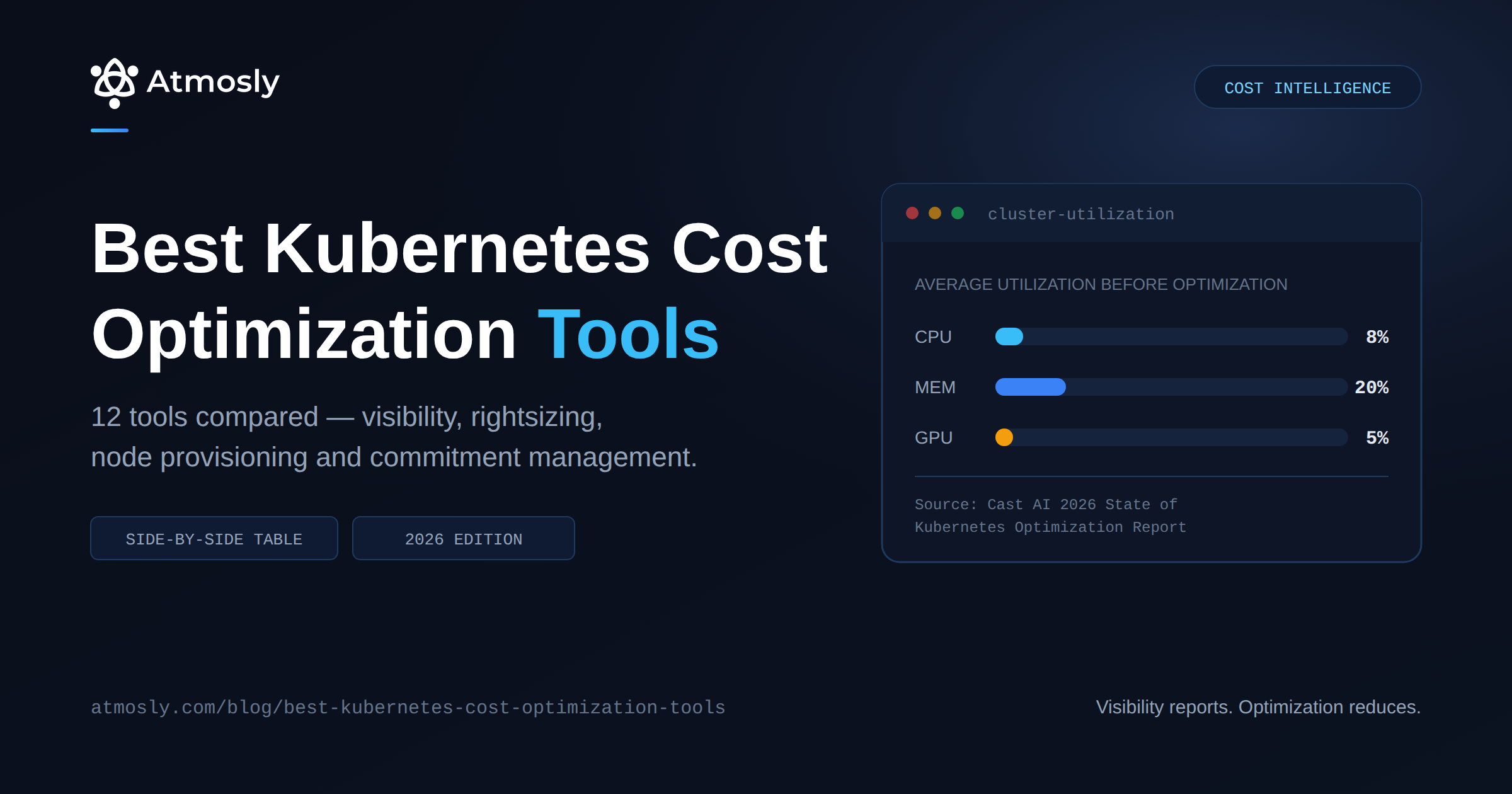
Cost characteristics: lowest unit price and full discount eligibility, but you own capacity planning, patching and upgrades. You also pay for the whole instance whether pods use it or not — which is where the gap between the 8% average CPU utilization figure and your bill comes from.
EKS Auto Mode
Auto Mode hands node provisioning, patching, scaling and version upgrades to AWS. You still pay for the EC2 instances, plus an Auto Mode management charge on top that varies by instance type — roughly 12% of the instance cost, billed per second with a one-minute minimum.
Two details matter for budgeting, and both are easy to miss:
- Savings Plans and Reserved Instances do not discount the Auto Mode surcharge. They apply to the underlying EC2 portion only. If you have heavy commitment coverage, the effective premium is higher than 12% of what you actually pay.
- It's charged per instance-hour, not per cluster. The more compute you run, the more the surcharge scales.
Whether that premium is worth it is a straightforward trade: it buys back the engineering time you'd otherwise spend on node lifecycle management. For a small team with no dedicated platform engineer, it frequently pays for itself. For a large fleet with an existing Karpenter setup, it usually doesn't. There's more detail in our guide to Amazon EKS Auto Mode.
Fargate
Fargate bills per pod rather than per node: $0.04048 per vCPU-hour and $0.004445 per GB-hour, charged per second with a one-minute minimum.
There are no nodes to manage and no idle node capacity to pay for — but the per-unit price is substantially higher than EC2, and Fargate pods can't use Spot pricing in EKS, DaemonSets, or privileged containers.
The rough rule: Fargate wins for spiky, low-volume, or genuinely intermittent workloads where you'd otherwise keep nodes idle. EC2 wins on sustained throughput. Many clusters use both — Fargate for bursty jobs, EC2 for the baseline.
Auto Mode vs EC2 vs Fargate: the same workload, three ways
A worked comparison makes the trade-offs concrete. Take a workload needing roughly 96 vCPU and 384 GB of memory — equivalent to 12 × m5.2xlarge — running continuously in us-east-1 at on-demand rates.
| Model | What you pay for | Approx. monthly |
|---|---|---|
| EC2 managed node groups | 12 × m5.2xlarge instances | ~$3,364 |
| EKS Auto Mode | Same instances + management surcharge | ~$3,768 |
| Fargate | 96 vCPU-hrs + 384 GB-hrs | ~$4,084 |
The comparison is not quite apples-to-apples, and the difference matters. EC2 bills what you provision; Fargate bills what your pods request. If your nodes run at 40% utilization — which is generous against the industry average — then the EC2 column is buying far more capacity than the workload uses, and the honest Fargate comparison is against requested resources rather than node capacity. For clusters with poor bin-packing, Fargate can close the gap or win outright.
The reverse also holds: a well-packed cluster running Spot capacity makes EC2 dramatically cheaper than either alternative, because Fargate has no Spot option on EKS and the Auto Mode surcharge scales with every instance-hour.
How Purchase Options Change the Bill
The control plane fee is fixed — no discounts, no commitments, no Spot equivalent. Every other compute component follows standard AWS purchasing rules, and the differences are large.
On-demand
List price, no commitment, billed per second for Linux instances with a 60-second minimum. This is what the worked examples in this guide use, and what most teams pay before anyone examines the bill.
Spot instances
Spare EC2 capacity at a substantial discount, with the trade-off that AWS can reclaim the instance on two minutes' notice. EKS supports Spot natively in managed node groups.
Spot pricing is dynamic — it moves with supply and demand per instance type and availability zone — so there is no single published rate to quote. Check current rates for your instance families on the AWS Spot pricing page before building a model around it.
Savings Plans and Reserved Instances
Both trade a one- or three-year commitment for a lower effective rate.
- Compute Savings Plans commit to a dollars-per-hour spend and apply flexibly across instance families, sizes, regions and Fargate. That flexibility suits Kubernetes well, because your node mix changes as workloads do.
- EC2 Instance Savings Plans offer a deeper discount but lock you to an instance family within a region.
- Reserved Instances are the older mechanism, tied to specific configurations.
Three EKS-specific caveats that catch people out:
- None of these discount the control plane fee. $73/month per cluster is $73/month regardless of commitment level.
- None discount the Auto Mode surcharge — only the EC2 portion underneath it. Heavy commitment coverage therefore makes the Auto Mode premium a larger share of what you actually pay.
- None apply to data transfer, NAT Gateway or EBS. Every networking charge in the next section is always at list price.
The budgeting implication: commitment coverage reduces your largest line item but leaves the entire surprise category untouched. A cluster with 70% Savings Plan coverage still pays full rate for every gigabyte crossing an availability zone.
Storage
Storage is usually modest but persistently underestimated, mostly because volumes outlive the workloads that created them.
- EBS gp3: $0.08/GB-month, including 3,000 IOPS and 125 MB/s baseline. Provisioning beyond that costs extra. gp3 is cheaper than gp2 for equivalent performance — if you're still on gp2, that migration is free money.
- EBS snapshots: billed per GB-month of stored data. Automated snapshot policies without expiry rules are a classic slow leak.
- EFS: significantly more expensive per GB than EBS, but priced for shared access across pods and AZs. Use it where you need ReadWriteMany, not as a default.
- Orphaned PVs: a PersistentVolume with
persistentVolumeReclaimPolicy: Retainsurvives the PVC that created it. Nobody deletes these.
# Released volumes still being billed
kubectl get pv --sort-by=.spec.capacity.storage \
  -o custom-columns='NAME:.metadata.name,CAP:.spec.capacity.storage,STATUS:.status.phase,CLAIM:.spec.claimRef.name,POLICY:.spec.persistentVolumeReclaimPolicy' \
  | grep -E 'Released|Available'
Regional Price Variation
Every rate in this guide is US East (N. Virginia). That region is consistently among the cheapest AWS offers, which means most published EKS cost estimates — including this one — represent a best case.
What moves when you change region:
- EC2 instance rates vary substantially. The same instance type costs noticeably more in Asia-Pacific, South America and several European regions.
- NAT Gateway hourly rates differ by region — sa-east-1, for example, runs materially above the $0.045/hour us-east-1 rate, and that gap applies 24/7 per gateway.
- Data transfer rates vary, and inter-region transfer is priced separately from cross-AZ transfer.
- The control plane fee is $0.10/hour across most commercial regions, but confirm rather than assume for your own.
Practical guidance: if you are modelling a multi-region deployment, build the estimate per region rather than multiplying a us-east-1 figure. The error compounds — a three-region model built on us-east-1 rates can land well under actual.
Networking: Where the Surprise Lives
This is the section most EKS cost models omit entirely, and it's where the 20–40% overrun comes from. None of these charges appear under "EKS" on your bill — they're VPC and EC2 line items.
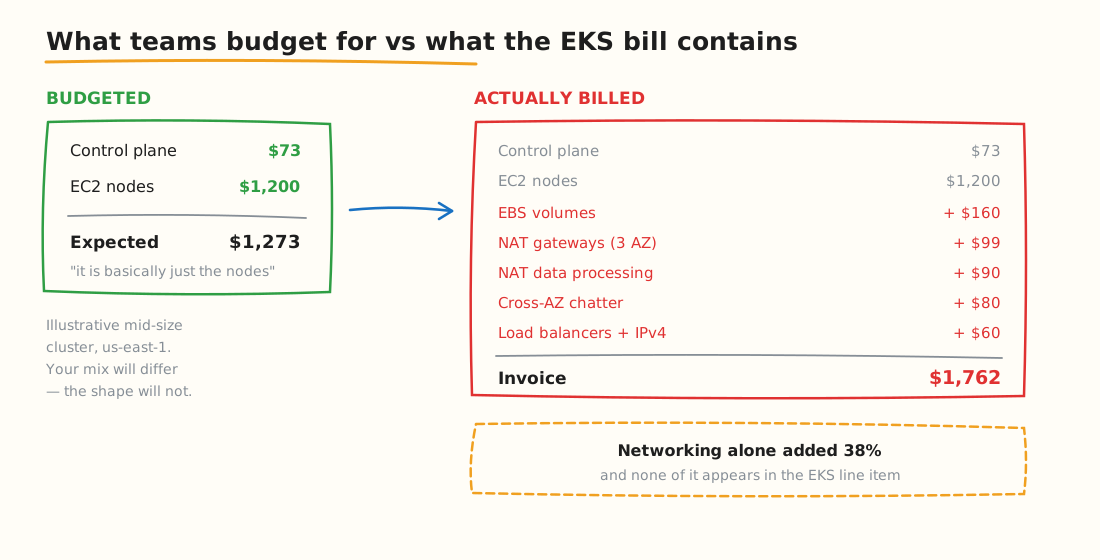
Illustrative mid-size cluster. Your mix will differ — the shape usually won't.
NAT Gateway
The most expensive networking component in a typical EKS cluster, and it charges twice:
- $0.045/hour just to exist — $32.85/month per gateway, whether traffic flows or not.
- $0.045/GB processed for everything passing through it.
- Plus $0.09/GB standard internet egress for traffic leaving AWS — meaning internet-bound traffic effectively costs $0.135/GB, three times the headline processing rate.
AWS best practice is one NAT Gateway per AZ to avoid cross-AZ charges, so a three-AZ production cluster starts at $98.55/month before a single byte moves. Every environment with its own VPC repeats that cost.
The highest-return fix is free: Gateway VPC endpoints for S3 and DynamoDB cost nothing and route that traffic off the NAT Gateway entirely. For other AWS services, interface endpoints cost $0.01/hr per AZ plus $0.01/GB — which beats NAT's $0.045/GB above roughly 626 GB/month to that service. ECR image pulls and CloudWatch Logs are usually the first two worth moving.
Cross-AZ data transfer
$0.01/GB in each direction — so $0.02/GB for a round trip between two pods in different availability zones.
This is the charge Kubernetes makes worst, because the scheduler doesn't care about zones by default. A service mesh, a chatty microservice pair, or a database replica in another AZ can quietly generate terabytes of cross-AZ traffic. Nothing in kubectl will show you this.
Public IPv4 addresses
Since February 2024, every public IPv4 address costs $0.005/hour — $3.65/month — even when idle. That includes Elastic IPs attached to NAT Gateways and any node with a public IP. Fifty public IPs is $182.50/month for addresses alone.
Load balancers
Each Kubernetes Service of type LoadBalancer provisions a real AWS load balancer with its own hourly charge plus capacity-unit charges. Teams that expose many services individually rather than routing through a shared Ingress controller pay for each one.
# Every LoadBalancer Service is a separate billable AWS resource
kubectl get svc --all-namespaces --field-selector spec.type=LoadBalancer

# Count them — this number surprises people
kubectl get svc -A --field-selector spec.type=LoadBalancer --no-headers | wc -l
The Adjacent Services That Land on the Same Bill
These are not EKS charges, but every production cluster generates them, and they belong in any honest total.
- CloudWatch Logs. The default container log driver ships stdout and stderr to CloudWatch at standard ingestion rates, plus storage. Retention defaults to never expire, so the stored volume grows indefinitely. A verbose cluster can generate hundreds of dollars a month here alone.
- CloudWatch Container Insights. Optional and priced per metric. Enabling it across a large cluster adds up faster than teams expect, because it collects per-pod and per-container metrics rather than per-node.
- Amazon ECR. Image storage is charged per GB-month. Pulls from ECR to nodes in the same region are free — but pulls routed through a NAT Gateway incur $0.045/GB processing, which is precisely why an ECR interface endpoint usually pays for itself on any cluster that scales nodes frequently.
- Route 53. Hosted zone and query charges. Small per cluster, but present for anything running ExternalDNS.
- Secrets Manager and Parameter Store. Secrets Manager charges per secret per month plus per API call. Reconciliation loops that re-read secrets frequently generate real call volume.
- Data transfer out to the internet. $0.09/GB for the first tier, charged on top of any NAT processing. For a public-facing API, egress can exceed compute.
See exactly where your cluster is wasting money.
Connect read-only in 10 minutes. Free, no credit card, nothing changes in your cluster.
None of these appear under the EKS service in Cost Explorer, which is a recurring theme on this bill.
Three Worked Examples
Monthly estimates in us-east-1 at on-demand pricing, 730 hours. These are illustrative models built from the published rates above, not measurements from specific customers — your instance mix and traffic profile will move the numbers.
Small: dev/test cluster
Single AZ, 3 × m5.large on-demand, modest traffic.
| Line item | Detail | Monthly |
|---|---|---|
| Control plane | 1 cluster, standard support | $73 |
| EC2 nodes | 3 × m5.large on-demand | ~$210 |
| EBS | 3 × 50 GB gp3 | $12 |
| NAT Gateway | 1 gateway, ~50 GB processed | $35 |
| Load balancer | 1 ALB | ~$20 |
| Public IPv4 | 2 addresses | $7 |
| Total | ~$357/month | |
The control plane is 20% of this bill — the only cluster size where it's a meaningful share. Note that shutting nodes down overnight cuts the EC2 line but not the $73 control plane fee, which bills continuously.
Mid-size: production cluster
Three AZs, 12 × m5.2xlarge, moderate traffic, several exposed services.
| Line item | Detail | Monthly |
|---|---|---|
| Control plane | 1 cluster, standard support | $73 |
| EC2 nodes | 12 × m5.2xlarge on-demand | ~$3,360 |
| EBS | 2 TB gp3 total | $164 |
| NAT Gateways | 3 (one per AZ), base charge | $99 |
| NAT data processing | ~2 TB through the gateways | $90 |
| Cross-AZ transfer | ~4 TB round-trip | $80 |
| Load balancers | 2 ALBs + capacity units | ~$60 |
| Public IPv4 | 6 addresses | $22 |
| CloudWatch Logs | ~150 GB ingested | ~$75 |
| Total | ~$4,023/month | |
The control plane is now 1.8% of the bill. Networking and observability together are $426 — nearly six times the control plane fee, and the part nobody budgeted.
Enterprise: multi-cluster platform
Four clusters (dev, staging, prod, data), three AZs each, mixed instance types with partial Savings Plan coverage.
| Line item | Detail | Monthly |
|---|---|---|
| Control planes | 4 clusters, standard support | $292 |
| EC2 nodes | ~120 instances, mixed, partial SP coverage | ~$28,000 |
| EBS | ~20 TB gp3 + snapshots | ~$1,900 |
| NAT Gateways | 12 across 4 VPCs | $394 |
| NAT data processing | ~15 TB | $675 |
| Cross-AZ transfer | ~40 TB round-trip | $800 |
| Load balancers | ~12 | ~$400 |
| Public IPv4 | ~40 addresses | $146 |
| CloudWatch Logs | ~1.5 TB ingested | ~$750 |
| Total | ~$33,357/month | |
At this scale the control plane is 0.9% of spend. Networking alone is $2,415/month — more than eight times the total control plane cost across four clusters.
And if any one of those four clusters slips into extended support, add $365/month for that cluster alone. All four slipping costs an extra $1,460/month for exactly the same infrastructure.
What the AWS Pricing Calculator Misses
The official calculator is accurate for what it models. The gap is what teams forget to enter:
- Cross-AZ traffic between pods. There's no field for "my microservices talk to each other across zones," and this is frequently the largest missing number.
- NAT data processing volume. Easy to include the hourly charge and forget the per-GB one — which is usually larger.
- CloudWatch Logs ingestion. Default log drivers ship all container stdout to CloudWatch. Verbose applications generate real money here.
- Idle node capacity. You're billed for the whole instance. If pods request 8 cores and use 1, you pay for 8.
- Extended support drift. Nobody models a version upgrade they haven't scheduled.
- Orphaned resources. Released PVs, old snapshots, unattached EIPs — none of which appear in a forward-looking estimate.
A practical rule: model compute carefully, then add 25–40% for networking, storage and observability. If your actual bill lands inside that band, your model is working.
Reading Your Own EKS Bill
The hardest part of EKS cost analysis is that almost nothing is tagged "EKS." Your nodes are EC2 charges, your volumes are EBS charges, your NAT Gateways are VPC charges. Cost Explorer filtered to the EKS service shows you the control plane fee and little else.
Three things make the rest legible:
- Tag everything at creation. Node groups, volumes, load balancers and NAT Gateways should carry a cluster tag from the moment they exist. Retrofitting tags onto a running estate is painful and always incomplete.
- Enable split cost allocation data in Cost Explorer, which attributes ECS and EKS costs down to the pod level in your Cost and Usage Report.
- Use a Kubernetes-native cost tool for per-namespace and per-workload attribution, since AWS-native tooling reasons about instances rather than pods. That distinction is covered in our comparison of Kubernetes cost optimization tools.
Key Takeaways
- The control plane is $73/month and almost never the problem. At mid-size it's under 2% of the bill; at enterprise scale under 1%.
- Extended support is the biggest single pricing trap. $0.10 to $0.60 per hour is automatic, per cluster, and triggered by a calendar rather than a decision.
- Networking adds 20–40% on top of compute and appears nowhere near the EKS line item on your bill.
- NAT Gateway charges twice — hourly plus per-GB — and three times for internet-bound traffic once egress is added.
- Gateway VPC endpoints for S3 and DynamoDB are free. This is the highest-return networking change available.
- Auto Mode's surcharge isn't discounted by Savings Plans. Model the premium against your committed rates, not list price.
- Fargate wins on intermittent workloads, EC2 on sustained ones. The per-unit price difference is large enough that the choice matters.
Know What You're Paying, Then Reduce It
This guide covers what EKS costs. Working out how much of that spend is actually necessary is a different exercise — and it starts with per-namespace and per-workload attribution that AWS's own tooling doesn't provide.
- Connect a cluster read-only for a free audit — see your real cost per namespace, idle capacity and right-sizing opportunities. Nothing changes in your cluster, no sales call.
- Or start on the free tier — one cluster, one environment, no credit card.
- Next steps: how to reduce EKS costs, or how Atmosly approaches Kubernetes cost optimization.