Introduction to Kubernetes Security: Why a Comprehensive Approach Matters
Kubernetes security is inherently complex and multi-layered, spanning access control and authentication, network isolation and traffic policies, secrets and sensitive data management, container image security and vulnerability scanning, runtime security and threat detection, cluster hardening and infrastructure protection, and compliance with regulatory frameworks like SOC 2, HIPAA, PCI-DSS, and GDPR. A single misconfiguration or oversight in any of these layers can expose your entire infrastructure to severe security incidents including unauthorized data access where attackers read sensitive customer information or proprietary business data, privilege escalation where attackers gain cluster-admin rights and take complete control of the cluster, lateral movement where compromised containers access other pods, databases, or cloud resources they shouldn't reach, data exfiltration where attackers steal databases or secrets and transmit them externally, cryptomining where attackers deploy resource-intensive cryptocurrency miners consuming your cloud budget, ransomware attacks encrypting persistent volumes and demanding payment, supply chain attacks through compromised base images or malicious dependencies, and compliance violations resulting in regulatory fines, failed audits, loss of certifications, and reputational damage that drives customers away.
The challenge is that Kubernetes security isn't a single toggle or configuration it requires implementing dozens of interconnected controls across multiple dimensions. You can have perfect RBAC preventing unauthorized human access, but if you allow privileged containers, attackers can escape containers and compromise nodes. You can lock down pod security, but if network policies aren't implemented, compromised pods can scan and attack other services across your cluster. You can secure the cluster itself, but if you pull untrusted container images without vulnerability scanning, you deploy pre-compromised applications directly into production.
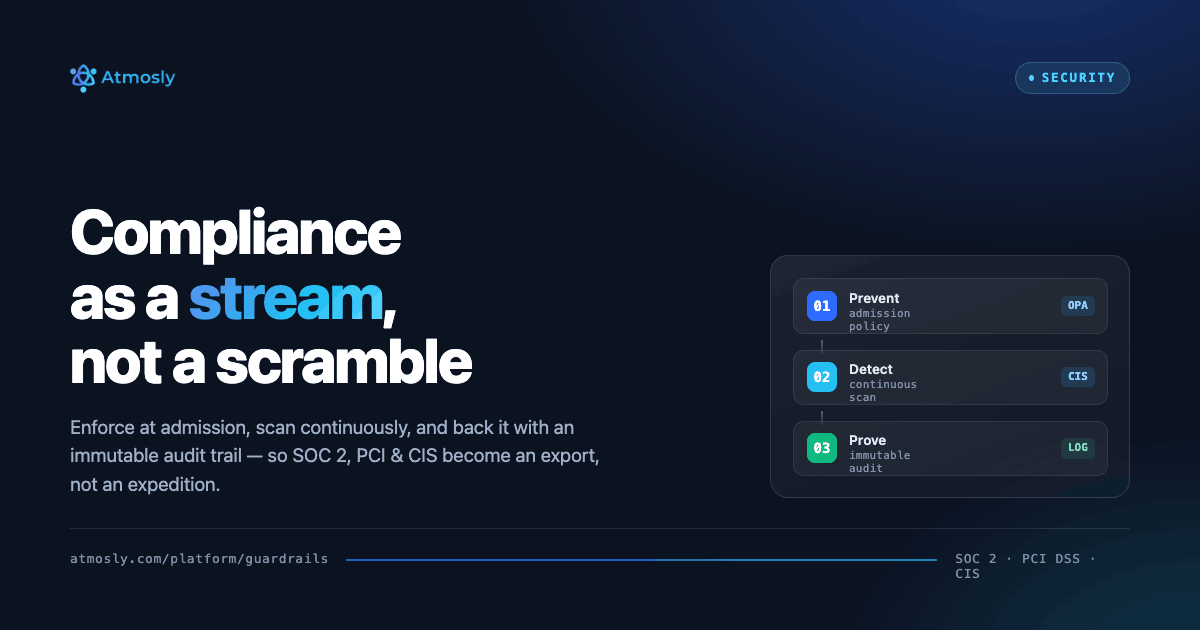
This comprehensive Kubernetes security checklist provides 50 actionable, production-tested security practices organized into logical categories, based on official security frameworks including the CIS Kubernetes Benchmark (industry-standard security configuration guide), NSA and CISA Kubernetes Hardening Guide (government security guidance), Kubernetes Security documentation and CVE analysis, and real-world production security incidents and lessons learned from breaches. Each practice includes clear implementation instructions, explains why it matters with real attack scenarios, provides ready-to-use YAML configurations or kubectl commands, and indicates compliance frameworks it addresses (CIS, SOC 2, HIPAA, PCI-DSS). We'll also show how a one-click posture scan can check many of these controls against your live cluster, so you know which of the 50 you already fail before you start.
By methodically implementing these 50 practices, you'll establish defense-in-depth security posture for your Kubernetes infrastructure, dramatically reduce attack surface and risk exposure, meet regulatory compliance requirements with auditable controls, prevent the most common Kubernetes security incidents that plague improperly secured clusters, and gain security confidence enabling your organization to move faster with Kubernetes while maintaining strong security rather than treating security and velocity as opposing forces.
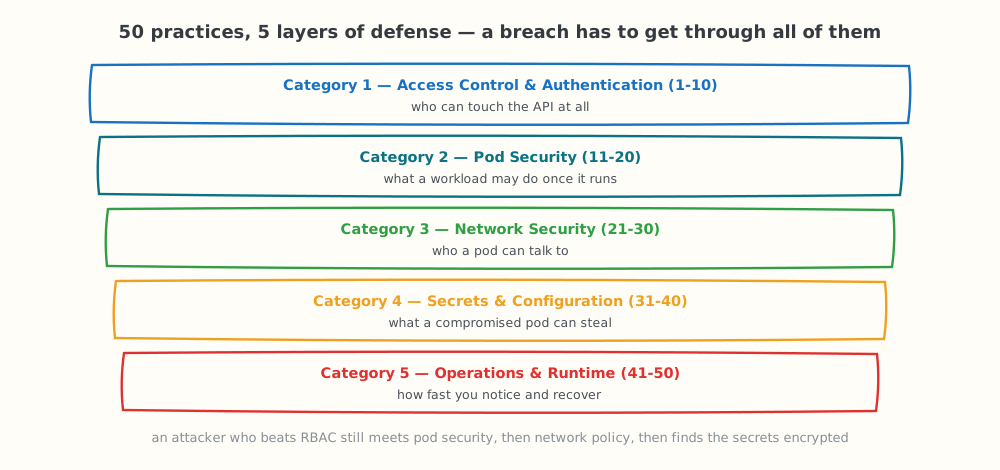
The 50 practices form five layers of defense — an attacker has to get through all of them.
Category 1: Access Control & Authentication (Practices 1-10)
Practice 1: Enable RBAC Authorization
Implementation: Ensure Kubernetes API server runs with --authorization-mode=RBAC (default in Kubernetes 1.6+)
Verification:
# Check RBAC is enabled
kubectl api-versions | grep rbac
# Should show:
# rbac.authorization.k8s.io/v1
Why it matters: RBAC is the foundation of Kubernetes security. Without it, you have no access control anyone who can authenticate can do anything. This is the most critical security control.
Compliance: Required by CIS 3.1.1, SOC 2, HIPAA, PCI-DSS
Practice 2: Disable Anonymous Authentication
Implementation: Set --anonymous-auth=false on API server
Why it matters: Anonymous auth allows unauthenticated requests to API server with default permissions. This creates unnecessary attack surface. All requests should require authentication.
Verification:
# Try anonymous request (should fail)
curl -k https://CLUSTER_IP:6443/api/v1/namespaces
# Should return 401 Unauthorized if anonymous auth disabled
Compliance: CIS 1.2.1, NSA/CISA Hardening Guide
Practice 3: Implement Strong Authentication (OIDC/LDAP)
Implementation: Configure OIDC or LDAP instead of static client certificates
# API server OIDC flags
--oidc-issuer-url=https://accounts.google.com
--oidc-client-id=kubernetes
--oidc-username-claim=email
--oidc-groups-claim=groups
Why it matters: Client certificates don't expire, can't be revoked easily, and lack MFA support. OIDC enables SSO, MFA, automatic expiration, centralized revocation, and group-based RBAC.
Compliance: SOC 2 (CC6.1), HIPAA (164.312)
Practice 4: Never Grant cluster-admin to Regular Users
Implementation: Audit and remove unnecessary cluster-admin bindings
# List all cluster-admin bindings
kubectl get clusterrolebindings -o json | \\
  jq '.items[] | select(.roleRef.name=="cluster-admin") |
      {name: .metadata.name, subjects: .subjects}'
# Remove binding for regular user
kubectl delete clusterrolebinding alice-admin
Why it matters: cluster-admin grants unlimited cluster access can read all secrets, delete all resources, modify RBAC, access nodes. Principle of least privilege: grant specific permissions needed, not god-mode access.
Compliance: CIS 5.1.1, SOC 2, all frameworks
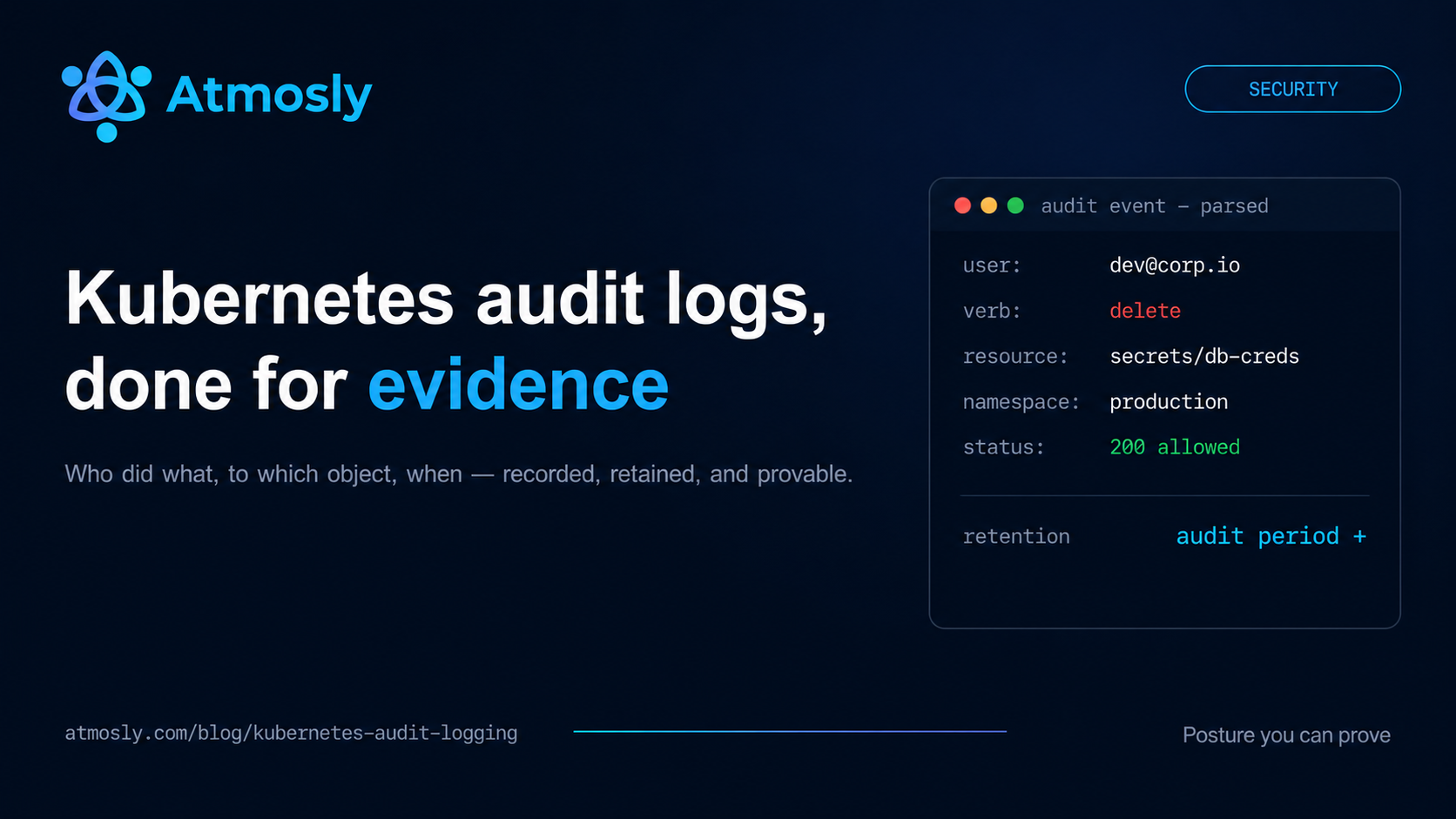
Practice 5: Enable Comprehensive Audit Logging
Implementation: Configure API server audit policy
--audit-log-path=/var/log/kubernetes/audit.log
--audit-log-maxage=30
--audit-log-maxbackup=10
--audit-log-maxsize=100
--audit-policy-file=/etc/kubernetes/audit-policy.yaml
Audit policy example:
apiVersion: audit.k8s.io/v1
kind: Policy
rules:
# Log secret access at Metadata level (who accessed, not content)
- level: Metadata
  resources:
  - group: ""
    resources: ["secrets"]
# Log RBAC changes at Request level (full details)
- level: RequestResponse
  resources:
  - group: "rbac.authorization.k8s.io"
    resources: ["roles", "rolebindings", "clusterroles", "clusterrolebindings"]
# Log pod exec/attach at Metadata level
- level: Metadata
  resources:
  - group: ""
    resources: ["pods/exec", "pods/attach"]
Why it matters: Audit logs provide forensics for security incidents, compliance evidence for auditors, debugging trail for "who changed what when," and detect unauthorized access attempts. Without auditing, you're blind to security events.
Compliance: SOC 2 (CC7.2), HIPAA (164.312(b)), PCI-DSS (10.2)
Practice 6: Disable ServiceAccount Token Auto-Mount
Implementation: Set automountServiceAccountToken: false by default
# Namespace-wide default
apiVersion: v1
kind: ServiceAccount
metadata:
  name: default
  namespace: production
automountServiceAccountToken: false
# Or per-pod
spec:
  automountServiceAccountToken: false
Why it matters: By default, every pod gets ServiceAccount token mounted at /var/run/secrets/kubernetes.io/serviceaccount/token. If pod compromised, attacker gets token for Kubernetes API access. Only mount when actually needed.
Compliance: CIS 5.1.5
Practice 7: Create Dedicated ServiceAccounts per Application
Implementation: Never use default ServiceAccount
# Create app-specific ServiceAccount
apiVersion: v1
kind: ServiceAccount
metadata:
  name: payment-service-sa
  namespace: production
---
# Use in deployment
spec:
  serviceAccountName: payment-service-sa
Why it matters: Default ServiceAccount is shared by all pods in namespace. Compromising one pod compromises all if they share ServiceAccount. Separate ServiceAccounts enable least-privilege RBAC per application.
Compliance: CIS 5.1.5, SOC 2
Practice 8: Implement Multi-Factor Authentication for Admin Access
Implementation: Require MFA for kubectl access via OIDC provider
Why it matters: Passwords alone are weak (phishing, credential stuffing, password reuse). MFA (something you know + something you have) dramatically reduces account takeover risk. Critical for privileged access.
Compliance: SOC 2 (CC6.1), PCI-DSS (8.3)
Practice 9: Rotate Credentials Regularly
Implementation: Automate credential rotation
- ServiceAccount tokens: Every 90 days
- TLS certificates: Before expiration (typically 1 year)
- Database passwords in Secrets: Every 90 days
- API keys: Every 180 days
Why it matters: Credential rotation limits exposure window if credentials compromised. Stolen credentials become useless after rotation.
Compliance: SOC 2, PCI-DSS (8.2.4)
Practice 10: Implement Session Timeout and Token Expiration
Implementation: Configure short-lived tokens via OIDC
--oidc-username-claim=email
--oidc-groups-claim=groups
# Tokens expire based on OIDC provider config (15-60 minutes typical)
Why it matters: Long-lived tokens remain valid even after user leaves company or role changes. Short expiration forces re-authentication, ensuring access reflects current authorization.
Category 2: Pod Security Standards (Practices 11-20)
Practice 11: Enforce Pod Security Standards at Namespace Level
Implementation: Label namespaces with Pod Security Standard level
# Production: Restricted (most secure)
kubectl label namespace production \\
  pod-security.kubernetes.io/enforce=restricted \\
  pod-security.kubernetes.io/audit=restricted \\
  pod-security.kubernetes.io/warn=restricted
# Staging: Baseline
kubectl label namespace staging \\
  pod-security.kubernetes.io/enforce=baseline
# Dev: Privileged (unrestricted)
kubectl label namespace dev \\
  pod-security.kubernetes.io/enforce=privileged
Why it matters: Pod Security Standards replaced deprecated PodSecurityPolicies in Kubernetes 1.25+. They enforce security baselines preventing privileged containers, host namespace sharing, and other dangerous configurations.
Compliance: CIS 5.2.x, NSA/CISA Hardening
Practice 12: Never Run Containers as Root
Implementation: Set runAsNonRoot: true and runAsUser: 1000
securityContext:
  runAsNonRoot: true  # Enforces non-root
  runAsUser: 1000     # Specific UID
  runAsGroup: 3000
  fsGroup: 2000       # For volume permissions
Why it matters: Running as root (UID 0) inside containers increases risk of container escape attacks. If attacker escapes container, they have root on host. Non-root limits damage.
Compliance: CIS 5.2.6, Required by PSS "restricted" level
Practice 13: Drop All Linux Capabilities
Implementation: Drop ALL capabilities, add only specific ones needed
securityContext:
  capabilities:
    drop:
    - ALL                # Drop everything
    add:
    - NET_BIND_SERVICE  # Only if need to bind to port < 1024
Why it matters: Linux capabilities grant partial root privileges (CAP_SYS_ADMIN, CAP_NET_ADMIN, etc.). Dropping ALL removes dangerous capabilities attackers could exploit for privilege escalation.
Compliance: CIS 5.2.9, PSS "restricted"
Practice 14: Use Read-Only Root Filesystem
Implementation:
securityContext:
  readOnlyRootFilesystem: true
# Use emptyDir for writable paths
volumes:
- name: tmp
  emptyDir: {}
- name: cache
  emptyDir: {}
volumeMounts:
- name: tmp
  mountPath: /tmp
- name: cache
  mountPath: /var/cache
Why it matters: Read-only filesystem prevents attackers from writing malware, modifying binaries, or persisting backdoors. Forces immutable infrastructure pattern.
Compliance: PSS "restricted" recommended
Practice 15: Disable Privilege Escalation
Implementation:
securityContext:
  allowPrivilegeEscalation: false
Why it matters: Prevents setuid/setgid binaries from gaining elevated privileges. Blocks common container escape techniques relying on privilege escalation.
Compliance: CIS 5.2.5, PSS "restricted" required
Practice 16: Set Resource Limits on All Containers
Implementation:
resources:
  limits:
    cpu: 500m
    memory: 512Mi
  requests:
    cpu: 100m
    memory: 128Mi
Why it matters: Prevents resource exhaustion attacks (cryptominers consuming all CPU, memory bombs crashing nodes). Limits blast radius of compromised containers. Also prevents noisy neighbor problems.
Compliance: CIS 5.2.1, CIS 5.2.2
Practice 17: Implement Liveness and Readiness Probes
Implementation:
livenessProbe:
  httpGet:
    path: /healthz
    port: 8080
  initialDelaySeconds: 30
  periodSeconds: 10
readinessProbe:
  httpGet:
    path: /ready
    port: 8080
  initialDelaySeconds: 5
  periodSeconds: 5
Why it matters: Detects and automatically restarts compromised or malfunctioning containers. Prevents zombie processes from serving traffic.
Compliance: High availability best practice
Practice 18: Scan Container Images for Vulnerabilities
Implementation: Integrate Trivy, Snyk, or Aqua in CI/CD
# Trivy image scan in pipeline
trivy image --severity HIGH,CRITICAL my-app:v1.2.3
# Fail build if HIGH or CRITICAL vulnerabilities found
Why it matters: Container images often contain known vulnerabilities (CVEs). Scanning prevents deploying vulnerable software. Most breaches exploit known vulnerabilities with available patches.
Compliance: CIS 5.4.1, SOC 2
Practice 19: Use Minimal Base Images (Distroless or Alpine)
Implementation: Use Google Distroless or Alpine Linux base images
# Instead of:
FROM ubuntu:22.04  # 77MB, many packages, large attack surface
# Use:
FROM gcr.io/distroless/static-debian11  # 2MB, no shell, minimal attack surface
# Or
FROM alpine:3.19  # 7MB, minimal packages
Why it matters: Fewer packages = fewer vulnerabilities = smaller attack surface. Distroless images have no shell, package managers, or unnecessary binaries attackers could use.
Compliance: CIS 5.4.3
Practice 20: Implement Image Signing and Verification
Implementation: Use Sigstore/Cosign or Docker Content Trust
# Sign image with Cosign
cosign sign --key cosign.key my-registry.com/my-app:v1.2.3
# Verify signature in admission controller
# (prevents running unsigned or tampered images)
Why it matters: Prevents supply chain attacks where attackers replace legitimate images with malicious versions. Signing ensures image integrity and authenticity.
Compliance: SLSA Level 3, Supply Chain Security
Category 3: Network Security (Practices 21-30)
Practice 21: Implement Default Deny Network Policies
Implementation: Create deny-all as baseline
# Deny all ingress traffic by default
apiVersion: networking.k8s.io/v1
kind: NetworkPolicy
metadata:
  name: deny-all-ingress
  namespace: production
spec:
  podSelector: {}  # Applies to ALL pods in namespace
  policyTypes:
  - Ingress
---
# Deny all egress traffic by default
apiVersion: networking.k8s.io/v1
kind: NetworkPolicy
metadata:
  name: deny-all-egress
  namespace: production
spec:
  podSelector: {}
  policyTypes:
  - Egress
Why it matters: Default deny = zero-trust networking. Nothing can communicate unless explicitly allowed. Limits lateral movement if container compromised.
See which of these 50 your cluster already fails.
Free, read-only security scan. One click. Nothing changes in your cluster.
Compliance: CIS 5.3.2, Zero Trust Architecture
Practice 22: Explicitly Allow Only Required Traffic
Implementation: Create allow policies for legitimate communication
# Allow frontend -> backend on port 8080 only
apiVersion: networking.k8s.io/v1
kind: NetworkPolicy
metadata:
  name: allow-frontend-to-backend
spec:
  podSelector:
    matchLabels:
      app: backend
  ingress:
  - from:
    - podSelector:
        matchLabels:
          app: frontend
    ports:
    - protocol: TCP
      port: 8080  # Only this port
Why it matters: Whitelist-only approach prevents unexpected connections. If backend database compromised, it can't initiate outbound connections to exfiltrate data (egress blocked).
Practice 23: Always Allow DNS (Critical)
Implementation: Allow egress to kube-dns/CoreDNS
egress:
- to:
  - namespaceSelector:
      matchLabels:
        name: kube-system  # DNS pods in kube-system
  ports:
  - protocol: UDP
    port: 53  # DNS
Why it matters: Everything breaks without DNS. This is the #1 Network Policy mistake — blocking DNS and wondering why nothing works.
Practice 24: Enforce mTLS Between Services with a Service Mesh
Implementation: Enable strict mTLS in your service mesh (e.g., Istio, Linkerd) so all pod-to-pod traffic is encrypted and authenticated.
Example (Istio):
apiVersion: security.istio.io/v1beta1 kind: PeerAuthentication metadata:
              name: default
              namespace: production spec:
              mtls:
                mode: STRICT  # Require mTLS for all workloads in this namespace
            --- apiVersion: security.istio.io/v1beta1 kind: DestinationRule metadata:
              name: backend-mtls
              namespace: production spec:
              host: backend.production.svc.cluster.local
              trafficPolicy:
                tls:
                  mode: ISTIO_MUTUAL
Why it matters: mTLS encrypts traffic in transit and verifies the identity of both client and server using certificates. This prevents eavesdropping, spoofing, and man-in-the-middle attacks between microservices and enforces strong, workload-level identity.
Compliance: Zero Trust Architecture, SOC 2 (CC6.x), HIPAA (164.312(e)), PCI-DSS 4.0 (Data in Transit Encryption)
Practice 25: Enforce TLS for Ingress — HTTPS Everywhere
Implementation: Terminate HTTPS at the Ingress (or API gateway) using valid certificates (Let's Encrypt via cert-manager, or enterprise PKI). Redirect all HTTP to HTTPS.
Example (Nginx Ingress + cert-manager):
apiVersion: networking.k8s.io/v1 kind: Ingress metadata:
              name: prod-app
              namespace: production
              annotations:
                cert-manager.io/cluster-issuer: letsencrypt-prod
                nginx.ingress.kubernetes.io/force-ssl-redirect: "true" spec:
              ingressClassName: nginx
              tls:
              - hosts:
                - app.example.com
                secretName: prod-app-tls
              rules:
              - host: app.example.com
                http:
                  paths:
                  - path: /
                    pathType: Prefix
                    backend:
                      service:
                        name: app-service
                        port:
                          number: 80
Why it matters: Without TLS, credentials, tokens, and data travel in plaintext and can be intercepted or modified. Enforcing HTTPS for all external traffic is a fundamental security control and often a regulatory requirement.
Compliance: PCI-DSS (4.x — Strong Cryptography), HIPAA (164.312(e)), SOC 2 (CC6.1)
Practice 26: Isolate and Protect the Kubernetes Control Plane
Implementation: Restrict access to the Kubernetes API server to trusted networks only (VPN, bastion hosts, office IPs). Avoid exposing the API directly to the public internet.
Examples:
Use private API endpoints for managed clusters (EKS/GKE/AKS) where possible.
Restrict public access with firewall rules / security groups / master authorized networks.
Force admins to access the API via VPN or bastion.
Example: allow API access only from VPN CIDR (conceptual)
security group / firewall rule:
ALLOW tcp 443 FROM 10.0.0.0/16 (VPN)
DENY tcp 443 FROM 0.0.0.0/0 (Internet)
Why it matters: The Kubernetes API is the brain of the cluster. If an attacker reaches it and finds misconfigurations or weak credentials, they can compromise everything. Network isolation dramatically reduces the attack surface and brute-force attempts.
Compliance: CIS Kubernetes Benchmark (API server controls), SOC 2 (CC6.x), Zero Trust Network principles
Practice 27: Enable CNI Network Flow Logging for Forensics
Implementation: Turn on network flow logging in your CNI plugin (e.g., Calico Flow Logs, Cilium Hubble) and send logs to your central logging/SIEM system.
Example (Calico — FelixConfiguration):
apiVersion: projectcalico.org/v3 kind: FelixConfiguration metadata:
              name: default spec:
              flowLogsFlushInterval: 10s
              flowLogsFileEnabled: true
              flowLogsFileDirectory: /var/log/calico/flows
Ship /var/log/calico/flows to Loki/ELK/SIEM with an agent (Fluent Bit, Vector, etc.).
Why it matters: Flow logs show who talked to whom, when, and on which ports. They are invaluable for incident investigations, detecting suspicious lateral movement, and validating that NetworkPolicies work as intended.
Compliance: SOC 2 (CC7.x — logging & monitoring), PCI-DSS (10.x — log all network access to cardholder data)
Practice 28: Use Private Container Registries and Restrict Image Sources
Implementation: Store images in private registries (ECR, GCR, ACR, Harbor) and restrict nodes to pull only from approved registries.
Create an imagePullSecret:
apiVersion: v1
kind: Secret
metadata:
name: regcred
namespace: production
type: kubernetes.io/dockerconfigjson
data:
.dockerconfigjson: <base64-encoded-dockerconfigjson>
Attach it to your ServiceAccount:
apiVersion: v1
kind: ServiceAccount
metadata:
name: app-sa
namespace: production
imagePullSecrets:
name: regcred
At the network layer, allow egress from nodes only to your approved registries (via firewall rules, VPC endpoints, or NetworkPolicies).
Why it matters: Pulling images from random public registries is a major supply chain risk. Private, controlled registries plus restricted egress prevent untrusted or malicious images from entering your environment.
Compliance: Supply Chain Security (SLSA), SOC 2 (CC6.x), PCI-DSS 4.0 (Software Integrity)
Practice 29: Implement Egress Filtering and Outbound Firewalls
Implementation: Use NetworkPolicies, egress gateways, and/or cloud firewalls to explicitly control outbound traffic from pods and nodes.
Example (restrict egress to a specific external service):
apiVersion: networking.k8s.io/v1 kind: NetworkPolicy metadata:
              name: allow-egress-to-payments
              namespace: production spec:
              podSelector:
                matchLabels:
                  app: backend
              policyTypes:
              - Egress
              egress:
              - to:
                - ipBlock:
                    cidr: 203.0.113.10/32  # payments-api.example.com
                ports:
                - protocol: TCP
                  port: 443
Combine with cloud firewall rules (NACLs / Security Groups) so that default is deny and only specific destinations (databases, payment gateways, APIs, logging endpoints) are allowed.
Why it matters: Without egress controls, a compromised pod can exfiltrate data to any IP on the internet or connect to attacker C2 servers. Egress filtering limits damage and is essential for Zero Trust.
Compliance: Zero Trust Architecture, PCI-DSS (restrict outbound connections), SOC 2 (CC6.x)
Practice 30: Monitor Network Traffic with IDS/NDR
Implementation: Deploy network detection and response (NDR) or IDS tooling that monitors Kubernetes traffic patterns for anomalies:
Use eBPF-based tools (e.g., Cilium Hubble, Tetragon) to observe connections.
Mirror traffic to IDS (Zeek/Suricata) using cloud traffic mirroring / SPAN.
Send alerts to your SIEM when suspicious patterns appear (port scans, unusual outbound connections, spikes in failed connections).
Conceptual example (Hubble UI deployment):
# Assumes Cilium is installed with Hubble enabled
            cilium hubble enable
            cilium hubble ui
Why it matters: Even with strong NetworkPolicies, you need visibility into what is actually happening on the wire. Network monitoring detects stealthy attacks, lateral movement attempts, and policy misconfigurations that logs alone might miss.
Compliance: SOC 2 (CC7.2 — detect and respond to security events), PCI-DSS (10.x & 11.x — monitoring and intrusion detection)
Category 4: Secrets & Configuration Management (Practices 31-40)
Practice 31: Encrypt Kubernetes Secrets at Rest
Implementation: Ensure secrets are encrypted at rest in etcd and any underlying storage.
For managed clusters, enable provider-managed encryption (EKS, GKE, AKS all support etcd/secret encryption configurations).
For self-managed clusters, configure an EncryptionConfiguration for the API server:
kind: EncryptionConfiguration
apiVersion: apiserver.config.k8s.io/v1
resources:
  - resources:
      - secrets
    providers:
      - aescbc:
          keys:
            - name: key1
              secret: <base64-encoded-32-byte-key>
      - identity: {}
Then start the API server with:
--encryption-provider-config=/path/to/encryption-config.yaml
Why it matters: By default, secrets are only base64-encoded, not truly encrypted. If an attacker gains access to etcd or underlying disk snapshots, they can read all secrets. Encryption at rest ensures an additional layer of protection even if storage is compromised.
Compliance: CIS Kubernetes Benchmark (Secret Encryption), SOC 2 (CC6.x), PCI-DSS 4.0 (Strong Cryptography for Sensitive Data)
Practice 32: Use an External Secrets Manager (Vault, AWS Secrets Manager, etc.)
Implementation: Store sensitive values in an external secrets manager and sync them into Kubernetes using an operator like External Secrets Operator, Secrets Store CSI Driver, or Vault Agent Injector.
Example (External Secrets Operator + AWS Secrets Manager):
apiVersion: external-secrets.io/v1beta1 kind: ExternalSecret metadata:
              name: app-db-credentials
              namespace: production spec:
              refreshInterval: 1h
              secretStoreRef:
                name: aws-secrets
                kind: ClusterSecretStore
              target:
                name: app-db-secret
                creationPolicy: Owner
              data:
              - secretKey: username
                remoteRef:
                  key: prod/app/db
                  property: username
              - secretKey: password
                remoteRef:
                  key: prod/app/db
                  property: password
Why it matters: External managers give you strong access controls, auditing, rotation, and key management capabilities that Kubernetes alone doesn't provide. Kubernetes then only holds short-lived copies of secrets needed at runtime. For a full comparison of the options, see our Kubernetes secrets management guide.
Compliance: SOC 2 (CC6.x, CC7.x), PCI-DSS (3.x, 7.x), HIPAA (164.312(a))
Practice 33: Keep Secrets Out of Git (Git Hygiene)
Implementation:
- Never commit real passwords, API keys, or certificates to Git.
- Use placeholders in manifests (e.g.,
{{DB_PASSWORD}}) and populate them from a CI/CD or GitOps tool using environment variables or secret stores. - Add
.env,secrets/*.yaml, and similar files to.gitignore. - Use automated secret scanners (TruffleHog, GitLeaks, GitHub secret scanning) and pre-commit hooks.
Example pre-commit configuration:
repos:
  - repo: https://github.com/gitleaks/gitleaks
    rev: v8.18.0
    hooks:
      - id: gitleaks
If secrets were accidentally committed, revoke & rotate them; do not just delete the file from Git history.
Why it matters: Once a secret is in Git, it's effectively permanent — clones, forks, and backups can expose it indefinitely. Git is for code, not real credentials.
Compliance: SOC 2 (Change Management & Access Control), PCI-DSS (Secure Development Practices), OWASP ASVS (V1.9 Secret Management)
Practice 34: Implement Regular Secret Rotation
Implementation:
Define rotation intervals per secret type (e.g., API keys every 90 days, DB passwords every 30–60 days).
Use your external secrets manager's rotation features (AWS Secrets Manager, Vault, etc.).
In Kubernetes, rely on operators that auto-refresh secrets used by workloads.
Example (ExternalSecret with automatic refresh):
apiVersion: external-secrets.io/v1beta1 kind: ExternalSecret metadata:
              name: app-api-key
              namespace: production spec:
              refreshInterval: 15m  # pick based on rotation policy
              secretStoreRef:
                name: aws-secrets
                kind: ClusterSecretStore
              target:
                name: app-api-key
              data:
              - secretKey: api-key
                remoteRef:
                  key: prod/app/api
                  property: key
Workloads should reload secrets either via rolling deployments (triggered by secret changes) or by watching mounted volumes.
Why it matters: Long-lived credentials are easier to abuse and harder to revoke if leaked. Regular rotation reduces attacker dwell time and limits blast radius.
Compliance: PCI-DSS (password/API key rotation), SOC 2 (CC6.x), NIST 800-53 (IA-5)
Practice 35: Never Inject Secrets via Environment Variables
Implementation: Mount secrets as files from volumes instead of exposing them as environment variables.
spec:
  containers:
  - name: app
    volumeMounts:
    - name: db-creds
      mountPath: /etc/secrets
      readOnly: true
  volumes:
  - name: db-creds
    secret:
      secretName: app-db-secret
Why it matters: Environment variables leak in ways files do not — they are inherited by every child process, dumped by crash handlers and debug endpoints, and routinely printed by application frameworks and logging libraries on startup. Volume-mounted secrets also update in place when the Secret changes, while env vars are frozen until the pod restarts.
Compliance: Kubernetes Secrets good practices (kubernetes.io), SOC 2 (CC6.x), PCI-DSS (protect sensitive data in memory and logs)
Practice 36: Use Sealed Secrets / Encrypted Manifests for GitOps
Implementation: Use tools like Sealed Secrets, SOPs, or SOPS + KMS to store encrypted secret manifests in Git, so they are only decrypted inside the cluster.
Example (Bitnami SealedSecret):
apiVersion: bitnami.com/v1alpha1 kind: SealedSecret metadata:
              name: app-db-secret
              namespace: production spec:
              encryptedData:
                username: AgBsdY...
                password: AgC34k...
              template:
                type: Opaque
                metadata:
                  name: app-db-secret
                  namespace: production
The controller in the cluster decrypts this into a normal Secret object. The private key never leaves the cluster; Git only sees encrypted values.
Why it matters: This enables GitOps workflows while still keeping real secret values encrypted at rest in version control. Even if the repo leaks, the attacker cannot read the plaintext secrets.
Compliance: GitOps + Secret Management Best Practices, SOC 2 (Change Management), PCI-DSS (protect stored sensitive data)
Practice 37: Enable Audit Logging for Secret Access
Implementation:
- Enable Kubernetes API audit logs (or the managed equivalent) and ensure
get/listcalls onsecretsare logged with user identity. - Forward audit logs to a central log system (Loki, ELK, cloud-native logging, SIEM).
- Create alerts for:
- Unusual spikes in
get secretscalls - Attempts from unexpected service accounts or users
- Access to secrets in restricted namespaces
- Unusual spikes in
Conceptual example (high-level only):
- Enable an audit policy that includes:
resources: ["secrets"]
verbs: ["get", "list"]
level: RequestResponse- Ship logs to a SIEM and create detections.
Why it matters: Without audit logs, you can't answer "who accessed which secret and when?" during an incident. Audit trails are essential for investigations and compliance.
Compliance: PCI-DSS (10.x — logging), SOC 2 (CC7.2 — detect anomalies), HIPAA (audit controls)
Practice 38: Separate Secrets by Environment and Namespace
Implementation:
- Use separate namespaces and secrets per environment:
dev,staging,production. - Avoid sharing the same secret object across environments.
- Use clear naming conventions, for example:
Namespace: production
Secret names:
  app-db-credentials
  app-payment-api
  app-jwt-keys
Namespace: staging
Secret names:
  app-db-credentials
  app-payment-api
  app-jwt-keys
Combined with network and RBAC rules, this ensures dev/stage workloads never access production secrets.
Why it matters: Mixing environments increases the risk of a lower-security environment (dev) being used as a stepping stone to production secrets. Environment isolation is foundational to a secure deployment model.
Compliance: PCI-DSS (segregation of environments), SOC 2 (Change Management & Segregation of Duties)
Practice 39: Version and Track Secret Changes
Implementation:
- Use your secret manager's versioning features (e.g., AWS Secrets Manager versions, Vault versions).
- In GitOps, treat secret definitions (templates/placeholders) like any other config — code review, PRs, approvals.
- Add annotations/labels to Kubernetes Secrets to record purpose and rotation information:
apiVersion: v1
kind: Secret
metadata:
  name: app-db-secret
  namespace: production
  labels:
    app: backend
  annotations:
    security.squareops.com/owner: "platform-team"
    security.squareops.com/rotation-frequency: "30d"
    security.squareops.com/last-rotated: "2025-01-10"
type: Opaque
data:
  username: ...
password: ...- Ensure every change to secret values is traceable to:
- Who initiated it
- When it was done
- Why it changed (ticket/PR reference)
Why it matters: Versioning and traceability help you roll back quickly if a change breaks something and provide evidentiary records for audits and incident analysis.
Compliance: SOC 2 (Change Management & Auditability), PCI-DSS (configuration & change control), ISO 27001 (A.12.1.2)
Practice 40: Monitor Secret Expiration and Misconfigurations
Implementation:
- Track expiration of:
- TLS certificates
- API keys and tokens
- Database credentials (where applicable)
- Use monitoring tools or custom scripts/CronJobs that:
- Parse certificates stored in Secrets
- Check
notAfterdates - Emit metrics or logs when certificates are close to expiry (e.g., < 30 days)
Example (conceptual CronJob):
apiVersion: batch/v1
kind: CronJob
metadata:
  name: cert-expiry-checker
  namespace: platform
spec:
  schedule: "0 2 * * *"
  jobTemplate:
    spec:
      template:
        spec:
          serviceAccountName: cert-checker
          containers:
          - name: checker
            image: your-registry/cert-checker:latest
            args:
              - "--namespace=production"
              - "--warning-days=30"
restartPolicy: OnFailure- Alert on:
- Secrets nearing expiry
- Secrets without rotation annotations
- Secrets with overly broad access (identified via periodic RBAC review)
Why it matters: Many outages and incidents are caused by expired certificates or forgotten tokens. Proactive monitoring turns expiration from an emergency into a routine maintenance task and reduces the risk of unexpected downtime.
Compliance: SOC 2 (Availability & Security), PCI-DSS (certificate/key lifecycle management), NIST 800-53 (Key Management & Maintenance)
Category 5: Cluster Operations & Runtime Security (Practices 41-50)
Practice 41: Keep Kubernetes Updated with Security Patches
Implementation:
- Track the Kubernetes version lifecycle (end-of-support dates) for your distribution or cloud provider.
- Standardize on a set of supported versions (e.g., N-1 or N-2 from the latest stable).
- Use managed cluster upgrade mechanisms (EKS/GKE/AKS) or automation (kOps, kubeadm, Cluster API) to:
- Upgrade control plane first.
- Then upgrade worker nodes using rolling node pool/node group updates.
- Test upgrades in a staging cluster before production and verify key workloads/CI/CD flows.
- Combine with node OS patching (managed node images, golden images, or OS patch management tools).
Why it matters: Older Kubernetes versions lose security support and may contain known vulnerabilities and deprecated APIs. Regular cluster and node OS patching closes known CVEs, keeps your environment compatible with modern tooling, and is often required by compliance frameworks.
Compliance: CIS Kubernetes Benchmark, SOC 2 (Change Management & Security), PCI-DSS (system components must be kept current with security patches), ISO 27001 (A.12.6.1)
Practice 42: Enforce Admission Controls (OPA Gatekeeper / Kyverno)
Implementation:
- Deploy a policy engine such as OPA Gatekeeper or Kyverno as an admission controller.
- Define policies that enforce baseline security rules, for example:
- No privileged containers.
- No hostPath volumes unless explicitly allowed.
- Only approved container registries.
- Mandatory labels/annotations for ownership and environment.
- Start in audit mode to see violations without blocking deployments, then gradually switch to enforce mode.
Example (Kyverno policy to block privileged containers):
apiVersion: kyverno.io/v1
kind: ClusterPolicy
metadata:
  name: disallow-privileged
spec:
  validationFailureAction: enforce
  rules:
    - name: validate-privileged
      match:
        resources:
          kinds:
            - Pod
      validate:
        message: "Privileged containers are not allowed."
        pattern:
          spec:
            containers:
              - securityContext:
                  privileged: false
Why it matters: Admission controllers are the last checkpoint before workloads land in the cluster. They prevent risky configurations from ever being created and standardize security requirements across teams and namespaces.
Compliance: CIS Kubernetes Benchmark (Admission Control), SOC 2 (preventive controls), PCI-DSS (secure configuration & change control)
Practice 43: Disable or Strongly Secure the Kubernetes Dashboard
Implementation:
- Best option: Do not deploy the legacy Kubernetes Dashboard in production. Use managed UIs (EKS/GKE/AKS consoles) or a hardened third-party dashboard.
- If you must run it:
- Never expose it directly to the public internet.
- Require authentication via OIDC/SSO or a short-lived kubeconfig.
- Bind it only to least-privileged service accounts (no cluster-admin by default).
- Restrict access using NetworkPolicies, firewall rules, or VPN-only access.
Why it matters: Historically, misconfigured dashboards have been a frequent cause of full-cluster compromise. An exposed, high-privilege dashboard is effectively a remote root console for your cluster.
Compliance: CIS Kubernetes Benchmark (Dashboard), SOC 2 (Access Control), PCI-DSS (restrict access to management interfaces)
Practice 44: Enforce ResourceQuotas and LimitRanges
Implementation:
- Define
ResourceQuotaper namespace to limit total CPU, memory, and object counts (pods, services, PVCs). - Define
LimitRangeto ensure containers set sensiblerequestsandlimitsand to cap max usage per container/pod. - Apply stricter quotas for multi-tenant or shared namespaces.
Example (ResourceQuota and LimitRange):
apiVersion: v1
kind: ResourceQuota
metadata:
  name: prod-quota
  namespace: production
spec:
  hard:
    requests.cpu: "20"
    requests.memory: 40Gi
    limits.cpu: "40"
    limits.memory: 80Gi
    pods: "200"

---
apiVersion: v1
kind: LimitRange
metadata:
  name: prod-limits
  namespace: production
spec:
  limits:
    - type: Container
      default:
        cpu: "500m"
        memory: 512Mi
      defaultRequest:
        cpu: "100m"
        memory: 128Mi
      max:
        cpu: "4"
        memory: 4Gi
Why it matters: Without quotas and limits, a single misbehaving workload can starve the node or cluster (CPU/memory exhaustion), causing cascading outages. Resource controls are a reliability and security boundary for multi-tenant clusters.
Compliance: SOC 2 (Availability & Capacity Management), SRE Best Practices (multi-tenant isolation), PCI-DSS (availability of critical services)
Practice 45: Use PodDisruptionBudgets (PDBs) for Safer Upgrades
Implementation:
- Define
PodDisruptionBudgetfor critical deployments and stateful services to control how many pods can be voluntarily disrupted at once (e.g., during node drains, upgrades, or autoscaling). - Use either:
minAvailable— minimum number of replicas that must stay running, ormaxUnavailable— maximum number of replicas that can be down simultaneously.
- Validate that rolling upgrades and node maintenance respect the PDB and keep enough healthy pods serving traffic.
Example (PodDisruptionBudget for a 3-replica deployment):
apiVersion: policy/v1
kind: PodDisruptionBudget
metadata:
  name: backend-pdb
  namespace: production
spec:
  minAvailable: 2
  selector:
    matchLabels:
      app: backend
Why it matters: Without PDBs, automated node drains or rolling updates can briefly take down all replicas of a service, causing outages even when the overall system is healthy. PDBs enforce availability guarantees during planned disruptions.
Compliance: SOC 2 (Availability), SRE Best Practices (graceful maintenance), PCI-DSS (maintain availability of systems that store, process, or transmit cardholder data)
Practice 46: Monitor Runtime Threats with Falco (or Similar)
Implementation:
- Deploy a runtime security tool such as Falco, Sysdig Secure, or other eBPF-based detectors to watch for suspicious behavior at the node and container level.
- Use built-in Falco rules to detect:
- Shell spawned inside containers
- Unexpected file changes in system directories
- Privilege escalation attempts
- Unexpected outbound connections or port scans
- Configure Falco to send alerts to your logging stack or incident response tools (Slack, PagerDuty, SIEM, etc.).
- Start with alert-only mode, then refine rules and severities to reduce noise.
Example (simplified Falco rule to detect a shell in a container):
- rule: Terminal shell in container
  desc: Detect interactive shell in a container
  condition: >
    spawned_process and container and
    proc.name in (bash, sh, zsh, ash)
  output: >
    Shell spawned in container (user=%user.name container_id=%container.id
    image=%container.image.repository:%container.image.tag cmdline=%proc.cmdline)
  priority: WARNING
  tags: [container, shell, mitre_execution]
Why it matters: Static scans and policies catch misconfigurations before deployment, but attackers (or buggy apps) can still behave maliciously at runtime. Runtime threat detection adds a final layer of defense by spotting abnormal behavior inside containers and nodes.
Compliance: SOC 2 (CC7.x — detect and respond to anomalies), PCI-DSS (11.x — intrusion detection), NIST 800-53 (SI family — Security Monitoring)
Practice 47: Implement Backup & Disaster Recovery for Cluster State and Data
Implementation:
- Back up:
- Cluster state (etcd or control-plane config for self-managed clusters).
- Kubernetes objects (Deployments, Services, Ingresses, CRDs, etc.).
- Persistent volume data (databases, file stores) using tools like Velero or storage provider snapshots.
- Use Velero (or similar) to back up namespaces, resources, and volumes to an object store (S3/GCS/Azure Blob/minio).
- Define and regularly test restore procedures in a separate cluster or environment.
- Document RPO/RTO targets and verify backups meet those requirements.
Example (Velero backup schedule):
apiVersion: velero.io/v1
kind: Schedule
metadata:
  name: daily-prod-backup
  namespace: velero
spec:
  schedule: "0 1 * * *" # daily at 01:00
  template:
    includedNamespaces:
      - production
    ttl: 168h # retain for 7 days
    snapshotVolumes: true
Why it matters: Even with strong security, accidents happen: bad deployments, corruption, or cloud-region incidents. Without tested backups and DR, you risk extended downtime and data loss. A hardened cluster must be recoverable, not just secure.
Compliance: SOC 2 (Availability & Processing Integrity), PCI-DSS (12.x — backup & DR), ISO 27001 (A.17 — Business continuity)
Practice 48: Harden Worker Nodes and Underlying OS
Implementation:
- Use minimal, Kubernetes-optimized OS images (e.g., EKS-optimized AMIs, COS, Flatcar, or other hardened images).
- Restrict SSH access:
- Disable SSH entirely where possible or allow only via bastion/VPN.
- Enforce key-based auth, no password login, and short-lived access.
- Apply OS-level hardening:
- Enable automatic security updates or frequent patching.
- Disable unnecessary services/daemons.
- Configure firewall rules (iptables/nftables/security groups) with least privilege.
- Harden cloud metadata access (IMDSv2 only, restricted hops) so pods cannot freely read instance credentials.
- Use nodegroups or autoscaling groups with immutable images (bake changes into new images and roll out).
Why it matters: Kubernetes security depends on the host OS. If an attacker escapes a container or exploits a kernel vulnerability, poorly hardened nodes can give them full control. A secure, patched, minimal OS dramatically reduces this risk.
Compliance: CIS Benchmarks (Linux/OS hardening), SOC 2 (Infrastructure Security), PCI-DSS (system hardening & patching), NIST 800-53 (SC & CM families)
Practice 49: Run Regular Security Audits with kube-bench and Other Scanners
Implementation:
- Use kube-bench to check your cluster against the CIS Kubernetes Benchmark regularly (manually or via scheduled jobs).
- Complement with:
- kube-hunter or similar tools for network-facing vulnerabilities.
- kubescape or Trivy Kubernetes to evaluate cluster posture & workload misconfigurations.
- Integrate these tools into CI/CD or a periodic scanning job and store reports centrally.
- Track remediation of high/critical findings like normal vulnerability management (tickets, SLAs, owners).
Example (running kube-bench as a Job):
apiVersion: batch/v1
kind: Job
metadata:
  name: kube-bench
  namespace: security
spec:
  template:
    spec:
      serviceAccountName: kube-bench
      hostPID: true
      containers:
        - name: kube-bench
          image: aquasec/kube-bench:latest
          securityContext:
            privileged: true
          volumeMounts:
            - name: var-lib-kubelet
              mountPath: /var/lib/kubelet
              readOnly: true
            - name: etc-systemd
              mountPath: /etc/systemd
              readOnly: true
            - name: etc-kubernetes
              mountPath: /etc/kubernetes
              readOnly: true
      restartPolicy: Never
      volumes:
        - name: var-lib-kubelet
          hostPath:
            path: /var/lib/kubelet
        - name: etc-systemd
          hostPath:
            path: /etc/systemd
        - name: etc-kubernetes
          hostPath:
            path: /etc/kubernetes
Why it matters: Security posture drifts over time — new components are added, configs change, and best practices evolve. Regular automated audits make sure your cluster continues to meet hardening baselines instead of relying on one-time setups. For a full walkthrough of the benchmark itself, see our CIS Kubernetes Benchmark implementation guide.
Compliance: CIS Kubernetes Benchmark, SOC 2 (ongoing risk assessment), PCI-DSS (vulnerability management), ISO 27001 (A.12.6 — Technical vulnerability management)
Practice 50: Establish Ongoing Security & Compliance Monitoring
Implementation:
- Define a minimal set of security SLOs/metrics for your clusters, such as:
- Number of critical vulnerabilities open > X days
- Number of policy violations (privileged pods, hostPath usage)
- Mean time to detect (MTTD) and mean time to respond (MTTR) for incidents
- Centralize:
- Logs (audit, application, system)
- Metrics (Prometheus, cloud monitoring)
- Security events (Falco, IDS, scanners) into a SIEM or observability platform.
- Create dashboards that show:
- Current security posture for each cluster/environment.
- Trend of vulnerabilities, misconfigurations, and policy violations.
- Set up recurring security reviews (e.g., monthly or quarterly) to:
- Review findings and incidents.
- Prioritize remediation work.
- Update policies and controls as the platform evolves.
- Integrate alerts into your on-call / incident management process so security signals are handled like reliability incidents.
Why it matters: Security is not a one-time checklist. Without ongoing monitoring and feedback loops, even a well-hardened cluster will slowly drift into an unknown and risky state. Regular visibility and reviews keep Kubernetes security aligned with business and compliance needs.
Compliance: SOC 2 (monitoring & governance), PCI-DSS (monitoring & improvement), ISO 27001 (ISMS continual improvement), NIST CSF (Detect & Respond Functions)
Checking the 50 Without Doing It by Hand
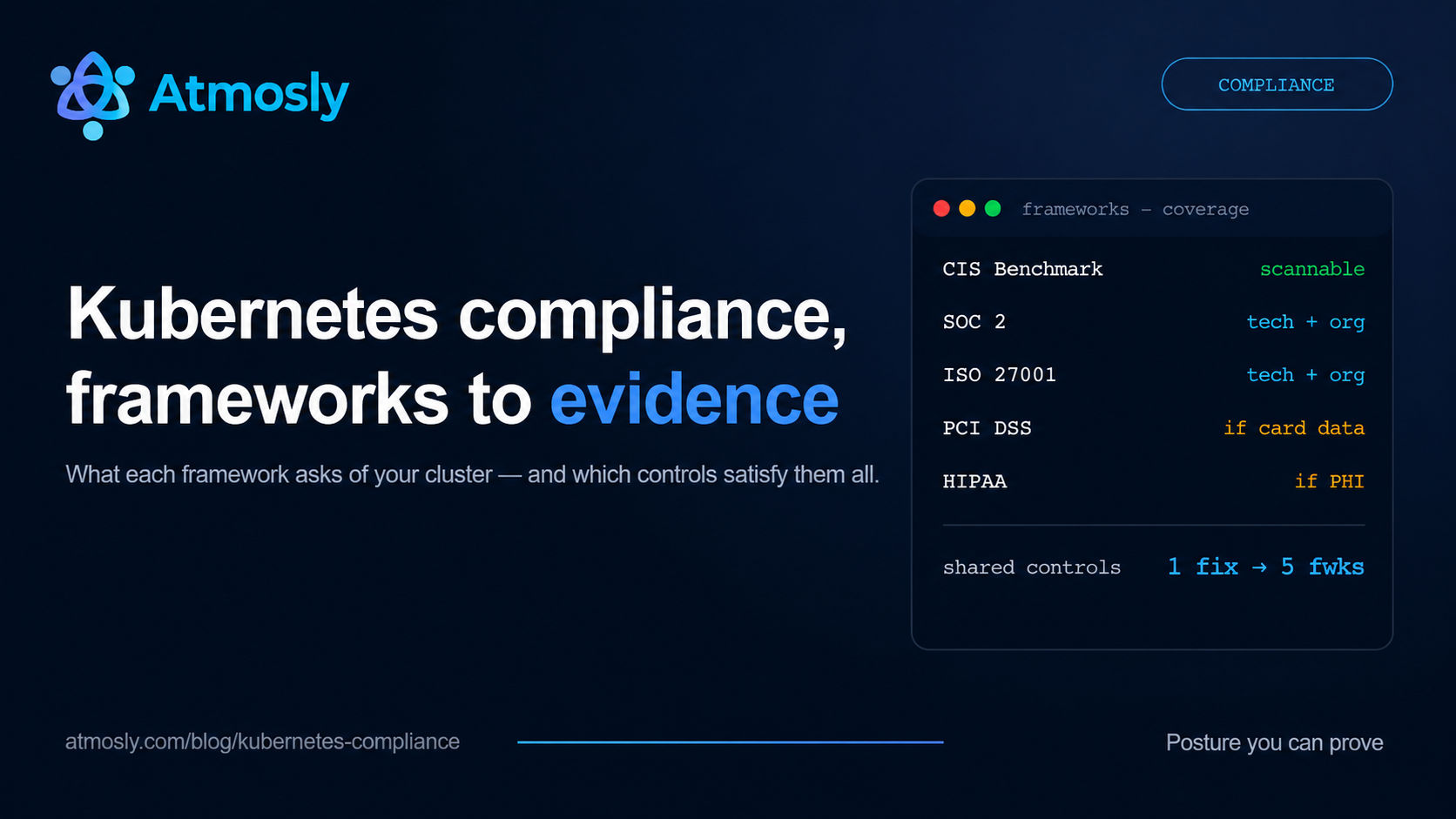
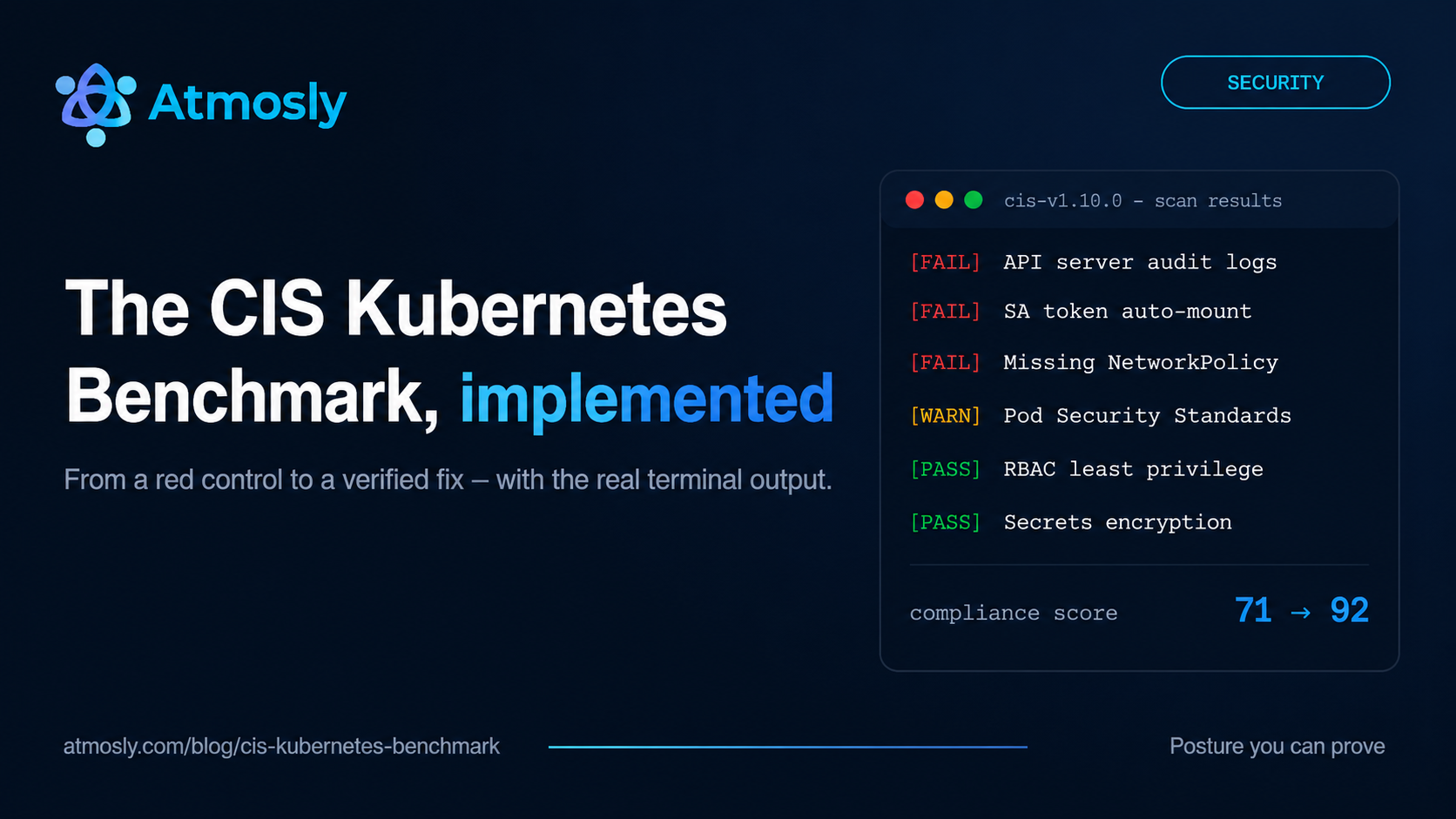
Roughly 30 of these practices are machine-verifiable from a live cluster — which means you do not have to work through the list manually to know where you stand. In Atmosly, a one-click, on-demand security scan (built on Kubescape) evaluates your cluster against CIS v1.10.0, MITRE ATT&CK, SOC 2, and ISO 27001 frameworks and flags exactly which controls fail, on which workloads. Three things make the results actionable rather than just a report:
- Findings resolve to a field path, not a lecture. Each failed control lists the affected Kind, name, and namespace plus the exact manifest field that fails — for example
spec.template.spec.containers[0].securityContext.readOnlyRootFilesystemshould betrue(Practice 14, verified for you). - Guided remediation, with a human in the loop. AI analysis generates the verification command and the fix, pre-loaded into an audited in-browser terminal scoped to that namespace. You review and run them — nothing is auto-applied — and a re-scan confirms the control now passes.
- Access governance covers Practices 4, 9, and 10 structurally. RBAC roles created through Atmosly carry an expiry (30 days by default, enforced by a reaper every 2 minutes), so standing cluster-admin access — the finding behind most breach paths — cannot silently accumulate.
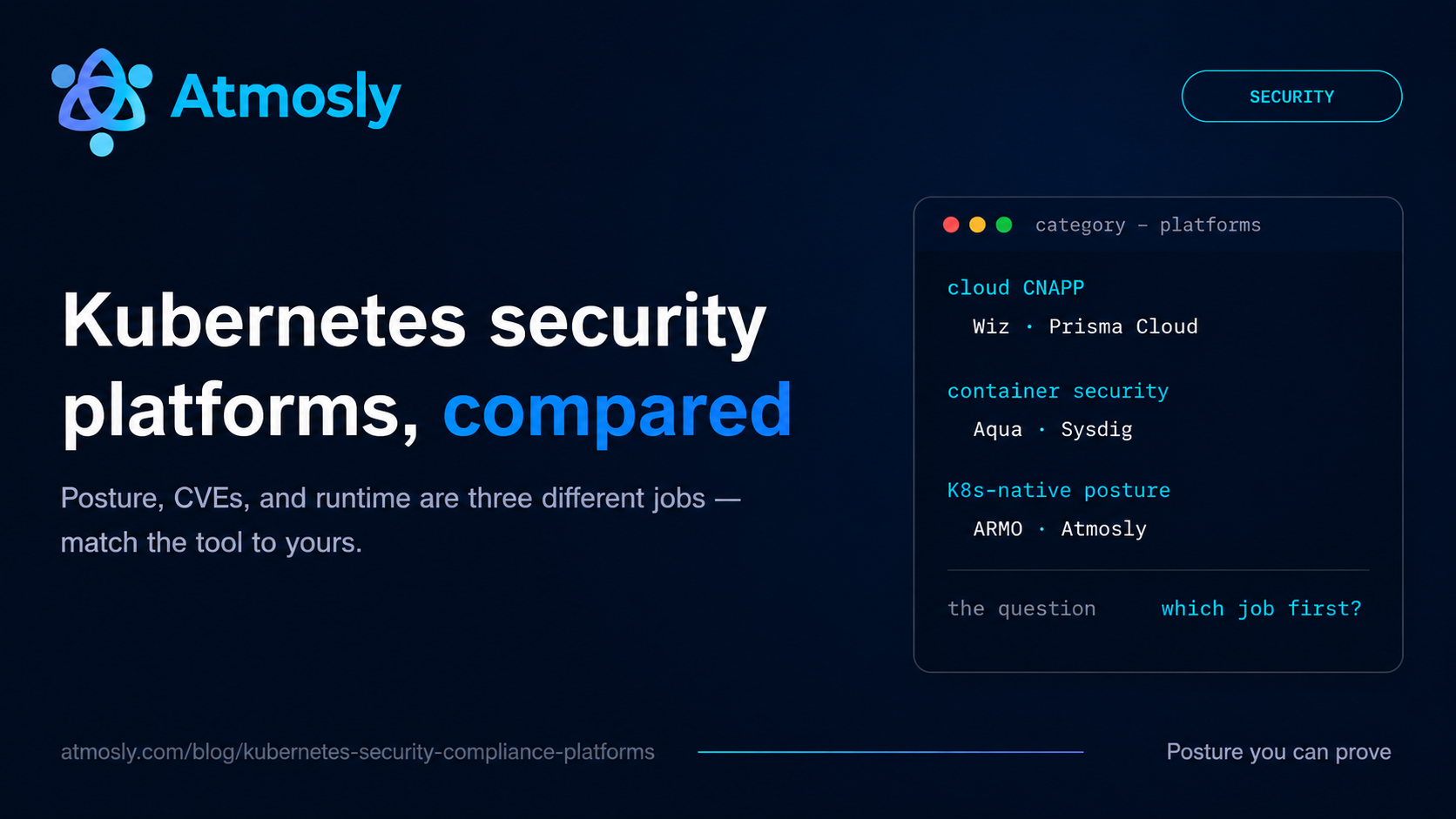
Everything above is configuration and compliance posture. Image CVE scanning (Practice 18) and runtime detection (Practice 46) are separate disciplines with their own tools — pair the scan with Trivy in CI and Falco at runtime for full coverage. Security scanning is available on every Atmosly plan, including the free tier.
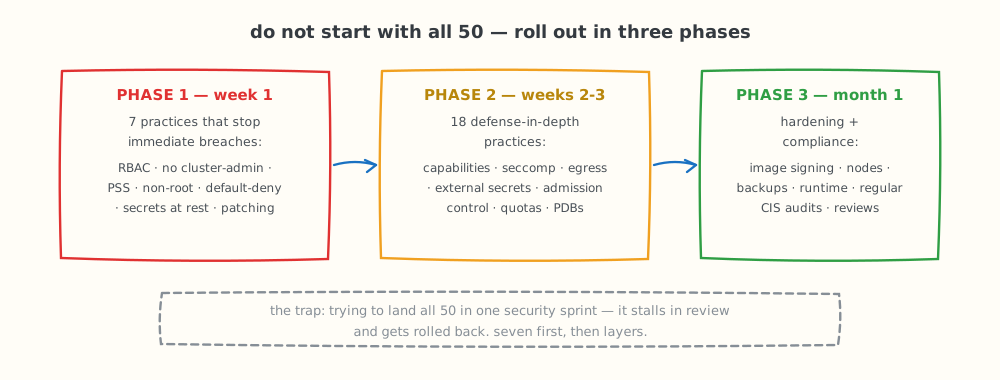
Roll the checklist out in three phases — seven critical practices first, then layers.
Implementing the Checklist: Prioritized Roadmap
Phase 1: Critical (Week 1) - Practices that prevent immediate breaches
- Practice 1: Enable RBAC
- Practice 4: Remove cluster-admin from regular users
- Practice 11: Enforce Pod Security Standards
- Practice 12: Never run as root
- Practice 21: Default deny Network Policies
- Practice 31: Encrypt secrets at rest
- Practice 41: Update Kubernetes (patch CVEs)
Phase 2: High Priority (Week 2-3) - Defense in depth
These practices strengthen cluster defenses beyond the basics and significantly reduce lateral movement, privilege escalation, and secret exposure risks.
Practice 13: Enforce strict container capabilities (drop all, add minimal)
Practice 14: Enforce read-only root filesystem where possible
Practice 15: Disable privilege escalation on all containers
Practice 16: Set resource limits on every container
Practice 17: Use non-root, dedicated service accounts per workload
Practice 22: Explicitly allow only required traffic
Practice 23: Always allow DNS in egress policies
Practice 24: Enforce mTLS between services with a service mesh
Practice 25: Enforce TLS for all ingress traffic
Practice 32: Adopt an external secrets manager (Vault, AWS Secrets Manager, etc.)
Practice 33: Keep all secrets out of Git (Git hygiene + scanners)
Practice 34: Automate secret rotation at defined intervals
Practice 35: Never inject secrets via environment variables
Practice 36: Use Sealed Secrets or SOPS for GitOps-safe encryption
Practice 42: Enforce admission controls (OPA Gatekeeper / Kyverno)
Prevent privileged pods, hostPath mounts, unapproved registries.
Practice 43: Disable or secure the Kubernetes Dashboard (SSO-only)
Practice 44: Apply ResourceQuotas + LimitRanges for resource boundaries
Practice 45: Use PodDisruptionBudgets for safe upgrades/rollouts
This phase creates defense-in-depth, ensuring that even if one control fails, multiple layers still protect the cluster.
Phase 3: Medium Priority (Month 1) - Hardening and compliance
These practices finalize your production-grade security posture, ensuring long-term compliance, resilience, and operational integrity.
Practice 18: Scan container images for vulnerabilities in CI/CD
Practice 19: Use minimal base images (Distroless or Alpine)
Practice 20: Implement image signing and verification
Practice 26: Isolate and protect the Kubernetes control plane
Practice 27: Enable CNI network flow logging for forensics
Practice 28: Use private registries and restrict image sources
Practice 29: Implement egress filtering and outbound firewalls
Practice 30: Monitor network traffic with IDS/NDR
Practice 37: Enable audit logging for secret access & API actions
Practice 38: Separate secrets by environment and namespace
Practice 39: Track secret versions and changes for compliance
Practice 40: Monitor secret expiration (TLS certs, API tokens, DB credentials)
Practice 46: Monitor runtime threats using Falco or eBPF sensors
Practice 47: Implement backup & disaster recovery (Velero, snapshots)
Practice 48: Harden worker nodes and underlying OS image
Practice 49: Run regular CIS + vulnerability audits (kube-bench, Trivy, Kubescape)
Practice 50: Establish ongoing security & compliance monitoring
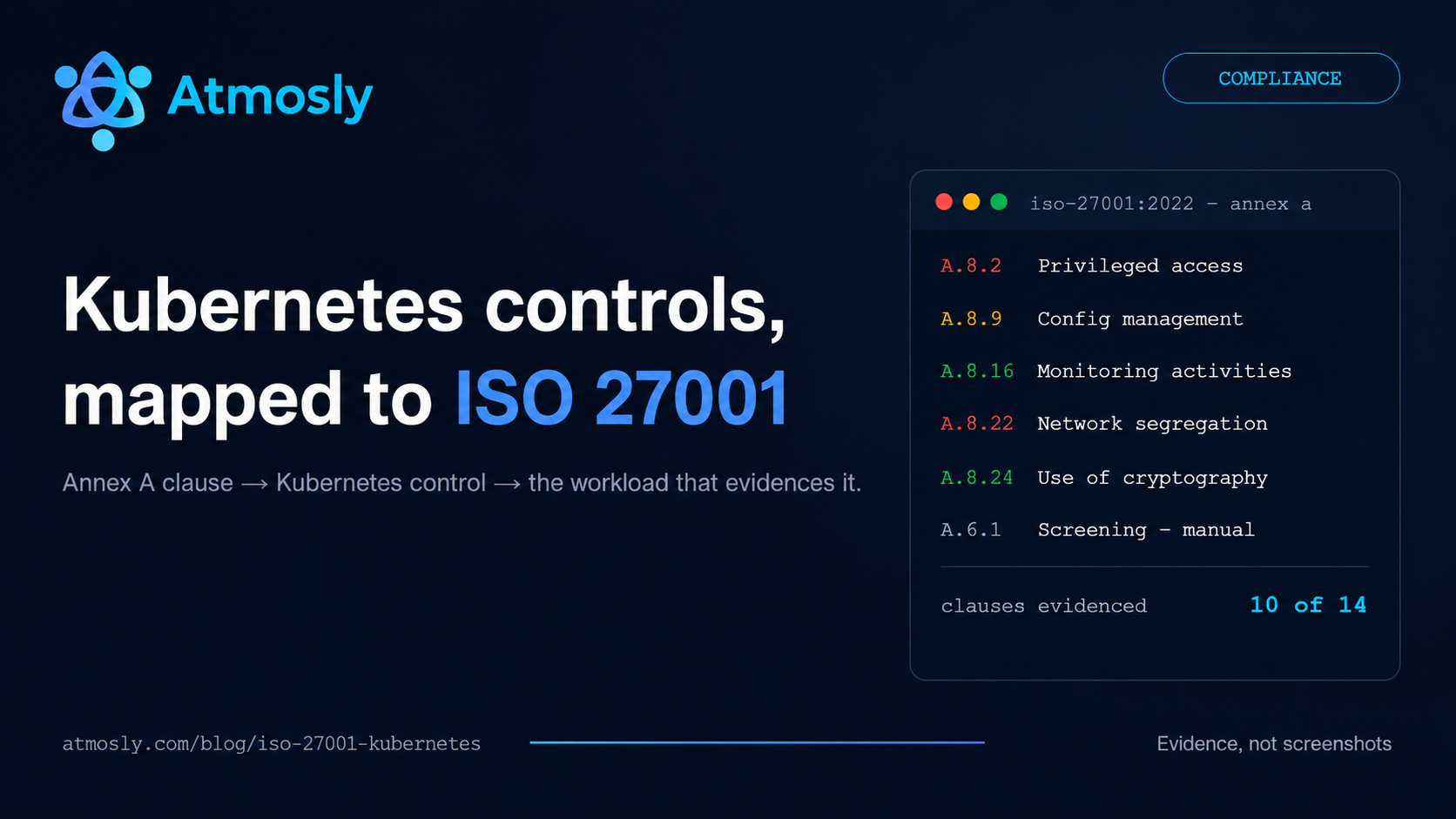
By the end of Phase 3, your clusters reach a hardened, audit-ready state aligned with SOC 2, PCI-DSS, ISO 27001, and the CIS Kubernetes Benchmark — evidence for those frameworks is covered in depth in our SOC 2 for Kubernetes guide and ISO 27001 Annex A mapping.
Conclusion: Building Defense-in-Depth Security
Kubernetes security requires implementing controls across multiple layers — no single practice protects completely. These 50 best practices provide comprehensive defense-in-depth security posture.
Critical Priorities:
- Enable RBAC with least privilege
- Enforce Pod Security Standards (restricted for production)
- Never run containers as root
- Implement Network Policies (default deny)
- Encrypt secrets, use external secrets manager
- Scan images for vulnerabilities
- Keep Kubernetes patched and updated
- Enable comprehensive audit logging
Working through all 50 practices manually is time-consuming — and knowing where to start is half the problem. A posture scan tells you which of the machine-verifiable controls your cluster already fails, so the roadmap above starts from your real gaps instead of from zero.
Ready to see where your cluster stands? Run a free security scan with Atmosly — read-only, one click, and every finding comes with the field path that fails and the command that fixes it.