Introduction to Kubernetes Autoscaling: Matching Resources to Demand Automatically
Kubernetes autoscaling is the automated process of dynamically adjusting compute resources allocated to your applications based on real-time demand metrics, enabling your infrastructure to automatically scale up during traffic spikes handling millions of additional requests without manual intervention, scale down during low-traffic periods reducing cloud costs by 40-70% without impacting performance, maintain consistent application response times regardless of load variability, eliminate the need for capacity planning guesswork and manual scaling operations that waste engineering time, and ensure optimal resource utilization preventing both under-provisioning that causes outages and over-provisioning that wastes thousands of dollars monthly on unused capacity sitting idle.
In modern cloud-native architectures running on Kubernetes, autoscaling is not a luxury optimization feature to implement "eventually when we have time" it is a fundamental capability that directly impacts your application reliability, operational costs, developer productivity, and competitive advantage in markets where user experience and infrastructure efficiency determine success or failure. Companies that implement effective autoscaling report 50-70% reduction in infrastructure costs, 99.9%+ uptime during unpredictable traffic surges, 80% reduction in time spent on capacity planning and manual scaling operations, and the ability to handle viral traffic spikes that would have caused complete outages with static capacity.
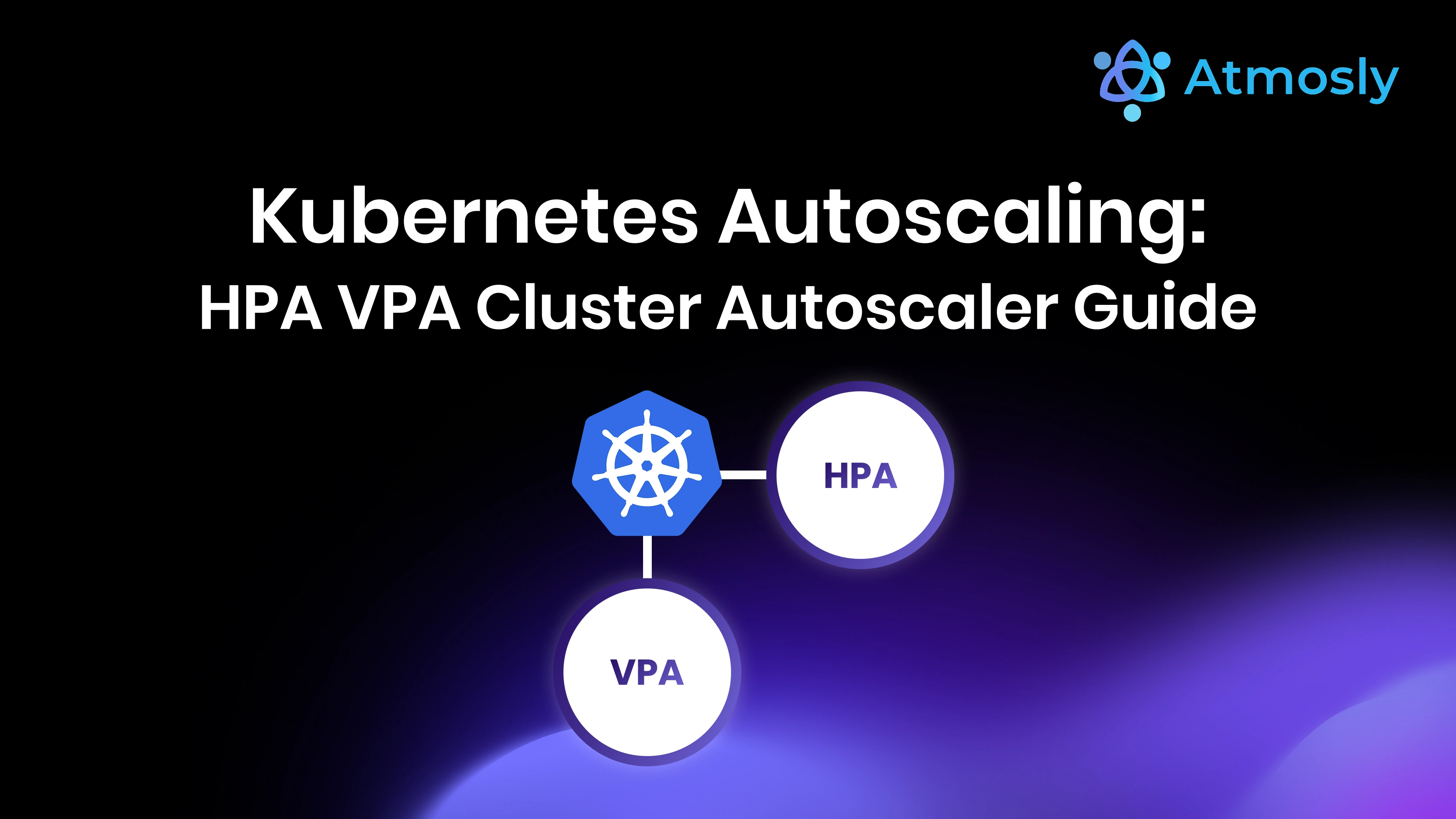
However, Kubernetes autoscaling is significantly more complex than simply "turning on autoscaling" with default settings and hoping for the best. Kubernetes provides three distinct autoscaling mechanisms that operate at different levels of infrastructure abstraction and serve different purposes: Horizontal Pod Autoscaler (HPA) scales the number of pod replicas running your application up and down based on CPU, memory, or custom metrics, Vertical Pod Autoscaler (VPA) adjusts the CPU and memory resource requests and limits for individual pods, and Cluster Autoscaler adds or removes entire worker nodes from your cluster. Using these mechanisms effectively requires understanding what each autoscaler does, when to use which autoscaler (or combinations of them), how to configure metrics and thresholds correctly, how to avoid configuration conflicts and scaling thrashing, and how to test autoscaling behavior before production deployment.
This comprehensive technical guide teaches you everything you need to know about implementing production-grade Kubernetes autoscaling successfully, covering: fundamental autoscaling concepts and when each autoscaler should be used, complete HPA implementation guide with CPU, memory, and custom metrics, VPA configuration for automatic resource optimization, Cluster Autoscaler setup and node pool management, best practices for combining multiple autoscalers safely, common pitfalls and anti-patterns that break autoscaling, advanced patterns like predictive autoscaling and KEDA event-driven scaling, real-world architecture examples from production deployments, monitoring and troubleshooting autoscaling decisions, and how platforms like Atmosly simplify autoscaling through AI-powered recommendations analyzing your actual workload patterns to suggest optimal configurations, automatic detection of autoscaling issues and misconfigurations causing scaling failures or cost waste, integrated cost intelligence showing exactly how autoscaling changes impact your cloud bill in real-time, and intelligent alerting when autoscaling isn't working as expected.
By mastering the autoscaling strategies explained in this guide, you'll transform your Kubernetes infrastructure from static capacity requiring constant manual adjustment and frequent over-provisioning to dynamic elasticity automatically matching compute resources to actual demand, reducing cloud costs by 40-70% while simultaneously improving reliability and performance, eliminating manual capacity planning work that consumes hours of engineering time weekly, confidently handling unpredictable traffic spikes without midnight emergency responses, and gaining the operational efficiency needed to scale your business faster.
Understanding Kubernetes Autoscaling: Three Mechanisms, Different Purposes
Kubernetes provides three distinct autoscaling mechanisms that operate at different levels of your infrastructure stack. Understanding the differences, use cases, and interactions between these autoscalers is critical to implementing effective autoscaling:
Horizontal Pod Autoscaler (HPA): Scaling Pod Replica Count
What it does: HPA automatically increases or decreases the number of pod replicas in a Deployment, ReplicaSet, or StatefulSet based on observed metrics like CPU utilization, memory usage, or custom application metrics.
When to use HPA:
- Stateless applications where adding more pod replicas increases capacity linearly (web servers, API services, microservices)
- Applications with variable traffic patterns experiencing daily, weekly, or event-driven load spikes
- Services that benefit from horizontal scaling rather than vertical scaling (most modern cloud-native apps)
- Workloads with well-defined scaling metrics like HTTP request rate, queue depth, or custom business metrics
How it works: HPA queries the Metrics Server (or custom metrics API) every 15 seconds by default, calculates the desired replica count based on target metric values, and adjusts the replica count of the target deployment. The basic formula is: desiredReplicas = ceil[currentReplicas * (currentMetricValue / targetMetricValue)]
Key configuration parameters:
minReplicas: Minimum number of replicas (prevents scaling to zero accidentally)maxReplicas: Maximum number of replicas (cost safety limit)metrics: List of metrics to scale on (CPU, memory, custom metrics)behavior: Scaling velocity controls (how fast to scale up/down)
Example HPA manifest for CPU-based scaling:
apiVersion: autoscaling/v2
kind: HorizontalPodAutoscaler
metadata:
  name: frontend-hpa
  namespace: production
spec:
  scaleTargetRef:
    apiVersion: apps/v1
    kind: Deployment
    name: frontend
  minReplicas: 3
  maxReplicas: 50
  metrics:
  - type: Resource
    resource:
      name: cpu
      target:
        type: Utilization
        averageUtilization: 70  # Scale when average CPU exceeds 70%
  behavior:
    scaleDown:
      stabilizationWindowSeconds: 300  # Wait 5 minutes before scaling down
      policies:
      - type: Percent
        value: 50  # Scale down maximum 50% of pods at once
        periodSeconds: 60
    scaleUp:
      stabilizationWindowSeconds: 0  # Scale up immediately
      policies:
      - type: Percent
        value: 100  # Can double pod count at once
        periodSeconds: 15
      - type: Pods
        value: 5  # Or add 5 pods, whichever is smaller
        periodSeconds: 15
      selectPolicy: Max  # Use the policy that scales fastest
Critical success factors for HPA:
- Resource requests must be defined: HPA calculates CPU/memory utilization as percentage of requests, so missing requests breaks HPA completely
- Metrics Server must be installed: HPA requires Metrics Server for resource metrics (CPU/memory)
- Applications must handle horizontal scaling: Stateful apps, apps with local caches, or apps expecting fixed replica counts may not work with HPA
- Load balancing must distribute traffic evenly: Uneven traffic distribution causes some pods to hit limits while others idle
Vertical Pod Autoscaler (VPA): Right-Sizing Pod Resources
What it does: VPA automatically adjusts CPU and memory requests and limits for pods based on historical and current resource usage patterns, ensuring pods have sufficient resources without massive over-provisioning.
When to use VPA:
- Applications with unpredictable resource requirements where setting fixed requests is difficult
- Stateful applications that cannot scale horizontally (databases, caches, monoliths)
- Continuous resource optimization automatically adjusting requests as application behavior changes over time
- Initial sizing of new applications where you don't yet know optimal resource requests
How it works: VPA analyzes actual resource consumption over time (typically 8 days of history), calculates recommended resource requests using statistical models, and either provides recommendations or automatically updates pod resources by evicting and recreating pods with new values.
VPA operating modes:
- "Off" mode: Generate recommendations only, no automatic changes (safest for testing)
- "Initial" mode: Set resource requests only when pods are created, never update running pods
- "Recreate" mode: Actively evict pods to update resources (causes brief downtime per pod)
- "Auto" mode: VPA chooses between Initial and Recreate based on situation
Example VPA manifest for a database:
apiVersion: autoscaling.k8s.io/v1
kind: VerticalPodAutoscaler
metadata:
  name: postgres-vpa
  namespace: production
spec:
  targetRef:
    apiVersion: apps/v1
    kind: StatefulSet
    name: postgres
  updatePolicy:
    updateMode: "Recreate"  # Automatically update pods
  resourcePolicy:
    containerPolicies:
    - containerName: postgres
      minAllowed:
        cpu: 500m
        memory: 1Gi
      maxAllowed:
        cpu: 8000m
        memory: 32Gi
      controlledResources: ["cpu", "memory"]
      mode: Auto
Critical VPA limitations and considerations:
- VPA and HPA conflict on CPU/memory metrics: Cannot use both on same metrics for same deployment (causes scaling battles)
- VPA requires pod restarts: Updating resources requires pod recreation, causing brief unavailability unless using RollingUpdate
- VPA recommendations need time to stabilize: Requires 8+ days of data for accurate recommendations
- VPA doesn't handle burst traffic well: Based on historical averages, may not provision for sudden spikes
Cluster Autoscaler: Adding and Removing Nodes
What it does: Cluster Autoscaler automatically adds worker nodes to your cluster when pods cannot be scheduled due to insufficient resources, and removes underutilized nodes to reduce costs.
When to use Cluster Autoscaler:
- Cloud environments (AWS, GCP, Azure) where nodes can be provisioned dynamically
- Variable cluster load where node count needs to change over time
- Cost optimization removing idle nodes during low-traffic periods
- Batch job workloads requiring burst capacity temporarily
How it works:
- Scale-up trigger: Cluster Autoscaler detects pods in Pending state due to insufficient node resources
- Node group selection: Evaluates configured node pools/groups to find best fit for pending pods
- Node provisioning: Requests new nodes from cloud provider (typically takes 1-3 minutes)
- Scale-down detection: Identifies nodes running below utilization threshold (default 50%) for 10+ minutes
- Safe eviction check: Ensures pods can be safely rescheduled elsewhere before removing node
- Node removal: Cordons node, drains pods gracefully, deletes node from cloud provider
Example Cluster Autoscaler configuration for AWS EKS:
apiVersion: apps/v1
kind: Deployment
metadata:
  name: cluster-autoscaler
  namespace: kube-system
spec:
  replicas: 1
  selector:
    matchLabels:
      app: cluster-autoscaler
  template:
    metadata:
      labels:
        app: cluster-autoscaler
    spec:
      serviceAccountName: cluster-autoscaler
      containers:
      - image: registry.k8s.io/autoscaling/cluster-autoscaler:v1.28.0
        name: cluster-autoscaler
        command:
        - ./cluster-autoscaler
        - --v=4
        - --stderrthreshold=info
        - --cloud-provider=aws
        - --skip-nodes-with-local-storage=false
        - --expander=least-waste
        - --node-group-auto-discovery=asg:tag=k8s.io/cluster-autoscaler/enabled,k8s.io/cluster-autoscaler/my-cluster
        - --balance-similar-node-groups
        - --skip-nodes-with-system-pods=false
        - --scale-down-delay-after-add=10m
        - --scale-down-unneeded-time=10m
        - --scale-down-utilization-threshold=0.5
Cluster Autoscaler best practices:
- Use node pools with different instance types: General-purpose, compute-optimized, memory-optimized pools for different workloads
- Set Pod Disruption Budgets (PDBs): Prevents Cluster Autoscaler from removing nodes hosting critical pods
- Configure appropriate scale-down delay: Balance cost savings against scaling thrashing
- Use expanders strategically: "least-waste" minimizes cost, "priority" gives control over node selection
- Set cluster-autoscaler.kubernetes.io/safe-to-evict annotations: Control which pods block node scale-down
HPA Deep Dive: Advanced Horizontal Pod Autoscaling Patterns
Scaling on Multiple Metrics Simultaneously
Production applications rarely scale optimally on a single metric. HPA v2 supports multiple metrics with intelligent decision-making:
See which of your HPAs are misconfigured.
Free, read-only. Takes 10 minutes. Nothing changes in your cluster.
apiVersion: autoscaling/v2
kind: HorizontalPodAutoscaler
metadata:
  name: api-service-hpa
spec:
  scaleTargetRef:
    apiVersion: apps/v1
    kind: Deployment
    name: api-service
  minReplicas: 5
  maxReplicas: 100
  metrics:
  # Scale on CPU utilization
  - type: Resource
    resource:
      name: cpu
      target:
        type: Utilization
        averageUtilization: 70
  # Scale on memory utilization
  - type: Resource
    resource:
      name: memory
      target:
        type: Utilization
        averageUtilization: 80
  # Scale on custom metric: HTTP requests per second
  - type: Pods
    pods:
      metric:
        name: http_requests_per_second
      target:
        type: AverageValue
        averageValue: "1000"  # 1000 requests/second per pod
How HPA handles multiple metrics: HPA calculates desired replica count for each metric independently, then chooses the maximum (most conservative) replica count. This ensures scaling up if ANY metric crosses threshold.
Custom Metrics Scaling for Business Logic
CPU and memory are infrastructure metrics, but scaling should often be based on actual business metrics: requests per second, queue depth, job processing rate, active connections, etc.
Implementing custom metrics scaling requires:
- Expose custom metrics from your application (typically via /metrics endpoint in Prometheus format)
- Deploy Prometheus Adapter or similar custom metrics API server to make metrics available to HPA
- Create HPA referencing custom metrics
Example: Scaling based on SQS queue depth:
apiVersion: autoscaling/v2
kind: HorizontalPodAutoscaler
metadata:
  name: queue-worker-hpa
spec:
  scaleTargetRef:
    apiVersion: apps/v1
    kind: Deployment
    name: queue-worker
  minReplicas: 2
  maxReplicas: 50
  metrics:
  - type: External
    external:
      metric:
        name: sqs_queue_depth
        selector:
          matchLabels:
            queue_name: processing-queue
      target:
        type: AverageValue
        averageValue: "30"  # 30 messages per pod
This configuration maintains approximately 30 messages per pod. If queue depth is 300 and there are 5 pods, HPA scales to 10 pods (300 / 30 = 10).
Configuring Scaling Velocity and Stabilization
Default HPA behavior scales up and down aggressively, potentially causing scaling thrashing where pod count oscillates rapidly. The behavior section provides fine-grained control:
behavior:
  scaleDown:
    stabilizationWindowSeconds: 300  # Wait 5 minutes before scaling down
    policies:
    - type: Percent
      value: 25  # Scale down maximum 25% at once
      periodSeconds: 60
    - type: Pods
      value: 5  # Or remove 5 pods, whichever is smaller
      periodSeconds: 60
    selectPolicy: Min  # Use the slower (more conservative) policy
  scaleUp:
    stabilizationWindowSeconds: 0  # Scale up immediately
    policies:
    - type: Percent
      value: 100  # Can double pod count
      periodSeconds: 15
    - type: Pods
      value: 10  # Or add 10 pods
      periodSeconds: 15
    selectPolicy: Max  # Use the faster (more aggressive) policy
Stabilization window: HPA looks back over this time period and uses the highest recommended replica count (for scale-up) or lowest (for scale-down). This prevents rapid oscillations.
Policies: Define maximum scaling velocity as either percentage or absolute pod count. Multiple policies allow different behaviors at different scales.
selectPolicy:
- Max: Use the policy that scales most aggressively (typically for scale-up)
- Min: Use the policy that scales most conservatively (typically for scale-down)
- Disabled: Disable scaling in this direction entirely
VPA Best Practices and Common Pitfalls
VPA Recommendation Analysis Before Enabling Auto Mode
Never enable VPA in "Recreate" or "Auto" mode immediately in production. Start with "Off" mode to analyze recommendations:
# Create VPA in recommendation-only mode
kubectl apply -f vpa-off-mode.yaml

# Wait 24-48 hours for initial recommendations

# Check VPA recommendations
kubectl describe vpa

# Look at the output:
# Status:
#   Recommendation:
#     Container Recommendations:
#       Container Name:  app
#       Lower Bound:     # Minimum resources needed (very conservative)
#         Cpu:     100m
#         Memory:  256Mi
#       Target:          # Recommended values (most accurate)
#         Cpu:     500m
#         Memory:  1Gi
#       Uncapped Target: # Recommended without maxAllowed limits
#         Cpu:     750m
#         Memory:  1.5Gi
#       Upper Bound:     # Maximum resources that might be needed (conservative)
#         Cpu:     1000m
#         Memory:  2Gi
Interpreting VPA recommendations:
- Lower Bound: Minimum resources needed during lowest usage periods (too aggressive for production)
- Target: Sweet spot recommendation (use this for requests)
- Upper Bound: Maximum resources needed during peak usage (consider for limits)
- Uncapped Target: What VPA would recommend without your maxAllowed constraints
Combining VPA and HPA Safely
VPA and HPA conflict if both try to scale based on CPU or memory metrics. Safe combination patterns:
Pattern 1: VPA for requests, HPA for replica count on different metrics
# VPA manages resource sizing
apiVersion: autoscaling.k8s.io/v1
kind: VerticalPodAutoscaler
metadata:
  name: app-vpa
spec:
  targetRef:
    apiVersion: apps/v1
    kind: Deployment
    name: app
  updatePolicy:
    updateMode: "Auto"
  resourcePolicy:
    containerPolicies:
    - containerName: app
      controlledResources: ["cpu", "memory"]  # VPA manages both
---
# HPA scales replica count on custom metrics only
apiVersion: autoscaling/v2
kind: HorizontalPodAutoscaler
metadata:
  name: app-hpa
spec:
  scaleTargetRef:
    apiVersion: apps/v1
    kind: Deployment
    name: app
  minReplicas: 3
  maxReplicas: 50
  metrics:
  - type: Pods
    pods:
      metric:
        name: http_requests_per_second  # Custom metric, not CPU/memory
      target:
        type: AverageValue
        averageValue: "1000"
Pattern 2: VPA for CPU, HPA for memory (or vice versa)
# VPA manages only CPU
apiVersion: autoscaling.k8s.io/v1
kind: VerticalPodAutoscaler
metadata:
  name: app-vpa
spec:
  targetRef:
    apiVersion: apps/v1
    kind: Deployment
    name: app
  updatePolicy:
    updateMode: "Auto"
  resourcePolicy:
    containerPolicies:
    - containerName: app
      controlledResources: ["cpu"]  # VPA only manages CPU
---
# HPA scales on memory only
apiVersion: autoscaling/v2
kind: HorizontalPodAutoscaler
metadata:
  name: app-hpa
spec:
  scaleTargetRef:
    apiVersion: apps/v1
    kind: Deployment
    name: app
  minReplicas: 3
  maxReplicas: 50
  metrics:
  - type: Resource
    resource:
      name: memory  # HPA only scales on memory
      target:
        type: Utilization
        averageUtilization: 80
VPA UpdateMode Selection Guide
Use "Off" mode when:
- Initially deploying VPA to understand recommendations before making changes
- You want manual control over resource updates
- Application cannot tolerate any pod restarts
Use "Initial" mode when:
- Application scales horizontally frequently (HPA) and you want VPA to size new pods correctly
- Cannot tolerate restarts of existing pods but want new pods sized correctly
- Using VPA primarily for initial sizing of new applications
Use "Recreate" or "Auto" mode when:
- Application handles pod restarts gracefully (has multiple replicas, reconnection logic)
- Want continuous optimization of resource allocation over time
- Cost optimization is critical and you're willing to accept brief interruptions
Cluster Autoscaler Configuration and Optimization
Node Group Strategy: Multiple Pools for Different Workloads
Production clusters should have multiple node groups optimized for different workload types:
Example multi-pool strategy:
# General-purpose node pool (most workloads)
apiVersion: karpenter.sh/v1alpha5
kind: Provisioner
metadata:
  name: general-purpose
spec:
  requirements:
  - key: karpenter.sh/capacity-type
    operator: In
    values: ["spot", "on-demand"]  # Prefer spot, fallback to on-demand
  - key: node.kubernetes.io/instance-type
    operator: In
    values: ["t3.medium", "t3.large", "t3.xlarge"]
  labels:
    workload-type: general
  taints:
  - key: workload-type
    value: general
    effect: NoSchedule
  limits:
    resources:
      cpu: 1000
      memory: 1000Gi
---
# Memory-optimized pool (databases, caches)
apiVersion: karpenter.sh/v1alpha5
kind: Provisioner
metadata:
  name: memory-optimized
spec:
  requirements:
  - key: karpenter.sh/capacity-type
    operator: In
    values: ["on-demand"]  # Always on-demand for stateful workloads
  - key: node.kubernetes.io/instance-type
    operator: In
    values: ["r5.xlarge", "r5.2xlarge", "r5.4xlarge"]
  labels:
    workload-type: memory-intensive
  taints:
  - key: workload-type
    value: memory-intensive
    effect: NoSchedule
  limits:
    resources:
      cpu: 500
      memory: 2000Gi
---
# Compute-optimized pool (CPU-intensive jobs)
apiVersion: karpenter.sh/v1alpha5
kind: Provisioner
metadata:
  name: compute-optimized
spec:
  requirements:
  - key: karpenter.sh/capacity-type
    operator: In
    values: ["spot"]  # Spot instances for batch jobs
  - key: node.kubernetes.io/instance-type
    operator: In
    values: ["c5.2xlarge", "c5.4xlarge", "c5.9xlarge"]
  labels:
    workload-type: compute-intensive
  taints:
  - key: workload-type
    value: compute-intensive
    effect: NoSchedule
  limits:
    resources:
      cpu: 1000
      memory: 500Gi
Workload-to-pool assignment using node selectors and tolerations:
# General web service -> general-purpose pool
apiVersion: apps/v1
kind: Deployment
metadata:
  name: frontend
spec:
  template:
    spec:
      nodeSelector:
        workload-type: general
      tolerations:
      - key: workload-type
        operator: Equal
        value: general
        effect: NoSchedule
---
# Redis cache -> memory-optimized pool
apiVersion: apps/v1
kind: StatefulSet
metadata:
  name: redis
spec:
  template:
    spec:
      nodeSelector:
        workload-type: memory-intensive
      tolerations:
      - key: workload-type
        operator: Equal
        value: memory-intensive
        effect: NoSchedule
---
# Data processing job -> compute-optimized pool
apiVersion: batch/v1
kind: Job
metadata:
  name: data-processing
spec:
  template:
    spec:
      nodeSelector:
        workload-type: compute-intensive
      tolerations:
      - key: workload-type
        operator: Equal
        value: compute-intensive
        effect: NoSchedule
Preventing Cluster Autoscaler from Removing Critical Nodes
Cluster Autoscaler respects several mechanisms to prevent inappropriate node removal:
1. Pod Disruption Budgets (PDBs):
apiVersion: policy/v1
kind: PodDisruptionBudget
metadata:
  name: frontend-pdb
spec:
  minAvailable: 3  # Always keep at least 3 replicas running
  selector:
    matchLabels:
      app: frontend
2. Cluster Autoscaler annotations on pods:
apiVersion: v1
kind: Pod
metadata:
  name: critical-pod
  annotations:
    cluster-autoscaler.kubernetes.io/safe-to-evict: "false"  # Never evict this pod
spec:
  # ... pod spec
3. Node annotations to prevent scale-down:
# Prevent specific node from being scaled down
kubectl annotate node  cluster-autoscaler.kubernetes.io/scale-down-disabled="true"
4. System pods with restrictive PDBs: Cluster Autoscaler by default doesn't remove nodes running kube-system pods unless --skip-nodes-with-system-pods=false
Optimizing Scale-Down Behavior
Scale-down is more complex than scale-up because removing nodes risks disrupting running workloads. Key configuration parameters:
--scale-down-enabled=true  # Enable scale-down (default true)
--scale-down-delay-after-add=10m  # Wait 10 min after scale-up before considering scale-down
--scale-down-delay-after-delete=10s  # Wait 10s after deleting node before next scale-down
--scale-down-delay-after-failure=3m  # Wait 3min after scale-down failure before retry
--scale-down-unneeded-time=10m  # Node must be unneeded for 10min before removal
--scale-down-utilization-threshold=0.5  # Node must be <50% utilized to be considered for removal
--max-node-provision-time=15m  # If node doesn't become ready in 15min, consider failed
Recommended production values:
- scale-down-unneeded-time: 10-15 minutes (prevents thrashing during temporary load dips)
- scale-down-utilization-threshold: 0.5-0.6 (50-60% - balance cost savings against stability)
- scale-down-delay-after-add: 10-15 minutes (don't immediately remove recently added nodes)
Advanced Autoscaling Patterns and Strategies
Predictive Autoscaling Using KEDA and Cron-Based Scaling
KEDA (Kubernetes Event-Driven Autoscaling) extends HPA with event-driven scaling based on external event sources:
Example: Scale based on Azure Service Bus queue:
apiVersion: keda.sh/v1alpha1
kind: ScaledObject
metadata:
  name: queue-processor-scaler
spec:
  scaleTargetRef:
    name: queue-processor
  minReplicaCount: 2
  maxReplicaCount: 100
  triggers:
  - type: azure-servicebus
    metadata:
      queueName: processing-queue
      namespace: production
      messageCount: "30"  # 30 messages per pod
Cron-based predictive scaling for known traffic patterns:
apiVersion: keda.sh/v1alpha1
kind: ScaledObject
metadata:
  name: business-hours-scaler
spec:
  scaleTargetRef:
    name: api-service
  minReplicaCount: 5
  maxReplicaCount: 50
  triggers:
  # Scale up Monday-Friday 8 AM (start of business day)
  - type: cron
    metadata:
      timezone: America/New_York
      start: 0 8 * * 1-5  # 8 AM Mon-Fri
      end: 0 18 * * 1-5   # 6 PM Mon-Fri
      desiredReplicas: "20"
  # Scale to minimum on weekends and nights
  - type: cpu
    metricType: Utilization
    metadata:
      value: "70"
Zone-Aware Autoscaling for High Availability
Ensure autoscaling maintains high availability by distributing pods across multiple availability zones:
apiVersion: apps/v1
kind: Deployment
metadata:
  name: frontend
spec:
  replicas: 6  # Will be managed by HPA
  template:
    spec:
      topologySpreadConstraints:
      - maxSkew: 1  # Maximum difference of 1 pod between zones
        topologyKey: topology.kubernetes.io/zone
        whenUnsatisfiable: DoNotSchedule
        labelSelector:
          matchLabels:
            app: frontend
      # Pod spec...
---
apiVersion: autoscaling/v2
kind: HorizontalPodAutoscaler
metadata:
  name: frontend-hpa
spec:
  scaleTargetRef:
    apiVersion: apps/v1
    kind: Deployment
    name: frontend
  minReplicas: 6  # Minimum 2 per zone across 3 zones
  maxReplicas: 60  # Will spread across zones automatically
Cost-Optimized Autoscaling with Spot Instances
Combine Cluster Autoscaler with spot instances for cost savings up to 70-90%:
# Node pool using spot instances with on-demand fallback
apiVersion: karpenter.sh/v1alpha5
kind: Provisioner
metadata:
  name: cost-optimized
spec:
  requirements:
  - key: karpenter.sh/capacity-type
    operator: In
    values: ["spot", "on-demand"]  # Prefer spot, fallback on-demand
    weight: 100  # Prefer spot heavily
  - key: node.kubernetes.io/instance-type
    operator: In
    values: ["t3.medium", "t3a.medium", "t2.medium"]  # Multiple similar types
  labels:
    cost-optimized: "true"
  # Spread across multiple instance types and zones for spot availability
  ttlSecondsAfterEmpty: 30  # Remove empty nodes quickly
  ttlSecondsUntilExpired: 604800  # Recycle nodes weekly (Spot termination protection)
---
# Deployment configured for spot instance interruptions
apiVersion: apps/v1
kind: Deployment
metadata:
  name: batch-processor
spec:
  replicas: 10
  template:
    metadata:
      annotations:
        cluster-autoscaler.kubernetes.io/safe-to-evict: "true"  # Allow eviction
    spec:
      nodeSelector:
        cost-optimized: "true"
      tolerations:
      - key: karpenter.sh/capacity-type
        operator: Equal
        value: spot
        effect: NoSchedule
      # Application must handle graceful shutdown on SIGTERM
      terminationGracePeriodSeconds: 30
Monitoring and Troubleshooting Autoscaling
Key Metrics to Monitor for Autoscaling Health
HPA Metrics:
# Current replica count vs desired
kube_horizontalpodautoscaler_status_current_replicas{name="frontend-hpa"}
kube_horizontalpodautoscaler_status_desired_replicas{name="frontend-hpa"}

# Metric value that triggered scaling
kube_horizontalpodautoscaler_status_current_metrics_value

# HPA scaling events
rate(kube_horizontalpodautoscaler_scaling_events_total[5m])

# HPA unable to scale (at max replicas)
kube_horizontalpodautoscaler_status_condition{status="true",condition="ScalingLimited"}
VPA Metrics:
# VPA recommendation vs current usage
vpa_containerrecommendation_target{container="app"}
container_memory_working_set_bytes{container="app"}

# VPA updates performed
rate(vpa_recommender_recommendation_updates_total[5m])
Cluster Autoscaler Metrics:
# Unschedulable pods triggering scale-up
cluster_autoscaler_unschedulable_pods_count

# Nodes added/removed
rate(cluster_autoscaler_scaled_up_nodes_total[10m])
rate(cluster_autoscaler_scaled_down_nodes_total[10m])

# Failed scale operations
cluster_autoscaler_failed_scale_ups_total
cluster_autoscaler_errors_total

# Scale-up time duration
histogram_quantile(0.95, rate(cluster_autoscaler_scale_up_duration_seconds_bucket[10m]))
Common Autoscaling Problems and Solutions
Problem 1: HPA stuck at minimum replicas despite high load
Symptoms:
kubectl get hpa
# NAME          REFERENCE       TARGETS          MINPODS   MAXPODS   REPLICAS
# frontend-hpa  Deployment/app  /70%    3         50        3
Root causes and fixes:
- Metrics Server not installed:
kubectl apply -f https://github.com/kubernetes-sigs/metrics-server/releases/latest/download/components.yaml - Missing resource requests: Add CPU/memory requests to pod spec
- Metrics Server certificate errors: Check logs:
kubectl logs -n kube-system deployment/metrics-server - Custom metrics API not configured: Deploy Prometheus Adapter or similar
Problem 2: VPA causing frequent pod restarts
Symptoms: Pods restarting every few hours, brief service interruptions
Root causes and fixes:
- VPA in Recreate mode with unstable recommendations: Increase
--recommendation-margin-fractionto require larger changes before updates - Insufficient stabilization time: VPA needs 8+ days of data for stable recommendations
- Conflicting with HPA on same metrics: Use VPA for CPU, HPA for custom metrics only
- Fix: Switch to "Initial" mode or increase update thresholds
Problem 3: Cluster Autoscaler not adding nodes despite pending pods
Symptoms:
kubectl get pods
# NAME                        READY   STATUS    RESTARTS   AGE
# frontend-abc123             0/1     Pending   0          10m

kubectl describe pod frontend-abc123
# Events:
#   Warning  FailedScheduling  pod didn't trigger scale-up (no node group can accommodate this pod)
Root causes and fixes:
- Pod resource requests exceed largest node size: Reduce requests or add larger node pool
- Node affinity/selector doesn't match any node pool: Fix nodeSelector or add matching node pool
- Node pool at maximum size: Increase node group max size
- Cluster Autoscaler not running: Check:
kubectl get pods -n kube-system -l app=cluster-autoscaler - Cloud provider quota limits: Check cloud provider console for quota
Problem 4: Autoscaling thrashing (rapid scale up/down cycles)
Symptoms: Pod count oscillating rapidly, nodes added then removed quickly
Root causes and fixes:
- Target metric threshold too sensitive: Increase metric target (e.g., 70% to 80% CPU)
- Insufficient stabilization window: Increase HPA
behavior.scaleDown.stabilizationWindowSeconds - Too aggressive scale-down: Increase Cluster Autoscaler
--scale-down-unneeded-time - Uneven load distribution: Fix load balancer configuration or add affinity rules
How Atmosly Simplifies Kubernetes Autoscaling
While Kubernetes provides powerful autoscaling capabilities, configuring and maintaining them correctly requires deep expertise, continuous monitoring, and constant optimization. Atmosly simplifies Kubernetes autoscaling through AI-powered automation and intelligent recommendations:
AI-Powered Autoscaling Recommendations
Atmosly analyzes your actual workload patterns, resource utilization, and traffic profiles to automatically recommend optimal autoscaling configurations:
- Optimal HPA thresholds: Based on your application's actual behavior, not generic defaults
- Right-sized VPA limits: Analyzing historical usage to prevent over-provisioning
- Node pool optimization: Recommending instance types and sizes that match your workload characteristics
- Cost-performance trade-offs: Showing exactly how different autoscaling configurations impact both costs and reliability
Automatic Detection of Autoscaling Issues
Atmosly continuously monitors your autoscaling configuration and behavior, automatically detecting:
- HPA misconfiguration: Missing metrics, incorrect thresholds, conflicting autoscalers
- VPA causing instability: Excessive pod restarts, recommendation instability
- Cluster Autoscaler failures: Pending pods not triggering scale-up, premature scale-down
- Scaling thrashing: Rapid oscillations wasting money and causing instability
- Resource waste: Over-provisioned resources not being used — a frequent driver of the memory-limit failures covered in our OOMKilled troubleshooting guide
Integrated Cost Intelligence
Atmosly provides real-time visibility into how autoscaling decisions impact your cloud costs:
- Cost attribution per autoscaler: See exactly how much each HPA/VPA/Cluster Autoscaler configuration costs
- What-if analysis: Preview cost impact of configuration changes before applying them
- Savings opportunities: Identify workloads that could benefit from autoscaling but don't have it configured
- Spot instance recommendations: Identify workloads safe to run on spot instances for 70-90% cost savings
Simplified Troubleshooting with Astra
When autoscaling isn't working as expected, Atmosly Astra, the AI SRE agent, provides instant diagnosis:
- Natural language queries: Ask "Why isn't my frontend scaling up?" instead of debugging metrics
- Correlated analysis: Automatically correlates HPA metrics, resource usage, events, and logs
- Root cause detection: Identifies exact reason for scaling failures (missing metrics, quota limits, misconfigurations)
- Actionable remediation: Where the fix is a manifest change (an HPA threshold, a missing resource request, a stabilization window), Astra opens it as a GitOps pull request — a human reviews and merges, and the change survives the next sync instead of being drift
Learn more on the Atmosly cost optimization page.
Autoscaling Production Checklist
Before deploying autoscaling to production, validate these critical requirements:
Pre-Deployment Validation
- Metrics Server deployed and healthy:
kubectl top nodesreturns data - Resource requests defined for all pods: No pods missing CPU/memory requests
- Pod Disruption Budgets configured: Prevent autoscaling from breaking availability
- Testing in staging environment: Validate autoscaling behavior under load before production
- Monitoring dashboards created: Track HPA/VPA/Cluster Autoscaler metrics
- Alerting configured: Get notified when autoscaling fails or behaves unexpectedly
- Documentation written: Team knows how autoscaling is configured and how to troubleshoot
- Runbooks prepared: Clear procedures for common autoscaling issues
HPA-Specific Checklist
- Appropriate metrics selected: Use custom metrics for business logic, not just CPU
- Thresholds validated under load: Load test to ensure scaling triggers at right time
- Scaling velocity configured: Prevent thrashing with appropriate stabilization windows
- Min/max replicas set appropriately: Minimum high enough for availability, maximum prevents runaway costs
- Multiple metrics configured: Scale on CPU AND memory AND custom metrics for robustness
VPA-Specific Checklist
- Started in "Off" mode initially: Analyzed recommendations before enabling auto-updates
- Min/max allowed resources configured: Prevent VPA from setting extreme values
- No VPA/HPA conflicts: Both don't scale on same metrics
- Application handles restarts gracefully: No data loss or extended downtime from pod recreation
- Sufficient replicas for rolling updates: VPA won't break availability by restarting all pods simultaneously
Cluster Autoscaler Checklist
- Multiple node pools configured: Different instance types for different workload types
- Node pool quotas sufficient: Cloud provider limits allow required node count
- Appropriate scale-down delay: Won't remove nodes prematurely
- Critical pods protected: safe-to-evict annotations prevent premature node removal
- Expander configured: Strategy matches priorities (cost vs capacity)
- Scale-up time acceptable: New nodes provision within acceptable timeframe (typically 2-5 min)
Conclusion: Achieving Elastic Kubernetes Infrastructure
Effective Kubernetes autoscaling transforms your infrastructure from static capacity requiring constant manual adjustment and frequent over-provisioning to dynamic elasticity automatically matching resources to actual demand. By mastering HPA for horizontal scaling, VPA for resource optimization, and Cluster Autoscaler for node management and understanding how to combine them safely you can achieve 40-70% cost reduction while simultaneously improving reliability and performance.
The key principles to remember:
- Start simple, iterate toward complexity: Begin with basic HPA on CPU, add custom metrics and VPA as you gain confidence
- Monitor continuously: Autoscaling isn't "set and forget" monitor metrics and adjust configurations as applications evolve
- Test thoroughly before production: Load test autoscaling behavior in staging to catch issues before customer impact
- Prevent conflicts: Ensure HPA, VPA, and Cluster Autoscaler work together rather than fighting each other
- Balance cost and stability: Aggressive autoscaling saves money but risks thrashing; conservative autoscaling wastes money but ensures stability
Modern platforms like Atmosly eliminate much of the complexity and ongoing maintenance burden of Kubernetes autoscaling through AI-powered recommendations, automatic issue detection, integrated cost intelligence, and intelligent troubleshooting enabling teams to achieve optimal autoscaling configurations in hours rather than months of trial and error.
See What Your Autoscaling Is Actually Doing
Most clusters we audit have autoscaling that's configured but quietly misfiring — HPAs stuck on missing metrics, VPA/HPA conflicts, thrashing that shows up as cost, not alerts.
- Connect a cluster read-only for a free audit — Atmosly flags every autoscaling misconfiguration and right-sizing opportunity with the cost impact attached, without changing anything and without a sales call.
- Or start a free 30-day trial — full platform, self-serve, no credit card required.