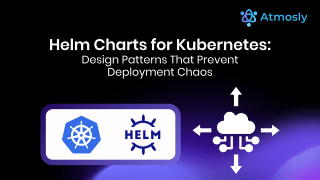
A Helm Chart helps teams deploy Kubernetes applications faster by packaging configuration, templates, and versions into one reusable unit. When used correctly, it reduces deployment errors, shortens release cycles, and improves operational confidence.
Kubernetes is powerful, but raw YAML files do not scale well. As applications grow, teams need a reliable way to manage deployments across environments. A Helm Chart solves this problem by standardizing how applications are installed, upgraded, and rolled back.
This guide covers Helm Chart best practices every DevOps engineer should know to run stable, repeatable Kubernetes deployments.
What Is a Helm Chart?
A Helm Chart is a package that defines how an application runs on Kubernetes.
It includes:
- Kubernetes manifest templates
- Configuration values
- Version and dependency details
In simple terms, a Helm Chart enables Kubernetes to deploy multiple resources as a single release.
Instead of applying dozens of YAML files, teams install one chart and let Helm manage upgrades and rollbacks.
Why Helm Charts Matter for DevOps Teams
Without Helm Charts, Kubernetes deployments often suffer from duplication and inconsistency.
Common problems include:
- Copy-pasted manifests across environments
- Configuration drift
- Risky manual updates
A Helm Chart fixes this by separating templates from configuration.
Kubernetes runs workloads. A Helm Chart controls how those workloads reach production.
Helm Chart Structure Best Practices
A clean structure keeps a Helm Chart readable and safe to change.
Standard structure:
Chart.yamlfor metadatavalues.yamlfor configurationtemplates/for manifestscharts/for dependencies
Best practices:
- Keep templates small
- Avoid hardcoded values
- Use values for customization
A Helm Chart stays manageable when structure stays predictable.
Use values.yaml as the Configuration Layer
The values file defines how the application behaves.
Good practices:
- Group related values
- Use descriptive names
- Add comments where needed
Avoid embedding environment details directly in templates.
A Helm Chart works best when templates stay generic and values control behavior.
Separate Environment Values
Never use one values file for all environments.
Create:
values-dev.yamlvalues-staging.yamlvalues-prod.yaml
This approach:
- Reduces production risk
- Improves review clarity
- Keeps intent visible
A Helm Chart supports multiple environments without duplication.
Name Kubernetes Resources Predictably
Resource names affect upgrades and rollbacks.
Always include:
- Release name
- Chart name
This avoids:
- Naming collisions
- Upgrade failures
- Rollback issues
A Helm Chart enables safe lifecycle management when naming stays consistent.
Limit Template Logic
Helm supports conditionals, but restraint matters.
Use logic for:
- Optional resources
- Feature flags
Avoid:
- Deep nesting
- Hidden behavior
A Helm Chart should look like configuration, not application code.
Version Helm Charts Correctly
Versioning communicates change impact.
Follow semantic versioning:
- Patch for fixes
- Minor for backward-compatible updates
- Major for breaking changes
Update the version whenever behavior changes.
A Helm Chart version sets expectations for operators.
Manage Secrets Outside the Chart
Never store secrets in plain values files.
Instead:
- Reference Kubernetes Secrets
- Use external secret managers
This prevents credential leaks and unsafe Git history.
A Helm Chart should reference secrets, not store them.
Test Every Helm Chart Before Deployment
Validation prevents broken releases.
Always run:
helm linthelm templatehelm install --dry-run
This catches errors early.
A Helm Chart protects production when tested before release.
Document Your Helm Chart
Documentation saves engineering time.
Include:
- Required values
- Optional features
- Upgrade notes
Clear docs reduce mistakes and support requests.
A Helm Chart becomes reusable when others understand it.
One Application, One Helm Chart
Each application should have its own chart.
This:
- Simplifies ownership
- Limits failure impact
- Improves upgrade safety
A Helm Chart maps cleanly to one deployable unit.
Common Helm Chart Mistakes
- Most issues come from:
- Overloaded templates
- Poor naming
- Ignored versioning
Fixing these restores deployment confidence.
A Helm Chart enables speed only when discipline exists.
Final Thoughts
A Helm Chart is not just a deployment tool. It is a contract between developers, operators, and platforms.
When written well, a Helm Chart:
- Reduces operational effort
- Improves release safety
- Scales with growing teams
Ready to Simplify Helm Chart Deployments?
Managing Helm Charts across teams and environments takes time and discipline. Atmosly helps teams deploy, manage, and operate Kubernetes applications with built-in CI/CD, visual workflows, and policy controls without manual overhead.
Instead of stitching tools together, use one platform to manage your Helm Chart workflows end to end.
Start deploying Helm Charts the easy way. Signup Today at Atmosly for Free.