Introduction: The Ticket-Driven Bottleneck
The typical software development workflow at a scaling company looks like this: A developer needs to deploy a new microservice. They open a Jira ticket. The DevOps engineer picks it up 48 hours later. They create a namespace, configure RBAC, provision a database, set up CI/CD, and deploy the app. Total time: 5 days. For a single deployment.
This is the Ticket-Driven Bottleneck, and it kills velocity. When you have 50 developers and 2 DevOps engineers, the ratio is unsustainable. The queue grows, developers are blocked, and the DevOps team burns out answering "Can you restart my pod?" questions at 11 PM.
The solution is a Self-Service Kubernetes Platform. This allows developers to provision infrastructure, deploy applications, scale services, and debug issues autonomously without filing tickets. But "self-service" does not mean "chaos." It requires a sophisticated platform that balances autonomy with governance, speed with safety.
This comprehensive implementation guide walks you through building a production-grade self-service platform on Kubernetes. We will cover the foundational architecture (multi-tenancy, RBAC, GitOps), the developer experience layer (Service Blueprints, Visual Workflows), and the governance mechanisms (Policy-as-Code, Cost Controls).
Phase 1: Architectural Foundation
Before you build a UI, you need the infrastructure primitives that enable safe self-service.
Layer 1: Multi-Tenancy Strategy
You cannot give developers cluster-admin access. That would allow them to delete production databases or read secrets from other teams. You need isolation.
Option A: Namespace-per-Team
Architecture: Each team gets a dedicated namespace (e.g., `team-payments`, `team-search`). Developers have full control within their namespace but cannot access others.
Pros: Cost-efficient (shared cluster control plane). Easier to manage (single cluster to upgrade).
Cons: Weaker isolation. A noisy neighbor can impact others if resource quotas are not enforced.
Option B: Cluster-per-Team
Architecture: Each team gets a dedicated EKS/GKE cluster.
Pros: Strong isolation. Perfect for compliance-heavy organizations (finance, healthcare).
Cons: High cost (control plane fees). Operational overhead (upgrading 20 clusters).
Platform Approach: Modern Kubernetes platforms typically support both models, allowing you to use namespace-based isolation for dev/staging and dedicated clusters for production or regulated workloads, all managed through a unified interface.
Layer 2: Identity and Access Control (RBAC)
Kubernetes RBAC is notoriously complex. You need to carefully design roles that give developers enough power to be productive without giving them the keys to the kingdom.
The Standard Role Hierarchy
- Viewer: Read-only access. Can view pods, logs, metrics.
- Editor: Can deploy, scale, and debug apps. Cannot modify RBAC or resource quotas.
- Admin: Full access within the namespace. Can manage secrets and RBAC.
Example: Editor Role (YAML)
apiVersion: rbac.authorization.k8s.io/v1
kind: Role
metadata:
  namespace: team-payments
  name: team-editor
rules:
# Core workloads
- apiGroups: ["", "apps", "batch"]
  resources: ["pods", "deployments", "statefulsets", "jobs", "cronjobs"]
  verbs: ["get", "list", "watch", "create", "update", "patch", "delete"]
# Config
- apiGroups: [""]
  resources: ["configmaps"]
  verbs: ["*"]
# Secrets (LIMITED)
- apiGroups: [""]
  resources: ["secrets"]
  verbs: ["create", "delete"] # No 'get' to prevent reading other secrets
# Autoscaling
- apiGroups: ["autoscaling"]
  resources: ["horizontalpodautoscalers"]
  verbs: ["*"]
# Service exposure
- apiGroups: [""]
  resources: ["services"]
  verbs: ["*"]
- apiGroups: ["networking.k8s.io"]
  resources: ["ingresses"]
  verbs: ["get", "list", "watch", "create", "update"]
# Logs and debugging
- apiGroups: [""]
  resources: ["pods/log", "pods/exec"]
  verbs: ["get", "create"]
The Bind: You then create a `RoleBinding` to assign this Role to a user or group.
apiVersion: rbac.authorization.k8s.io/v1
kind: RoleBinding
metadata:
  name: jane-editor-binding
  namespace: team-payments
subjects:
- kind: User
  name: jane@company.com
  apiGroup: rbac.authorization.k8s.io
roleRef:
  kind: Role
  name: team-editor
  apiGroup: rbac.authorization.k8s.io
Platform Automation: Managing these YAML files for 50 teams and 200 developers is complex. Modern Kubernetes platforms can provide UI-driven RBAC management where you assign roles to users, and the platform generates and applies the underlying RoleBindings. When integrated with SSO providers, these platforms can automatically sync user changes (additions, removals, role changes) from your identity provider to Kubernetes RBAC.
Tired of writing RBAC YAML by hand?
Modern Kubernetes platforms like Atmosly simplify team management with UI-driven role assignments, SSO integration, and automatic permission sync. Try it free and onboard your entire engineering team in minutes, not weeks.
Layer 3: The GitOps Engine
All changes to production should be auditable. The standard for this in 2025 is GitOps: using Git as the single source of truth.
Argo CD Configuration
Argo CD watches a Git repository for changes and automatically syncs them to the cluster.
apiVersion: argoproj.io/v1alpha1
kind: Application
metadata:
  name: payments-api
  namespace: argocd
spec:
  project: team-payments
  source:
    repoURL: https://github.com/company/payments-api
    targetRevision: main
    path: k8s/overlays/production
  destination:
    server: https://kubernetes.default.svc
    namespace: team-payments
  syncPolicy:
    automated:
      prune: true
      selfHeal: true
The Developer Flow: 1. Developer updates `k8s/deployment.yaml` in their repo (e.g., changes image tag). 2. Commits and pushes to GitHub. 3. Argo CD detects the change within 3 minutes. 4. Argo CD applies the change to the cluster. 5. Developer sees the new pods rolling out in real-time.
Simplified GitOps: Advanced platforms can abstract GitOps complexity. When developers trigger deployments through a UI, the platform handles the Git commits and synchronization in the background, while still maintaining full GitOps traceability. Power users can still interact directly with Git repositories for advanced workflows.
Phase 2: The Developer Experience (Abstraction Layer)
Raw Kubernetes is too complex for most developers. They shouldn't need to write YAML or understand the difference between a Deployment and a StatefulSet. You need to provide Service Blueprints.
What is a Blueprint?
A Blueprint is a parameterized template for a specific application archetype. It encapsulates:
- Infrastructure: Kubernetes manifests (Deployment, Service, Ingress) or Helm charts.
- Pipeline: CI/CD workflow (GitHub Actions, Jenkins).
- Dependencies: Database provisioning (Terraform for RDS), message queue setup.
- Policies: Security context, resource limits, network policies.
Example: "Node.js API" Blueprint
When a developer creates a new service using this Blueprint, they provide:
- Service Name: `fraud-detection-api`
- Git Repo: `github.com/company/fraud-detection`
- Database: Yes (Postgres)
- Public Exposure: Yes (API Gateway)
The platform can then automate:
- Creating the namespace with appropriate labels and resource quotas.
- Generating appropriate Dockerfiles with security best practices.
- Generating Kubernetes manifests (Deployment with 2 replicas, HPA, health probes).
- Configuring infrastructure provisioning for external resources (databases, message queues).
- Injecting credentials as Kubernetes Secrets.
- Configuring Ingress routing.
- Setting up CI/CD pipeline definitions.
Time to Production: 15 minutes vs 5 days.
Blueprint Parameterization
Blueprints use variables to support customization without complexity.
# Example Blueprint definition (conceptual)
apiVersion: platform.example.io/v1
kind: ServiceBlueprint
metadata:
  name: nodejs-api-standard
spec:
  parameters:
    - name: nodeVersion
      type: enum
      options: ["18", "20", "22"]
      default: "20"
    - name: replicas
      type: integer
      default: 2
      min: 1
      max: 10
    - name: database
      type: boolean
      default: true
  manifests:
    - deployment.yaml.tpl
    - service.yaml.tpl
    - ingress.yaml.tpl
  infrastructure:
    terraform:
      enabled: "{{ .parameters.database }}"
      module: "aws-rds-postgres"
Phase 3: Governance (Policy-as-Code)
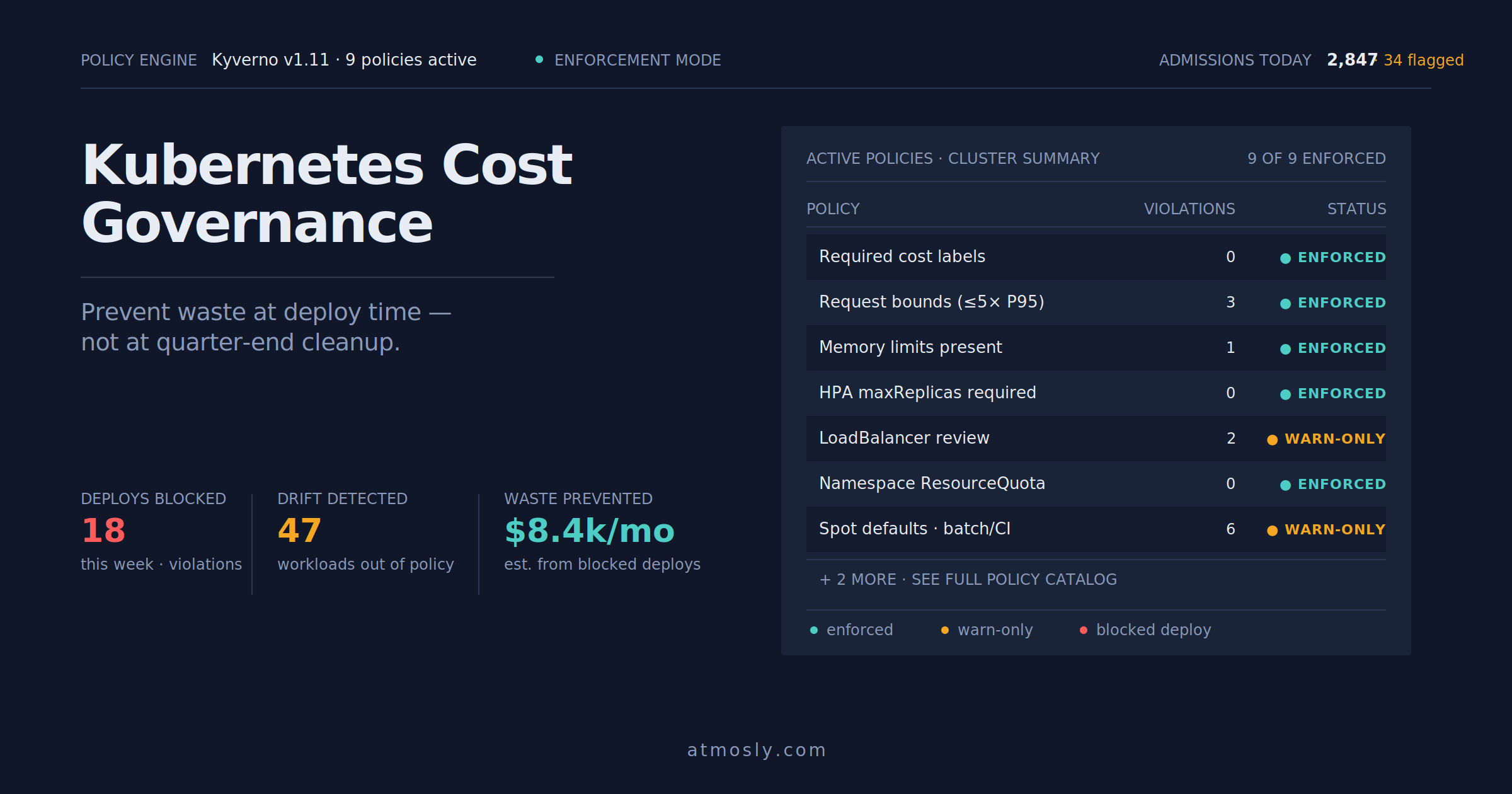
Self-service without guardrails is dangerous. A developer could accidentally request 1,000 CPUs and crash the billing system. You need Policy-as-Code to enforce organizational standards.
Policy Categories
1. Resource Quotas (Cost Control)
Prevent teams from consuming unlimited resources.
apiVersion: v1
kind: ResourceQuota
metadata:
  name: team-quota
  namespace: team-payments
spec:
  hard:
    requests.cpu: "20"
    requests.memory: 64Gi
    limits.cpu: "40"
    limits.memory: 128Gi
    pods: "50"
    services.loadbalancers: "2"
    persistentvolumeclaims: "10"
Platform Enhancement: Modern platforms can translate budget limits into resource quotas dynamically. Instead of managing raw CPU/memory quotas, platform teams can set monthly budget caps, and the system calculates appropriate resource limits based on current cloud pricing.
2. Security Policies (OPA)
Use Open Policy Agent (OPA) to enforce security rules at admission time.
Example Policy: Disallow Root Containers
package kubernetes.admission

deny[msg] {
  input.request.kind.kind == "Pod"
  container := input.request.object.spec.containers[_]
  not container.securityContext.runAsNonRoot
  msg := sprintf("Container %v must set runAsNonRoot: true", [container.name])
}
Example Policy: Require Resource Limits
package kubernetes.admission

deny[msg] {
  input.request.kind.kind == "Deployment"
  container := input.request.object.spec.template.spec.containers[_]
  not container.resources.limits.memory
  msg := sprintf("Container %v must define memory limits", [container.name])
}
Policy Libraries: Platforms that integrate with OPA or Kyverno can provide pre-built policy libraries that you can enable with simple toggles: "Require Health Probes," "Block Latest Tag," "Enforce TLS," etc. This eliminates the need to write raw Rego for common use cases.
Phase 4: Observability (The Feedback Loop)
Deploying is easy. Debugging is hard. A self-service platform must provide real-time visibility into application health.
1. Live Logs
Developers shouldn't need `kubectl` access to tail logs. The platform should stream logs to the browser.
Platform Implementation: Modern Kubernetes platforms provide browser-based log streaming that connects directly to the Kubernetes API. Developers can filter by pod, search for errors, and download logs all without CLI tools. Atmosly's Live Logs feature provides exactly this: real-time log streaming with search and filtering capabilities directly in the web interface.
2. Metrics Dashboard
Show CPU, Memory, and Request Rate in real-time.
Unified Dashboards: Platforms that integrate with Prometheus can display:
- Golden Signals: Latency, Traffic, Errors, Saturation.
- Resource Usage: CPU/Memory actual vs requested.
- Cost Attribution: Real-time spend for each service.
3. Health Checks and Auto-Diagnosis
When a pod is in `CrashLoopBackOff`, the platform should tell developers why.
Smart Health Monitoring: Advanced platforms can watch for common failure patterns and provide actionable diagnostics. For example, Atmosly's Health Dashboard detects issues like:
- OOMKilled: "Your pod was killed due to memory limit (512MB). Recommendation: Increase limit based on actual usage."
- ImagePullBackOff: "Cannot pull image 'my-app:v2.3'. Error: 404 Not Found. Check your image tag."
- Liveness Probe Failed: "Liveness probe failing on `/health`. Check application logs for errors."
Phase 5: Cost Management (FinOps)
Self-service can lead to cost sprawl if developers don't see the bill. You must make cost visible and actionable.
1. Real-Time Cost Attribution
Show developers how much their service costs per day/month.
Cost Intelligence: Platforms with cost tracking capabilities calculate spend by tracking:
- CPU Request-Hours * CPU Rate
- Memory Request-Hours * Memory Rate
- Storage (PVC Size * Storage Rate)
- Load Balancer usage
Atmosly's Cost Dashboard provides granular cost visibility, showing per-service and per-namespace spending with recommendations for rightsizing based on actual resource utilization.
2. Environment Scheduler (Auto-Shutdown)
Dev and staging environments don't need to run 24/7.
Cost-Saving Automation: Atmosly's Environment Scheduler allows teams to configure automatic shutdown schedules:
- "Shut down Dev environment every day at 8 PM."
- "Shut down Staging on weekends."
The platform scales deployments to 0 replicas during off-hours. When developers arrive Monday morning and need access, the environment can be restored quickly. Typical savings: 40-60% on non-prod costs.
Phase 6: Implementation Roadmap
Month 1: Foundation & Pilot
Week 1:
- Choose and install your platform solution on one non-prod cluster.
- Configure SSO (Okta/Azure AD integration).
- Create the first project and invite 3 developers.
Week 2-3:
- Define your first Service Blueprint ("Standard Web Service").
- Migrate 1 existing service to use the Blueprint.
- Validate the deployment workflow end-to-end.
Week 4:
- Gather feedback from pilot users.
- Refine the Blueprint based on feedback.
Month 2: Expansion & Governance
Week 5-6:
- Onboard 3 more teams (15-20 developers).
- Enable Policy Guardrails (Block root containers, Require resource limits).
Week 7-8:
- Connect the Production cluster to your platform.
- Define "Production" Blueprint (stricter policies, higher replica counts).
- Migrate 3 production services to the new workflow.
Month 3: Optimization & Scale
Week 9-10:
- Enable Cost tracking and budgets for all teams.
- Turn on Environment Schedulers for dev/staging.
Week 11-12:
- Full rollout to all engineering teams (100+ developers).
- Establish governance policies for production changes.
- Measure success: Time-to-deploy, Ticket volume, Developer satisfaction.
Conclusion: The Platform as a Product
Building a Self-Service Kubernetes Platform is not a one-time project; it's an ongoing product. Your internal developers are your customers. You need to listen to their feedback, iterate on the Blueprints, and continuously improve the experience.
The choice is: Build or Buy. Building from scratch with Backstage, Argo CD, OPA, and custom glue code takes 12+ months and requires a dedicated Platform Team of 5-10 engineers. Modern Kubernetes management platforms can provide production-ready self-service capabilities much faster, handling infrastructure complexity while allowing your team to focus on defining the Blueprints and Policies that make your organization unique.